Regardless of the number of vendors you have, tracking vendor performance should be simpler and faster. But many businesses spend significant time and effort generating vendor reports and identifying specific insights they need to make better decisions.
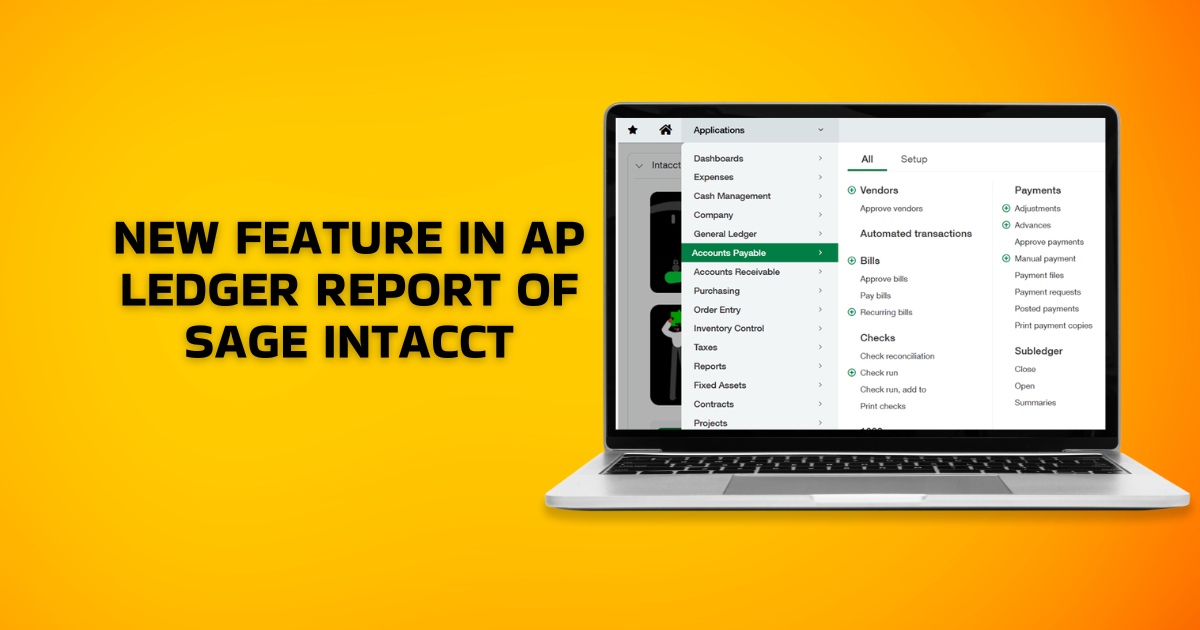
That’s exactly why we have introduced new features to the AP Ledger report in the Accounts Payable (AP) module of Sage Intacct, through our latest Sage Intacct 2025 R4 release. Aimed at increasing flexibility and accuracy in vendor reporting, these improvements reduce manual effort and save time, allowing you to be more focused and productive.
The AP Ledger Report now includes advanced filtering options, enabling you to segment and analyse vendor data directly in Sage Intacct.
Key Benefits of AP Ledger report of Sage Intacct
The AP Ledger report updates in Sage Intacct go beyond minor refinements; they simplify vendor reporting and enable faster, more informed decision-making:
- Multi-Vendor Reporting: Generate reports for multiple vendors in a single run, eliminating the need for separate reports.
- Custom Vendor Grouping: Create focused vendor sets based on criteria such as region, industry, payment terms, or other attributes.
- Improved Accuracy and Efficiency: Apply filters directly within the report to reduce manual adjustments and minimize the risk of copy-paste errors.
How to Use These New AP Ledger Report Features
Define the scope of the AP Ledger report using either of the following intuitive options:
- Multiple Vendors: Select individual vendors or specify a range of vendor IDs.
- Vendor Groups: Include vendors from predefined vendor groups.
- Child Vendors: Choose to include related child vendors when applying vendor range filters.
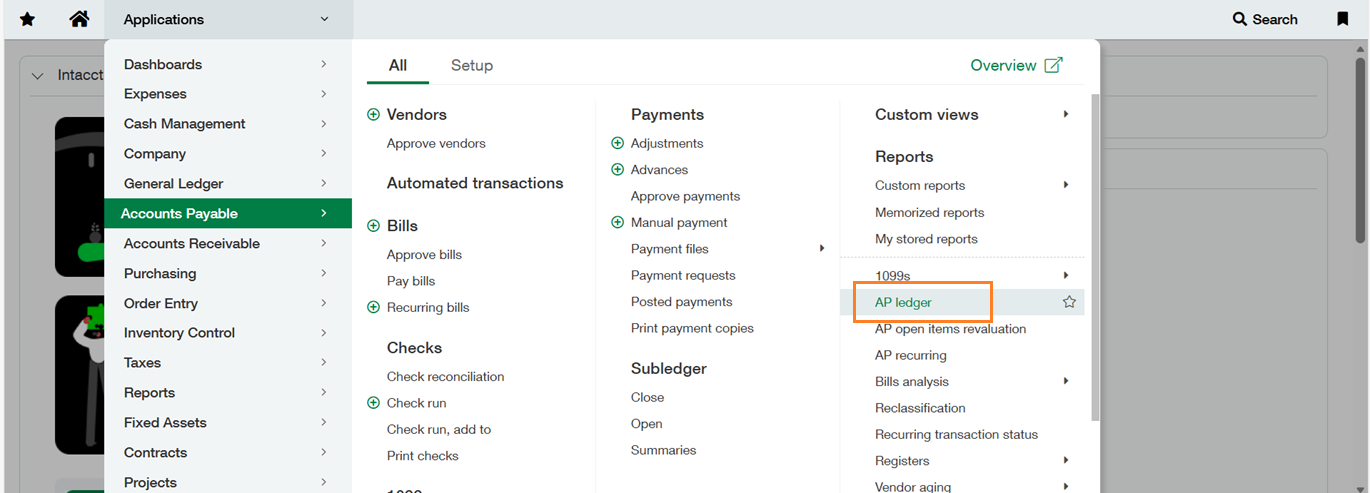
To access the AP Ledger report, navigate to >> Accounts Payable module >> under the Reports section >> AP Ledger screen
Below is the image for your reference.
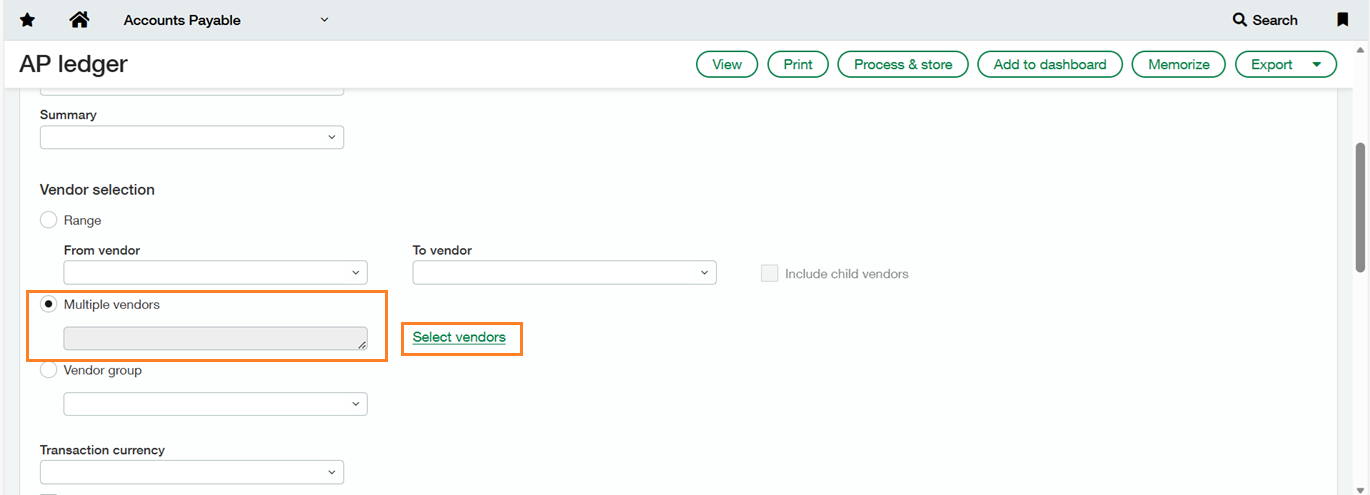
On the AP Ledger screen, select the Multiple Vendors option. Then, click the corresponding radio button and choose the Select Vendors hyperlink.
Below is the image for your reference.
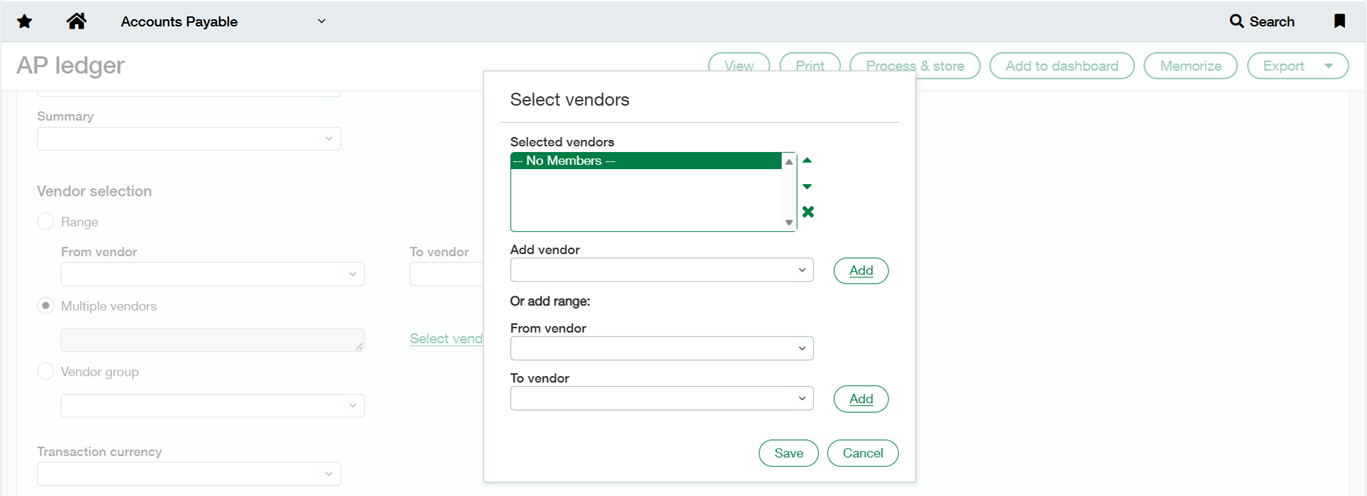
After clicking the Select Vendors hyperlink, a pop-up window will appear displaying the Add Vendor and Add Range options.
Below is the image for your reference.
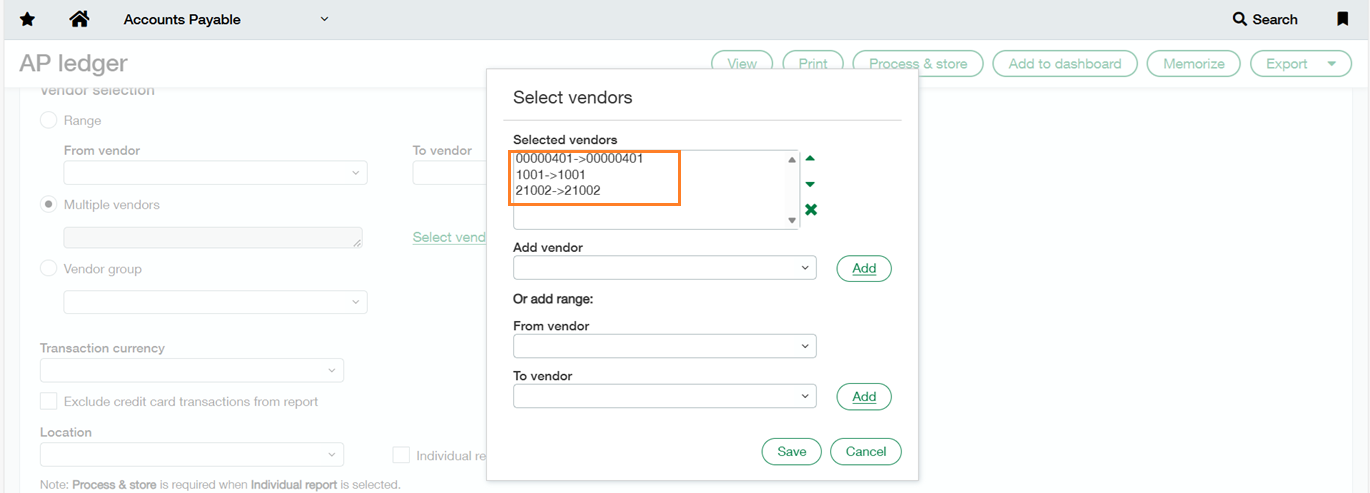
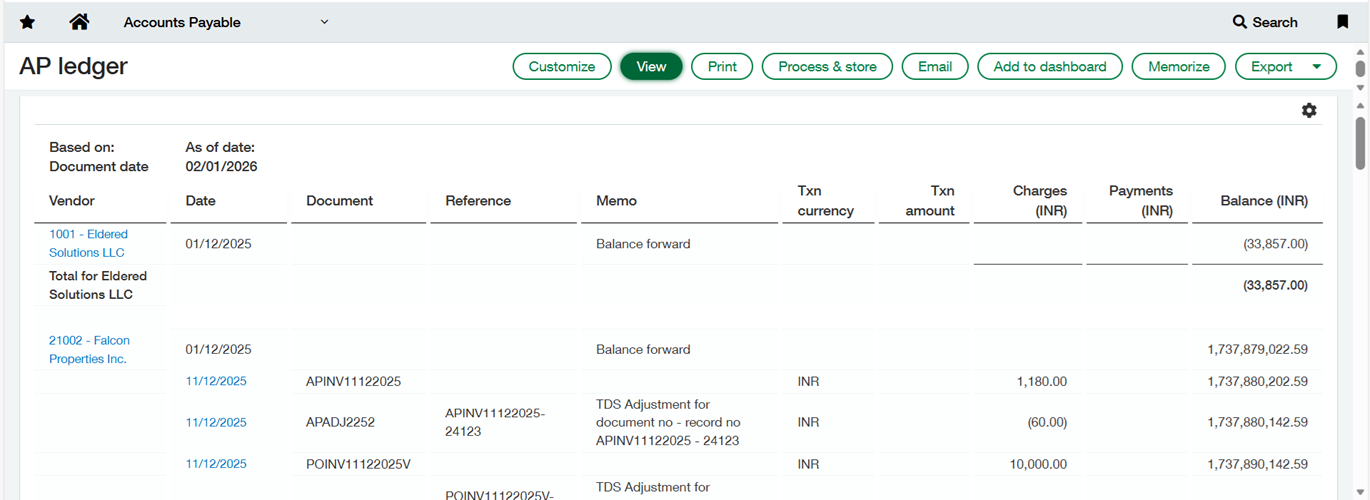
In this example, the Add Vendor option is selected, and three vendors are chosen. Click Save and then view the report.
Below are the images for your reference.
Conclusion
Sage Intacct always keeps your revenue growth and simplicity of use as its prime focus when designing new features. With enhanced filtering and improved vendor reporting flexibility in the AP Ledger report, finance teams can access clearer insights with less manual effort. These updates will streamline your reporting workflows, improve accuracy, and enable more informed financial decision-making.