Accounts receivable is the revenue centre of the organization, responsible for managing all cash inflows. Naturally, it is crucial to ensure a smooth invoice creation experience for the AR team. This enables you to receive payments faster, while maintaining a healthy cash flow.
With Sage Intacct, creating an Accounts Receivable invoice is simple and efficient, allowing users to accurately record customer billings, apply taxes and due dates, and post the transactions to the correct accounts. Besides, it ensures proper tracking of receivables and timely revenue recognition.
This guide walks you through the accounts receivable invoicing process in Sage Intacct.
Steps to Create an Accounts Receivable Invoice in Sage Intacct
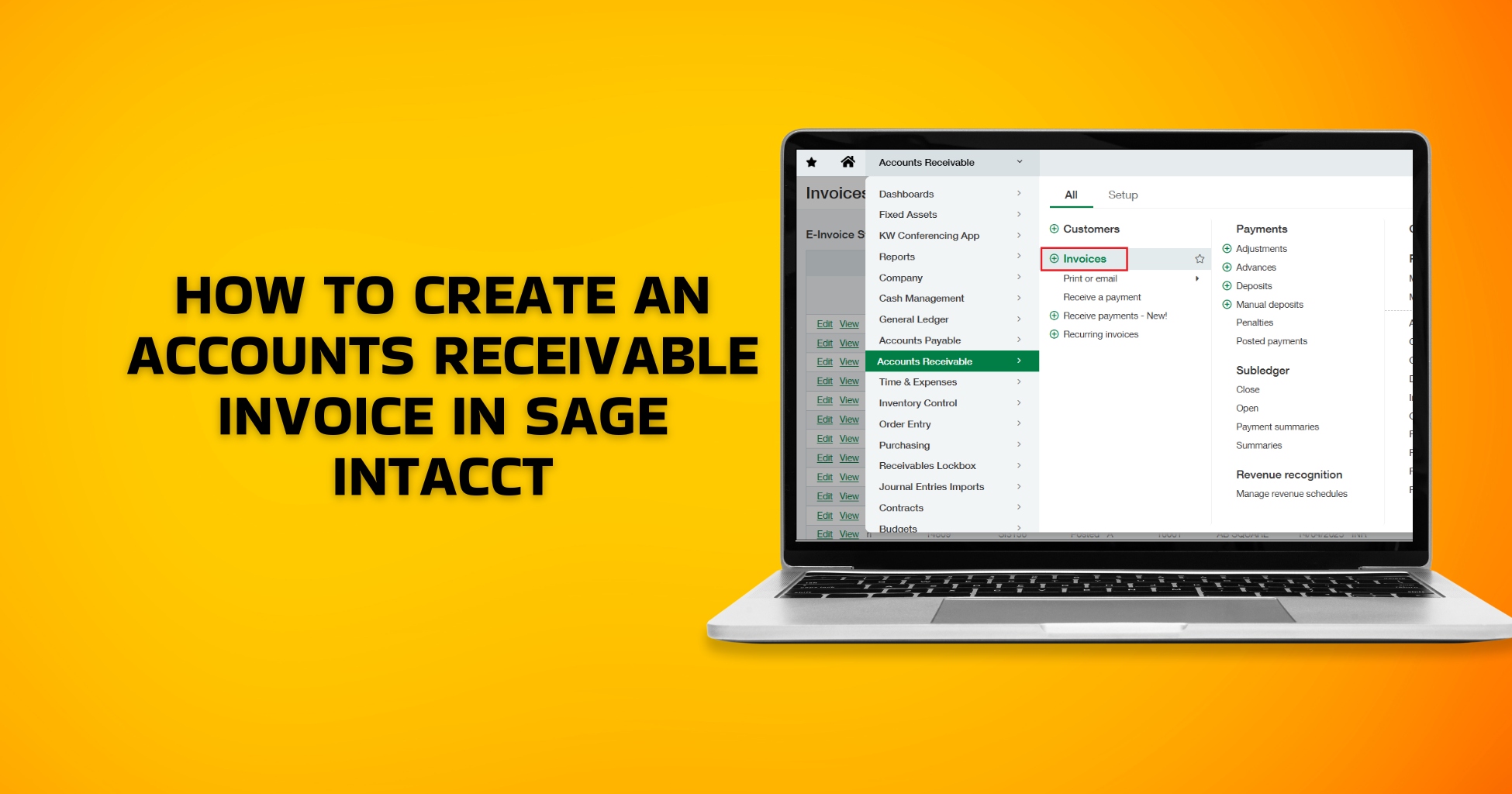
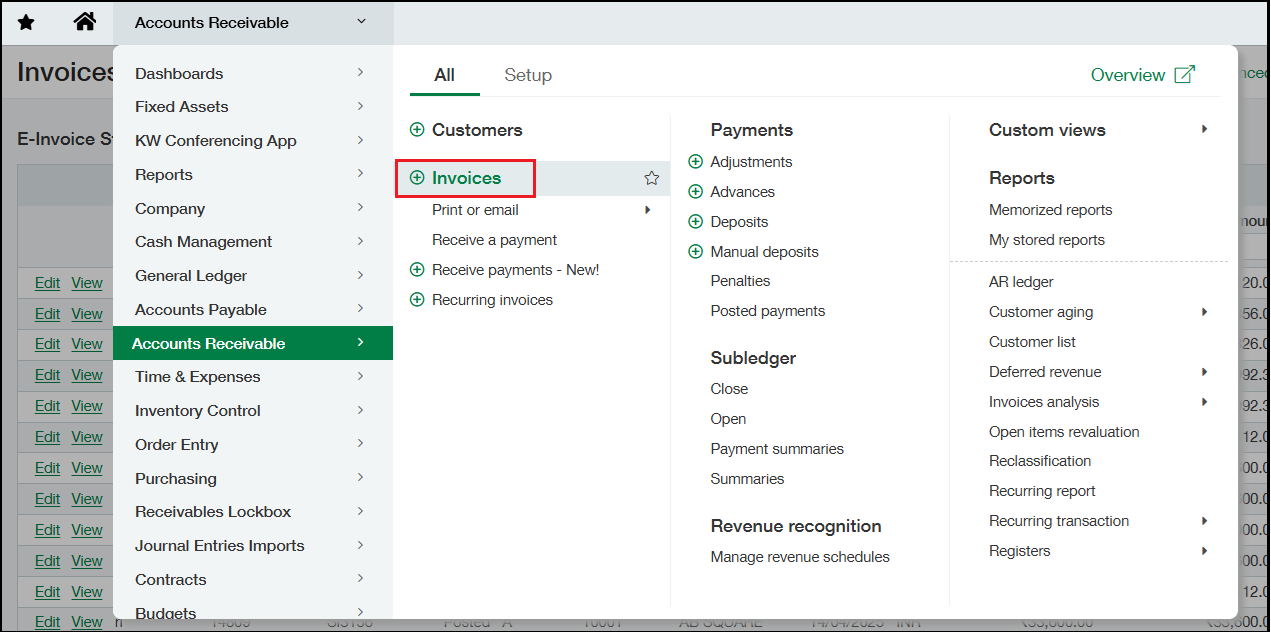
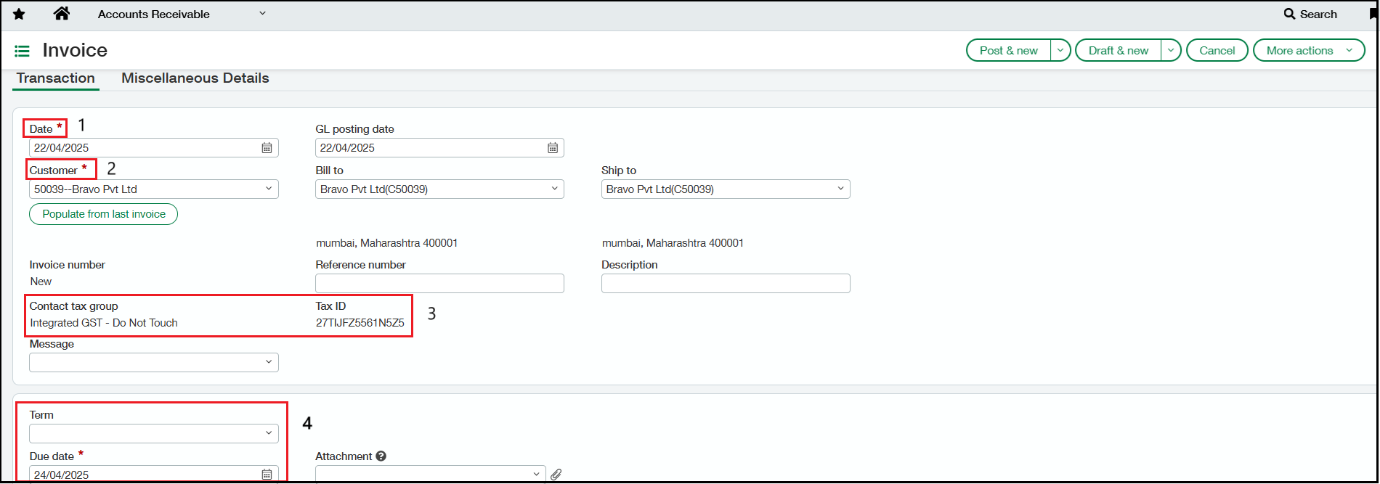
Navigate to Accounts Receivable > All Tab> Invoices and select (+) option to add the Invoice.
- Select the Date for the Invoice
- Select an existing Customer from the drop-down option.
- The Contact tax group and Tax ID assigned to the customer will auto reflect in the respective fields.
- Select Due Date/ Term, or else you can define the same on the customer master screen to auto-flow these details. Sage Intacct calculates the default due date based on the invoice date and terms.
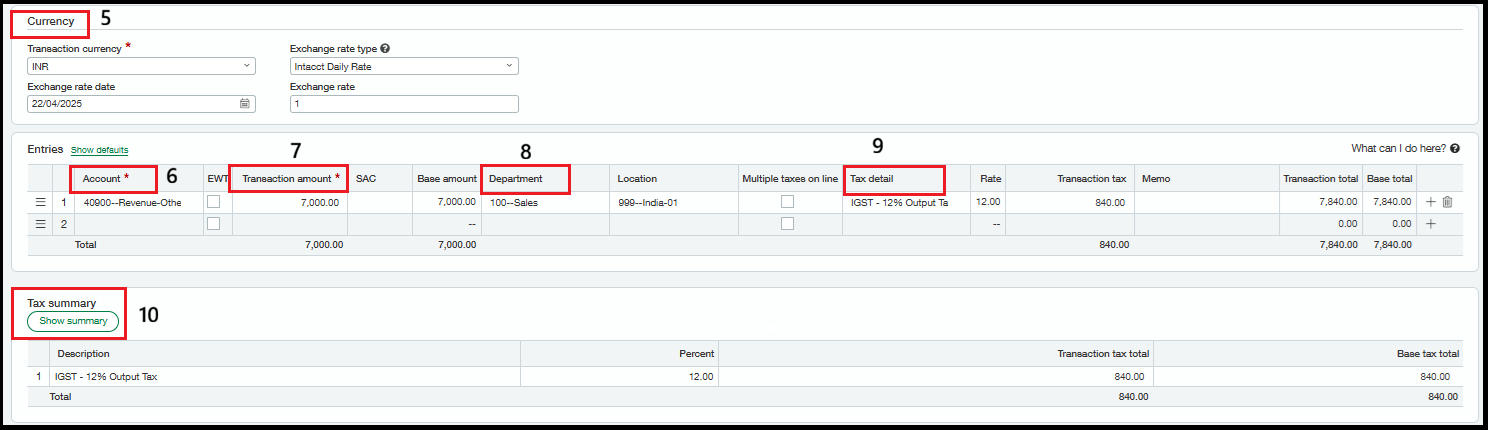
5. Enter the Currency details in the Currency Section.
6. Select the required Revenue account from the drop-down of the Account field.
7. Enter the Transaction amount.
8. Select the Department.
9. Here, the Tax details will get calculated automatically as per the GST tax type and rate assigned to the Customer.
10. In the Tax Summary Section, the Description reflects the GST Tax type and the percentage that is applied.
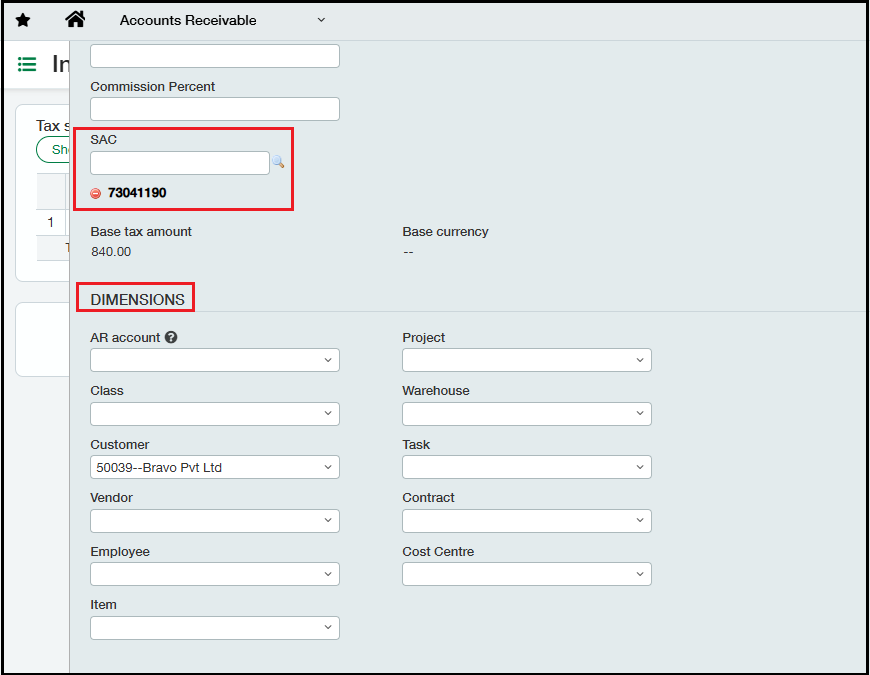
11. From the “Show details” dropdown of the line item, the detail line gets expanded, where you can tag the SAC code and any Dimensions that are required to be tagged. Once all the required details are filled in, post the invoice using the ‘Post’ button.

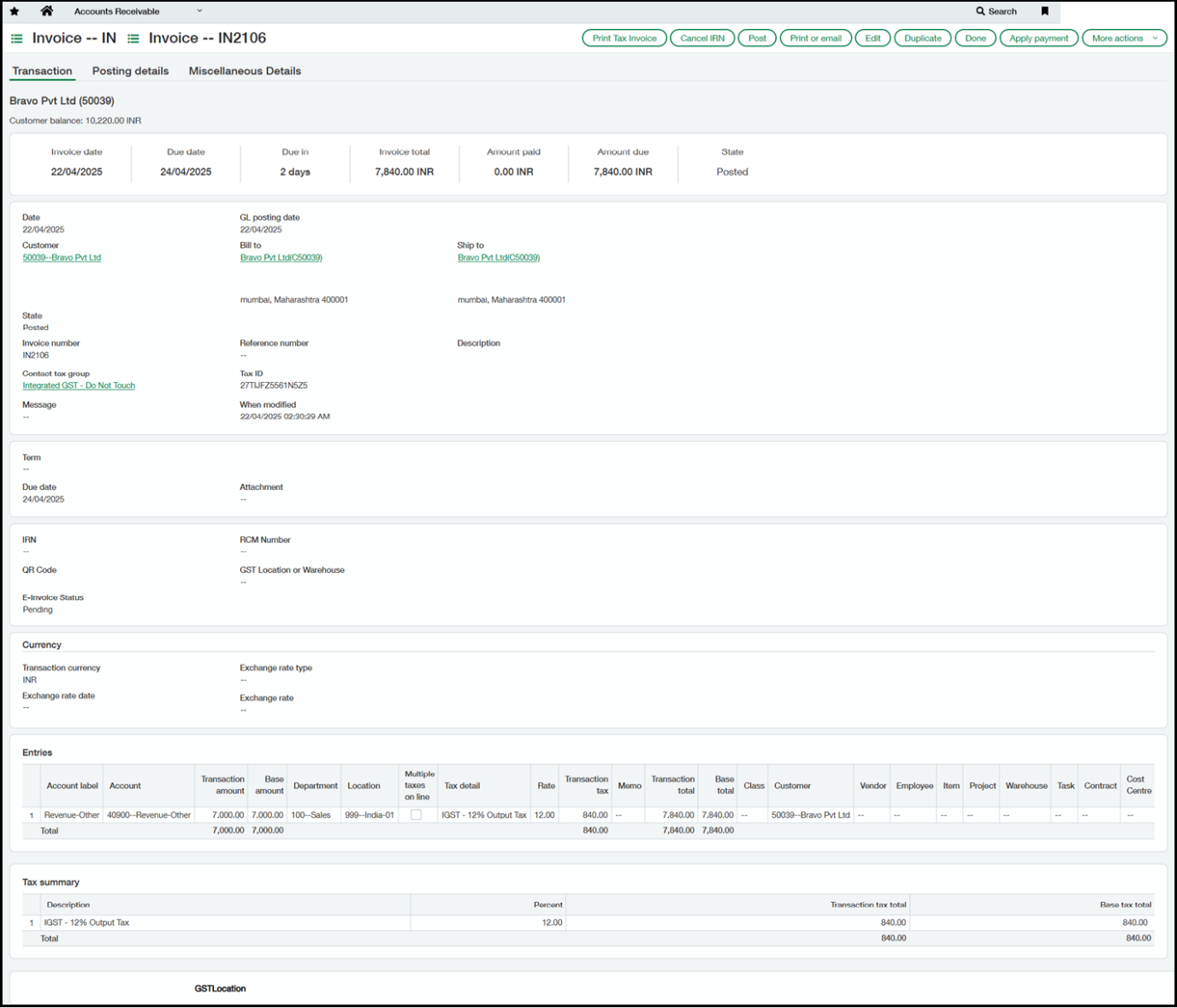
Screenshot of the Accounts Receivable Invoice created
Conclusion
By following the proper steps to create an Accounts Receivable invoice in Sage Intacct, you can ensure accurate billing and timely revenue recognition. Consistent invoicing helps maintain clear financial records and strengthens customer relationships. Mastering this process allows your finance team to work more efficiently and confidently.