In industries such as construction, engineering, manufacturing, and project-based services, retainage accounting is a common business practice. It is also known as Retention Money where-in a portion of the invoice value is withheld until the successful completion of a project or fulfillment of contractual obligations.
Sage 300 provides built-in functionality to manage retainage efficiently, ensuring accurate accounting. This blog explains what retainage invoicing is, its usefulness in the company’s day-to-day business operations, and how to set it in ERP software. We will also discuss some key Sage 300 features that support this process. Let’s begin.
What is Retainage?
Retainage is a percentage or fixed amount withheld from vendor payments or customer invoices as security for satisfactory completion of work. Modern-day businesses need to adopt retainage accounting to withhold funds, manage compliance, and track liability. Sage 300’s AP Automation module provides a project-centric control and balance management for complex contracts.
Benefits of Retainage Accounting
Here are the key benefits of adopting Retainage Accounting in day-to-day business operations:
- Risk Mitigation: Manage defaults, financial instabilities, and other monetary risks while dealing with external stakeholders such as contractors
- Contractual Compliance: Ensure successful contractual compliance within the pre-agreed time period by holding back the final payment
- Effective Cash Flow Management: Optimize the company’s cash flow position and avoid mismatches and financial indiscipline
How to Use Retainage Entry in Sage 300?
The steps given below demonstrate how to set the Vendor for retention Invoices.
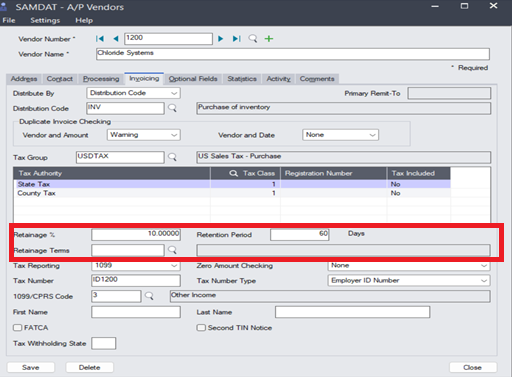
Navigate to Accounts Payable 🡪 A/P Vendors 🡪 Invoicing Tab, define the Retainage percent, Retention period, and Retainage Terms. This will help to fetch the data in the invoice entry from the masters.
- Retainage Percent:
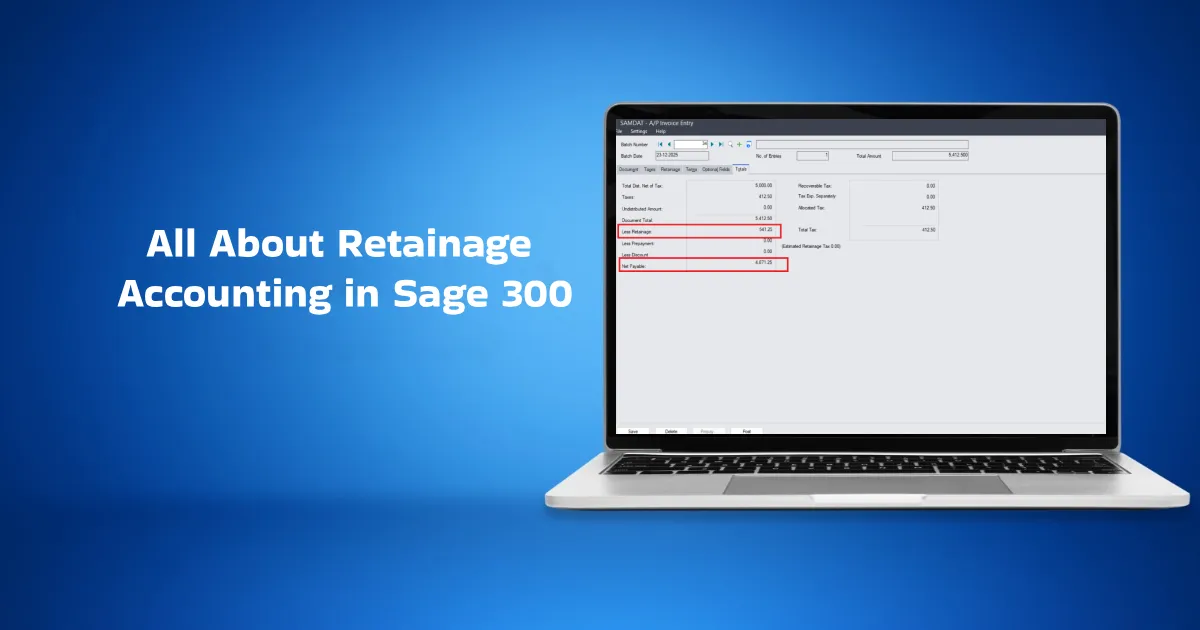
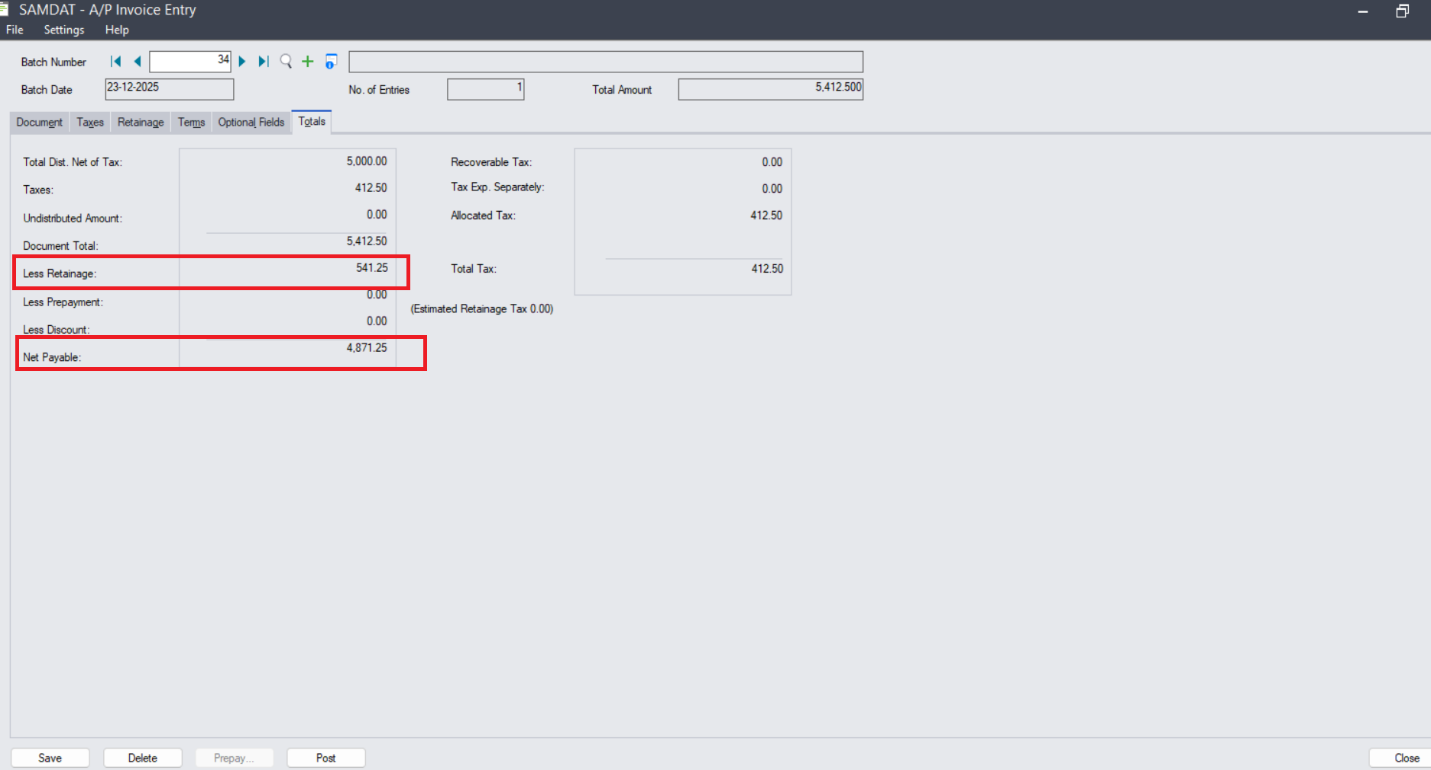
Here, we define the percentage of the total invoice amount that will be withheld. For example, if the invoice amount is 5,412 and a retainage of 10% is applicable, then ₹541 (approx) will be withheld as retainage, and the remaining ₹4,871(approx) will be payable. - Retention Period:
The retention period defines the duration for which the retainage amount is held before it is released. - Retainage terms: Retainage terms represent the number of days for which the retainage amount will be held. After the specified number of days has passed, the retained amount becomes due.
How to Use the Master Configuration at the Entry Level?
To apply retainage functionality to a specific entry, we need to select the checkbox at the header level Retainage—in the AP Invoice Entry.
Once the Retainage checkbox is selected, a new “Retainage” tab will appear.
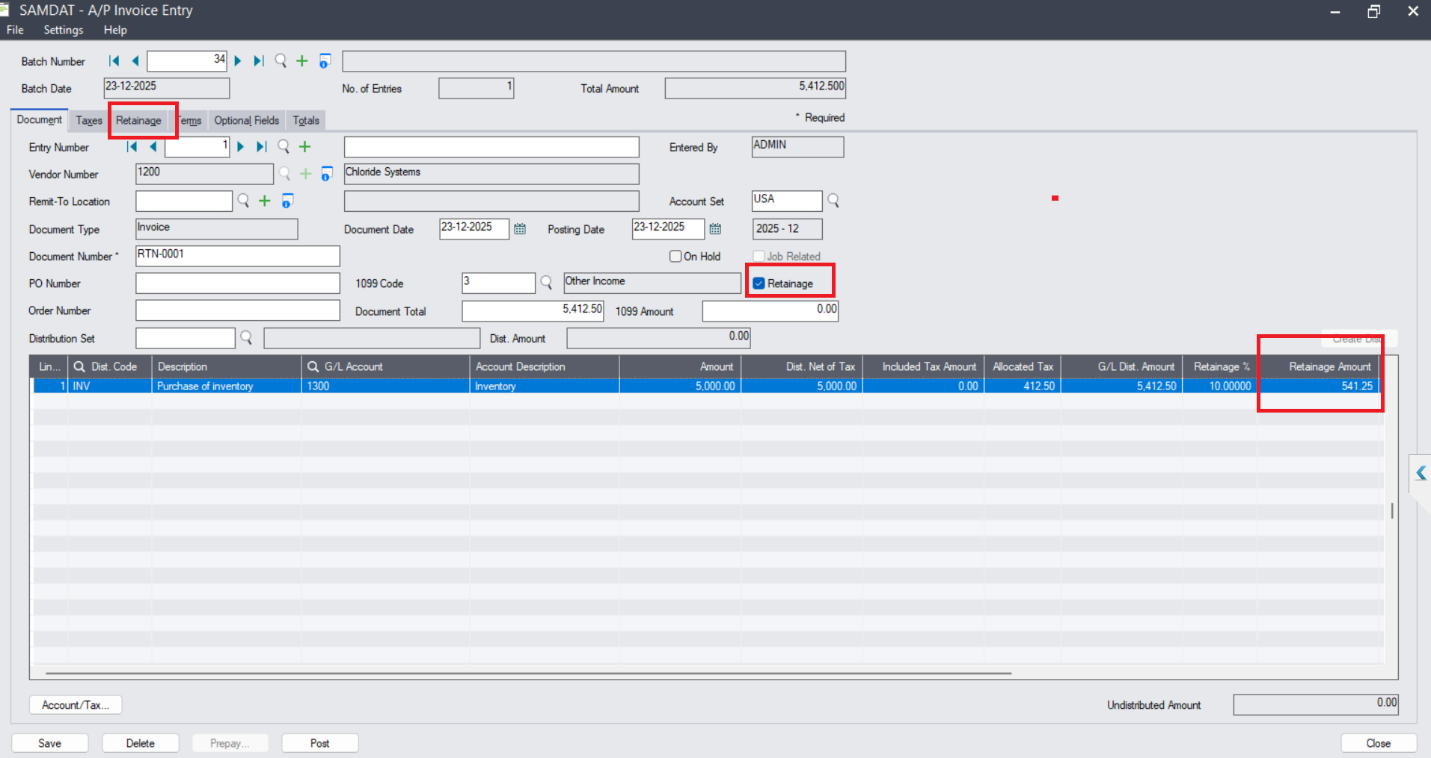
In the Retainage Amount tab, you can enter the value manually that you want to withhold, or it will fetch it from the master. After the deduction, the net payable amount will be automatically reflected in the Payment Entry. This helps the business accurately track expenses in line with project completion.
Conclusion
Sage 300 provides a dedicated module to efficiently manage accounts payable and improve your cash flow statement. It offers extensive options for setting up retainage accounting and managing all aspects of it, including retainage percentage, period, and terms. It also lets you set up different retainage payable options for different categories, and view other retainage-specific data such as your source retainage amount, functional retainage amount, and retainage due date.