This document provides a detailed overview of the new and enhanced (GL) General Ledger features of Sage 300 introduced in 2025, along with the relevant screen names and navigation paths. These enhancements improve usability, reporting efficiency, and financial analysis.
1. Drill-down from the Chart of Accounts
Indian companies focusing on Taxation and General Ledger integration require maintaining electronic records for GST compliance. The Chart of Accounts in Sage 300 allows businesses to adopt the accounting structure compliant with the Indian Accounting Standards (Ind AS).
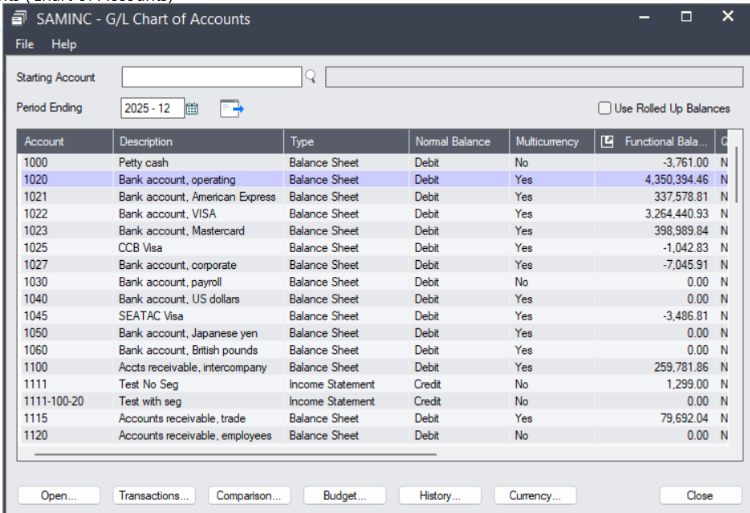
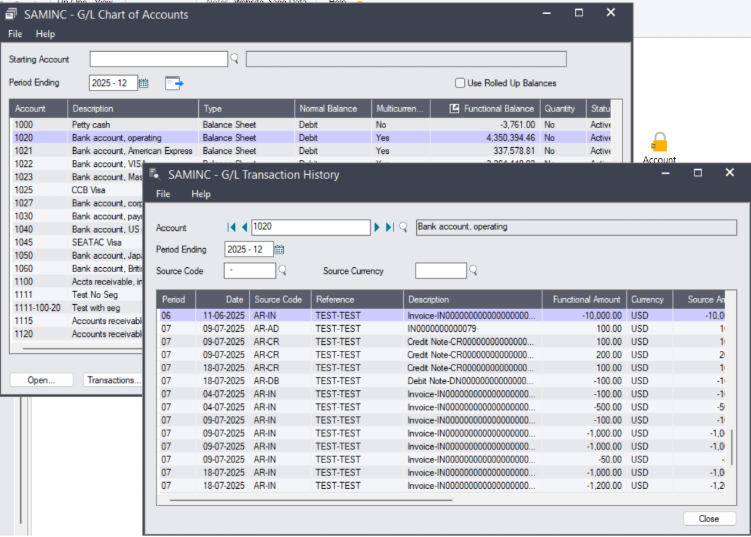
Sage 300 2025 introduces the ability to drill down directly into transaction details from the Chart of Accounts. Users can now double-click on a GL account to view all related posted transactions for the selected fiscal year and period.
Benefits:
- Faster access to transaction details
- Reduced navigation between multiple screens
- Improved efficiency during audits and reconciliations
Navigation Path:
General Ledger → G/L Accounts → Chart of Accounts
Action:
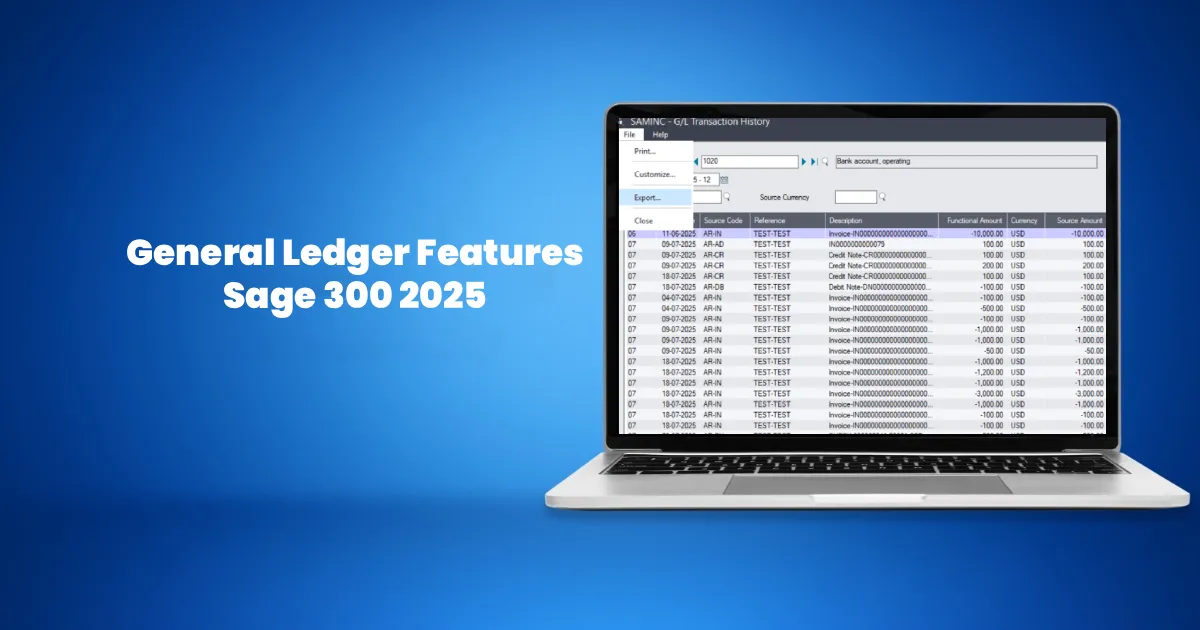
Double‑click on the “Functional Balance” column of the required G/L Account. Upon double-clicking, the GL Transaction History screen pops up, listing posted transactions for the selected GL Account.
2. Export General Ledger Transactions
In Sage 300 2025, General Ledger transaction listings can be exported directly to external programs such as Microsoft Excel. Previously, users were limited to printing reports or manual data extraction.
Navigation Path:
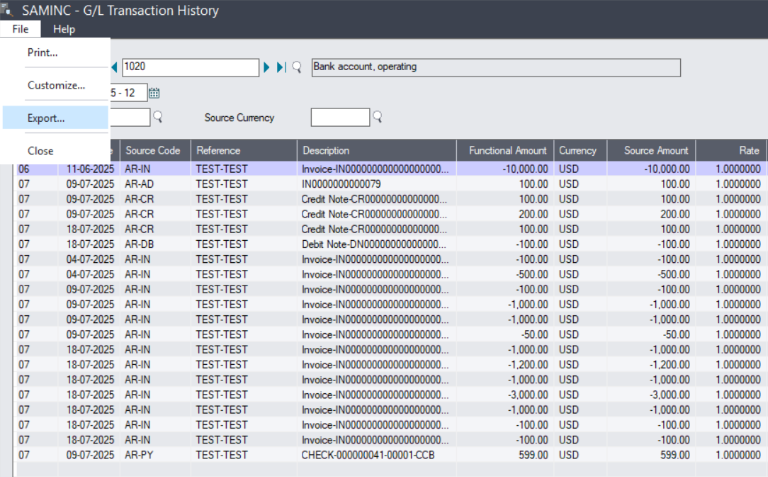
On the above opened GL Transaction History screen, select File> Export.
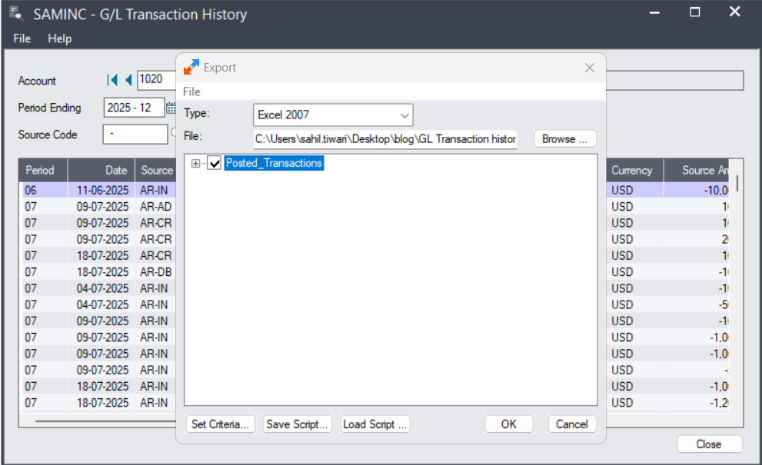
In the export screen, select the desired external program in the “Type” section.
Specify the path where you want to export the report using the Browse button, and click on the OK button to export the report.
Benefits:
- Easy analysis and filtering in Excel
- Simplified sharing of financial data
- Improved reporting flexibility
3. Availability in Web and Desktop Screens
The General Ledger enhancements in Sage 300 2025 are available in both the classic desktop screens and the newer web-based screens. This ensures consistency for organizations using a hybrid or transitioning environment.
Navigation Path (Web Screens):
Web Portal → General Ledger → Accounts / Transactions
Navigation Path (Desktop Screens):
Sage 300 Desktop → General Ledger → G/L Accounts or G/L Transactions
4. Overall Usability Improvements
With improved navigation and direct access to transaction-level data, Sage 300 2025 significantly reduces the time required for financial review. Accountants and finance users can quickly trace balances from summary to detail without switching multiple screens.
Conclusion
The General Ledger enhancements in Sage 300 2025 focus on usability, accessibility, and reporting efficiency. Features like direct drill-down from the Chart of Accounts and exportable transaction listings enable finance teams to work faster and with greater accuracy.