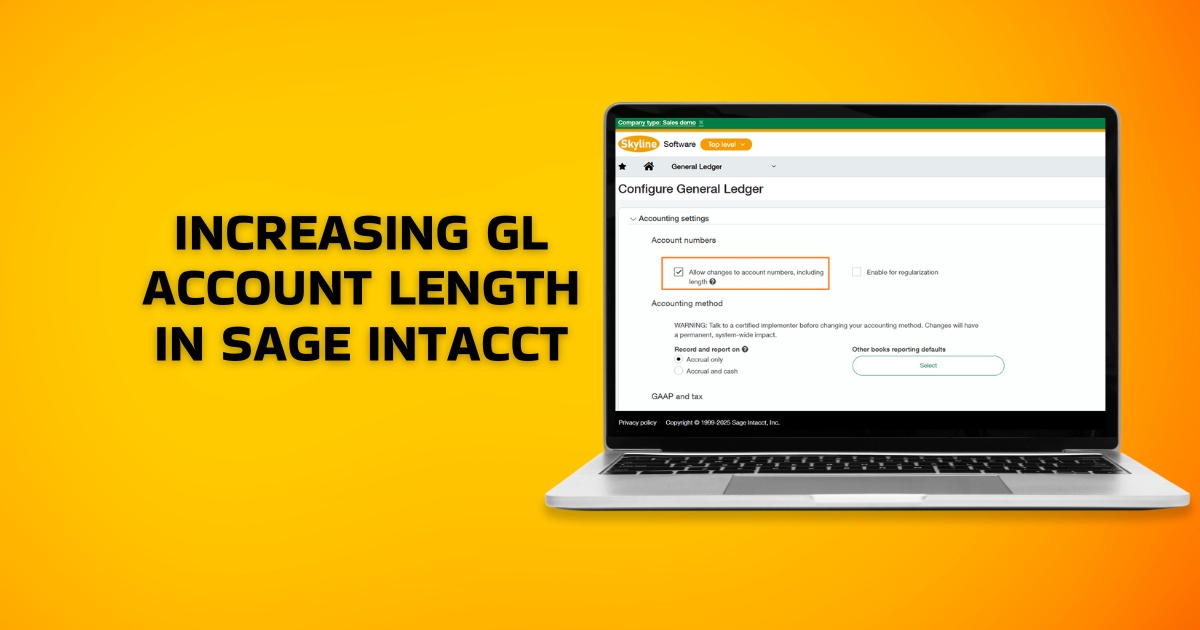
Sage Intacct introduced flexible GL account length adjustments in the 2023 R4 release, allowing changes from 5 to 24 characters even after transactions are posted. This feature enhances financial reporting but requires careful planning due to impacts on integrations, reports, and account mappings.
General Ledger (GL) account lengths are alphanumeric codes used to categorise a company’s assets, liabilities, revenue, and expenditures. Their exact length may vary depending on several factors such as the size & complexity of your organization, and your local financial regulations, among others. While they’re typically between 4-10 in length, some ERP software may support upto 20 digits. There are specific scenarios when businesses may need to increase GL account length in Sage Intacct. Let’s deep dive into those specific scenarios and the actual process.
Common Reasons for Increasing GL Account Length
1. Migration from Older ERP Systems
Older ERPs came with complex, rigid, and longer account strings. While migrating to the best ERP software in India, you will need to align with the existing account lengths to ensure consistency and seamless migration.
2. Business Growth
If you’re a growing business, there’s a good chance that you’ve expanded your activities across different business segments. You may want to increase the GL account length in your Sage Intacct to meet your increasing business needs.
3. Mergers & Acquisitions
Mergers and acquisitions of companies often lead to remapping of historical transactions. This may require changing your GL length to accommodate the other company’s transaction length.
4. Meet Global Accounting Structures
If you’re expanding your business operations globally, you will need to comply with the accounting structures in those countries. Some countries may require using long account strings for local tax filings. For example, the Comptroller and Auditor General of India (C&AG) makes a coding pattern for the State and Union Governments, and breaks down further hierarchy into major, minor, and sub-head.
Increasing GL Account Length in Sage Intacct : Step-by-Step Process
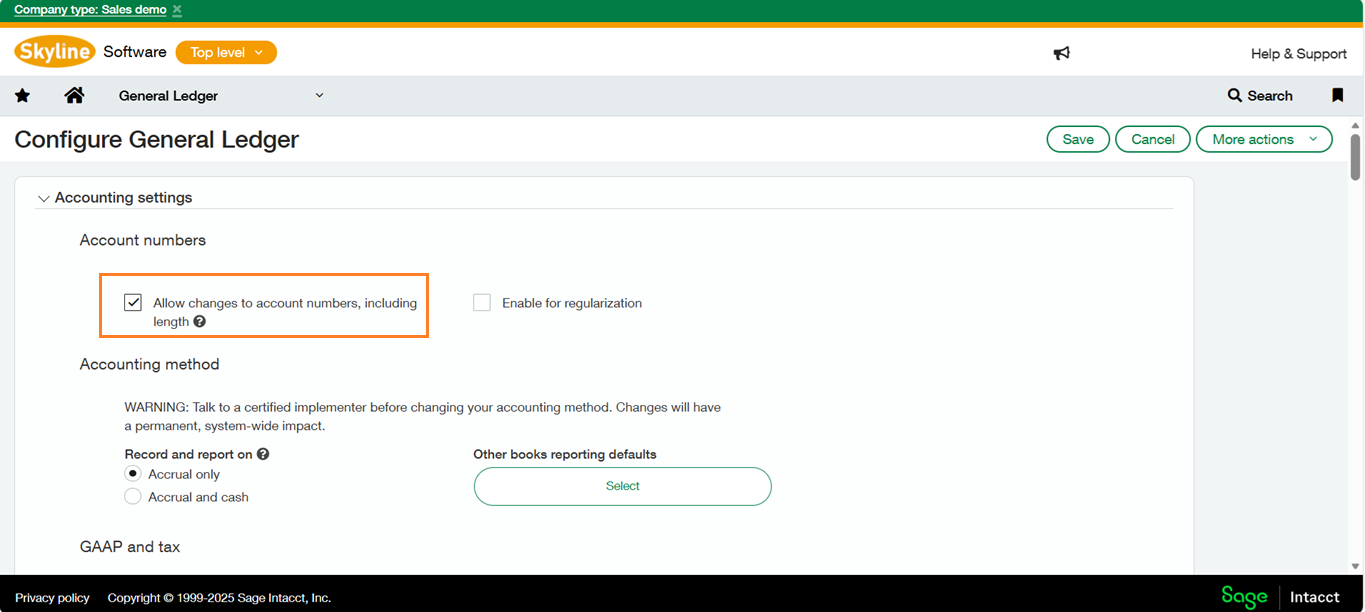
Navigate to General Module > Setup Tab > Configuration > Accounting settings section, tick the “Allow changes to account numbers, including length” and once you’ve made the necessary changes, click “Save” to apply the new changes.
Below is the image for your reference.
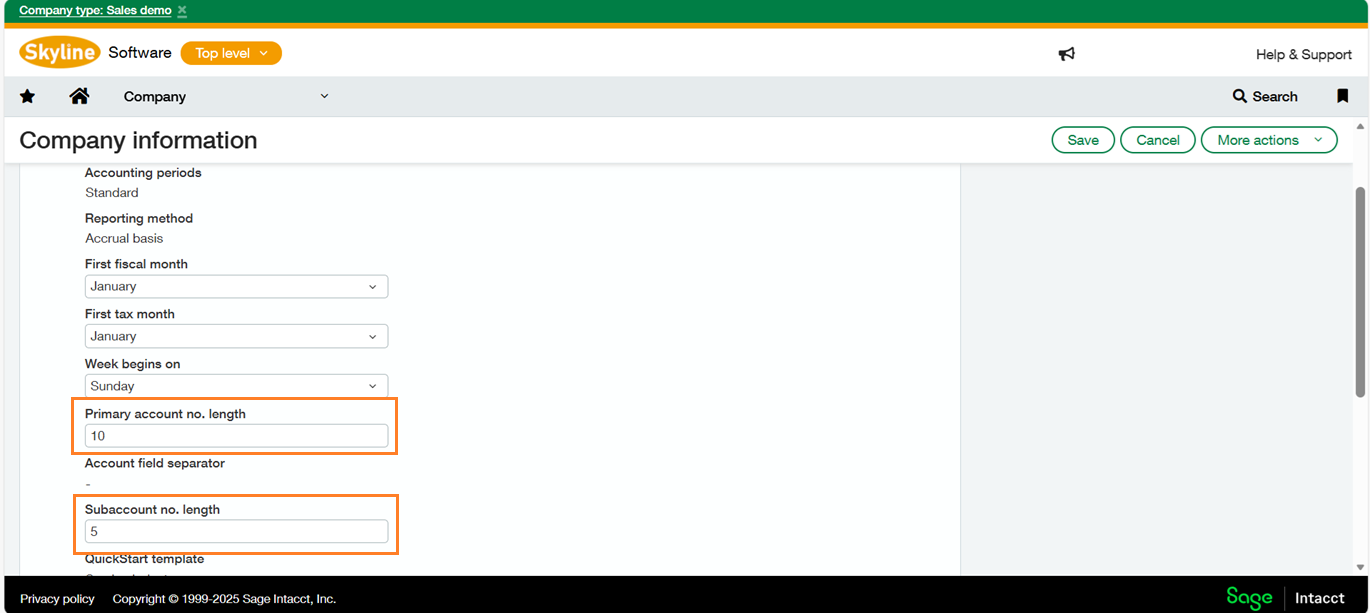
Now, Navigate to Company Module > Setup Tab > Company > Accounting tab. To modify the account length, click on “Edit” at the top-right of the page to edit the settings. Unlock and adjust the “Primary account number length” and “Sub number length” fields to the desired size up to 24 characters. Once you’ve made the necessary changes, click “Save” to apply the new account length.
Below is the image for your reference.
- After saving, edit individual GL accounts via General Ledger > Accounts to extend numbers within the new limit; the record ID remains unchanged.
- For bulk updates, export the chart of accounts including record ID and account number, modify externally, then import back.
- Test thoroughly, as unmapped accounts may break financial statements.
After saving, it’s important to verify that the system has updated correctly. Test the new account length by attempting to create or edit a GL account.
- Check if the additional digits appear in the account structure.
- Make sure that your existing accounts are still visible and that no data has been lost
Accounts shorter than the new length continue functioning but update the mappings promptly.
Wrap Up
Sage Intacct allows businesses to manage their financial & regulatory complexities and build a profitable growth model. Your business can benefit from shorter closing deals, streamlined accounting processes, and improved compliance. The 2023 R4 release allows changing general ledger configurations to increase the account length of your general ledgers and meet your changing business needs.