What is Customer Allocation?
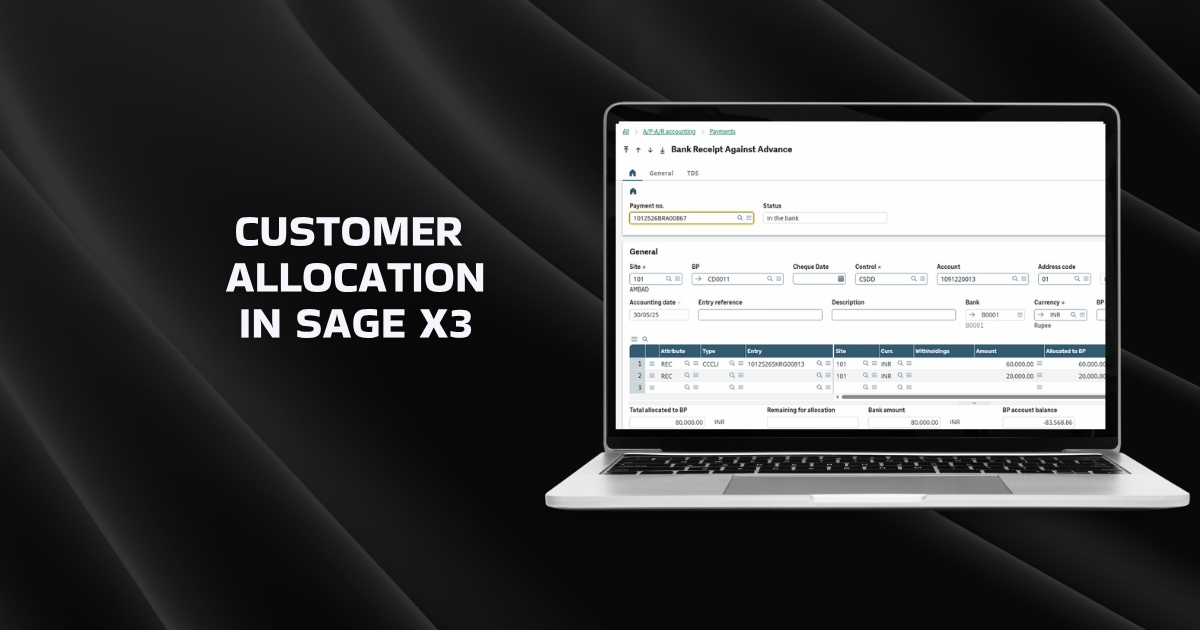
Customer Allocation in Sage X3 is part of the prepayments cycle and is used to link customer advance payments (prepayments) to sales orders or invoices created later. This capability in the ERP software ensures that advances received before invoicing are properly adjusted against the corresponding orders or invoices.
Navigation Path:
All > A/P – A/R Accounting > Open Items > Customer Allocation
Business Scenario
Here’s why this accounting process becomes necessary in business.
- A customer pays an advance amount before any sales order or invoice is created.
- The payment is recorded in the system but remains unallocated.
- Once the sales order or invoice is generated, the advance payment must be allocated to it using the Customer Allocation function.
This allocation can be partial or full and can be applied to one or multiple orders/invoices.
Step-by-Step Process
The Customer Allocation function is a fundamental part of accounts receivable automation in Sage X3. Follow these five simple steps to implement customer allocation efficiently.
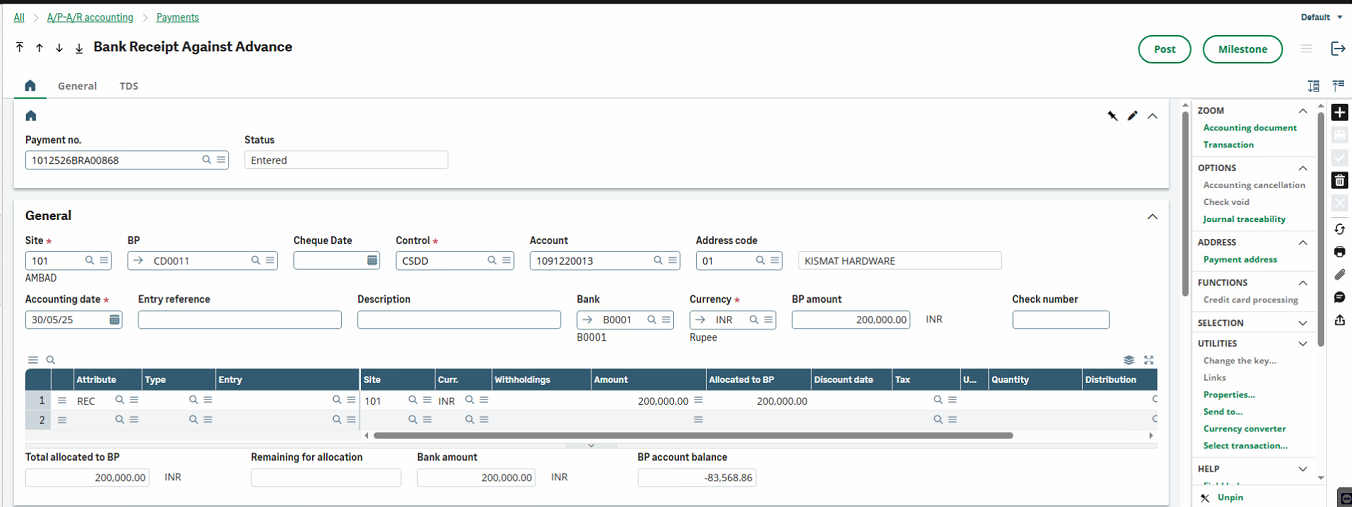
1. Create Advance Payment Entry
- Record the customer payment using the standard payment entry process.
- Since no sales order or invoice exists yet:
- Keep the Type and Entry fields blank at the line level.
- Post the payment.
- The system creates the accounting journal entry and keeps the payment open for future allocation.
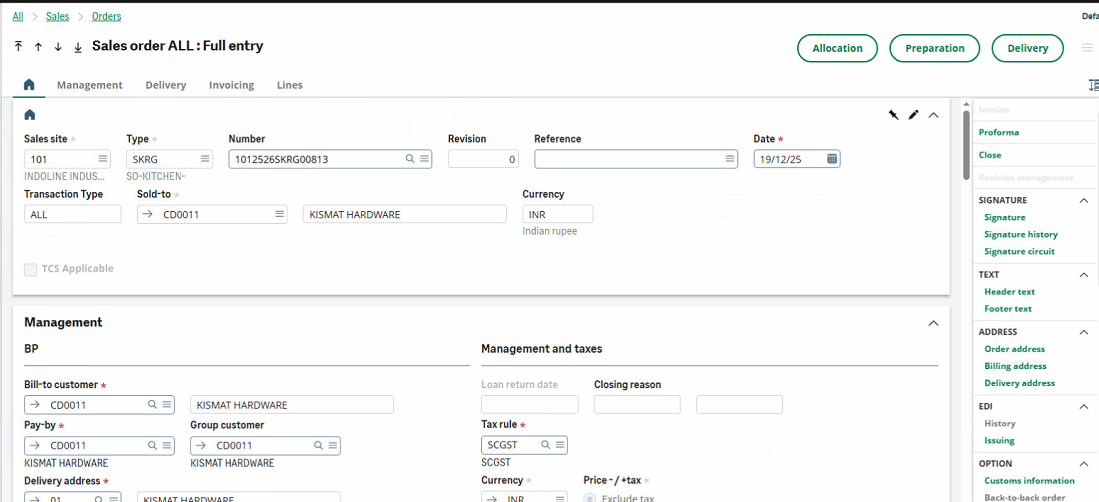
2. Create Sales Order / Invoice
Create the sales order (or invoice) for the same customer using the standard process.
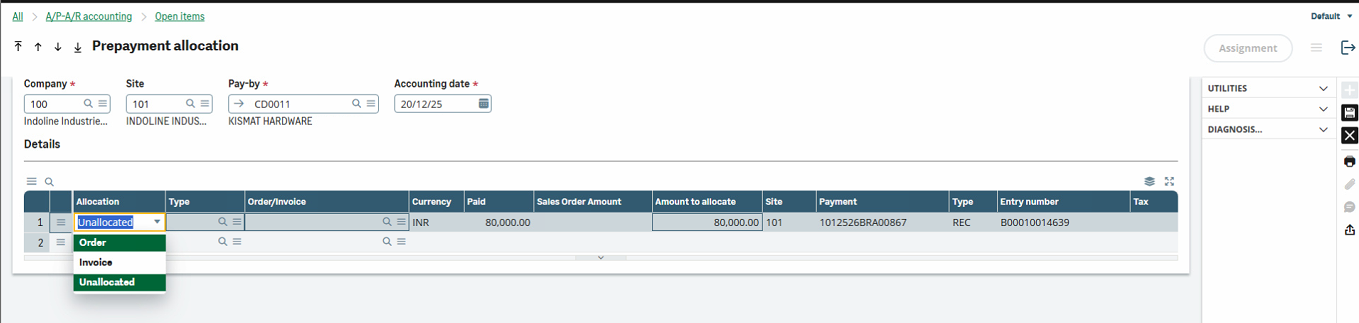
3. Allocate Advance Payment
- Open Customer Allocation screen.
- Enter:
- Company
- Site
- Pay-by (Customer)
- Accounting Date (current date)
- Press Tab.
- The system displays all open advance payments with remaining balances.
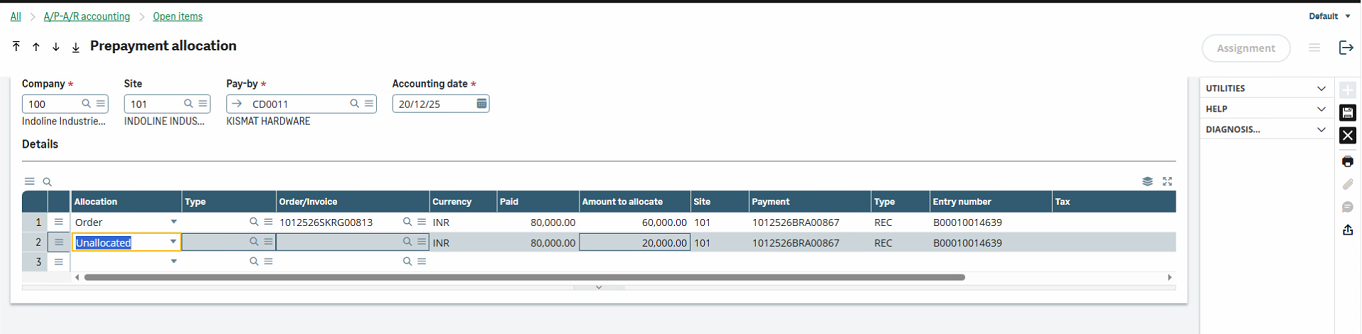
4. Perform Allocation
- In the Allocation column:
- Select the transaction type (e.g., Order or Invoice).
- Enter:
- Order/Invoice number
- Amount to be allocated
- Press Tab.
- The system calculates and displays the remaining balance of the advance payment.
5. Post Allocation
- Save the allocation.
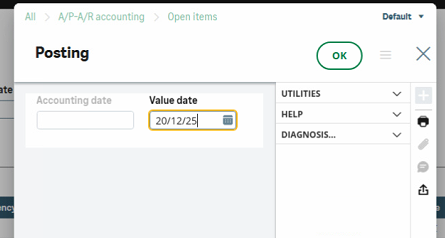
- Verify the value date in the posting window.
- Click OK to post.
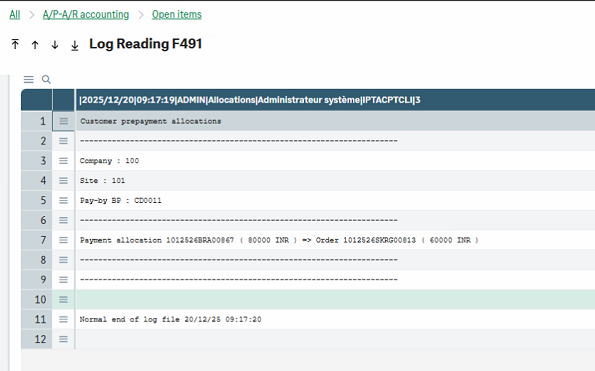
- A log file is generated confirming successful allocation.
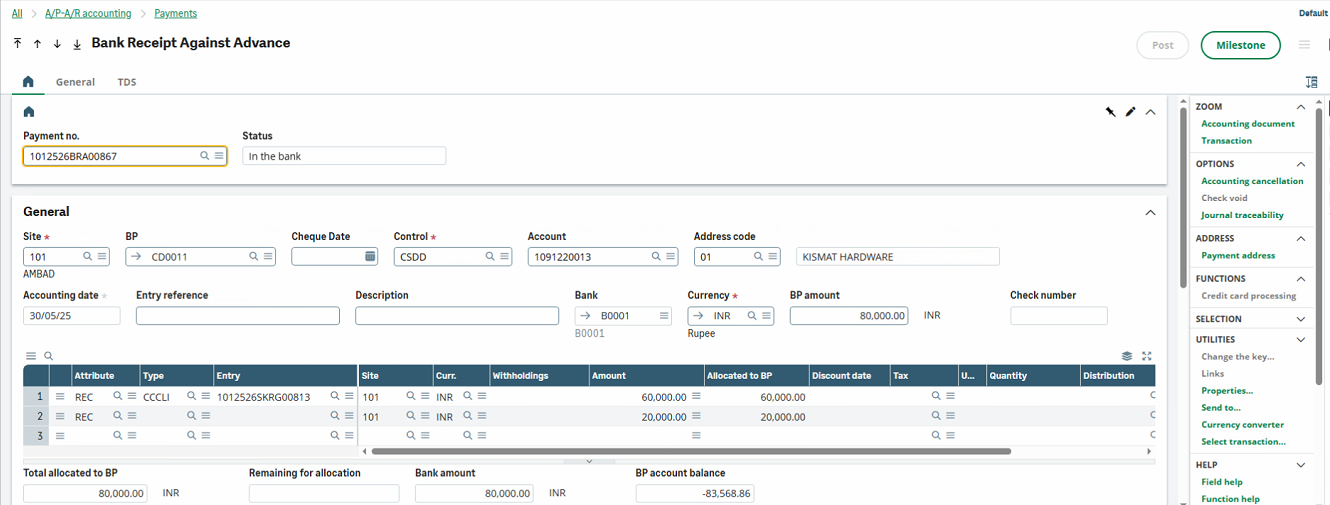
- The allocated amount is reflected in the original payment entry.
Key Benefits
- Proper adjustment of customer advances against orders or invoices
- Accurate open item and balance tracking
- Clean and compliant accounting entries
Conclusion
Customer Allocation in Sage X3 ensures seamless handling of advance payments by allowing flexible and accurate linkage to future sales orders or invoices, while reducing manual reconciliation efforts. This function is essential for maintaining correct customer balances and transparent accounting when payments are received before billing.