What is Customer TDS (CTDS)?
Customer TDS (CTDS) is a functionality used in the sales process during customer receipts that allows businesses to record TDS deductions made by customers. It helps ensure accurate accounting when customers remit payments to suppliers after TDS has been deducted. The process is managed through a dedicated module in an ERP software.
Setting up Customer TDS in Sage X3
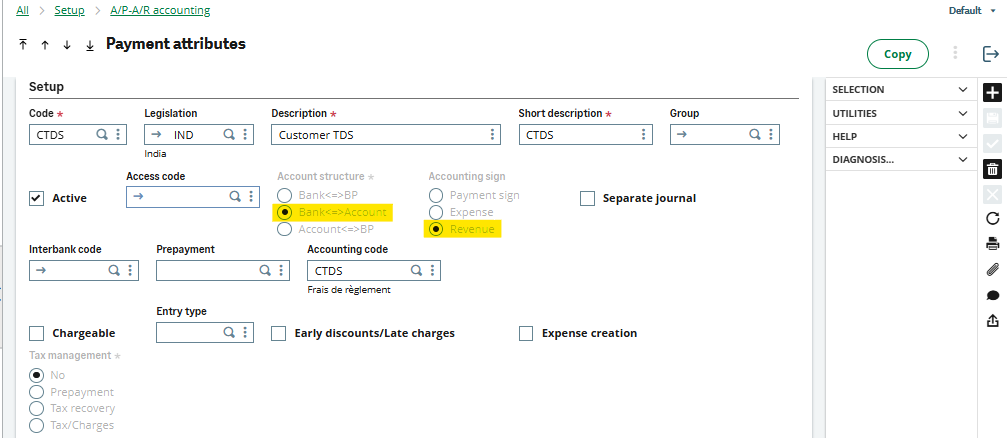
The CTDS attribute is configured through the AP automation and AR Automation modules. The path is given below:
Setup —>> A/ P – A/ R Accounting —>> Payment Attributes
Refer to the screenshot below (A) of the Payment Attributes screen, highlighting the Accounting Structure and Accounting Sign fields required for configuring CTDS in Sage X3.
CTDS working
If the sales invoice amount is INR 10,000 and the customer deducts INR 500 as TDS at the time of payment, the CTDS payment attribute is used while creating the customer receipt to account for the deducted TDS. As shown in the attached screenshot (B), CTDS adjusts the TDS amount, and the receipt is recorded for the full invoice value of INR 10,000.
Note: Add the CTDS value with a minus sign
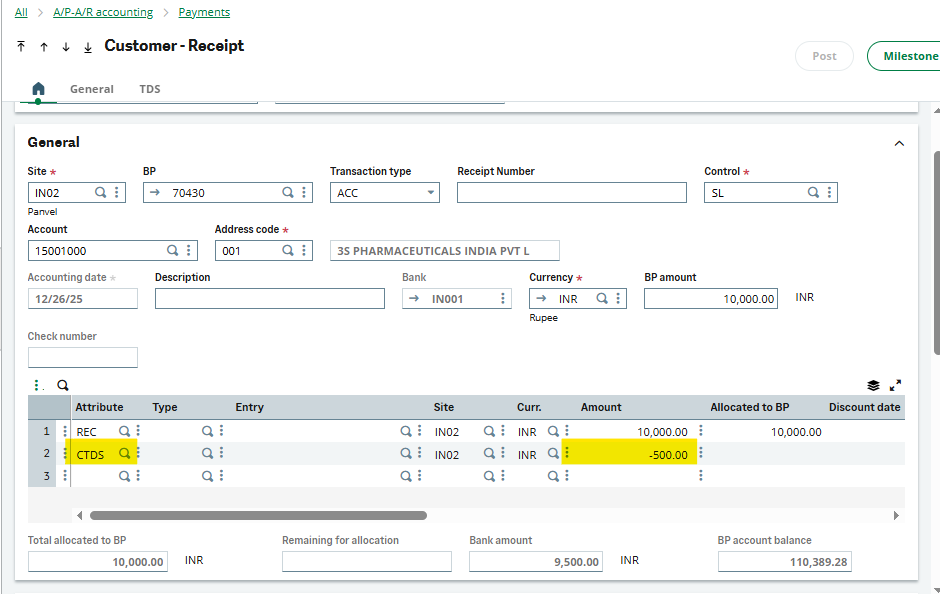
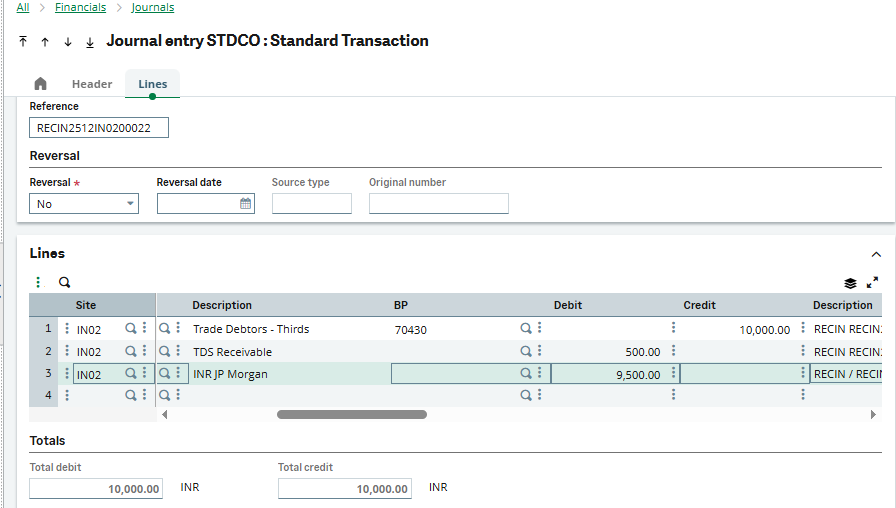
Financial Impact of Customer Receipt Using CTDS:
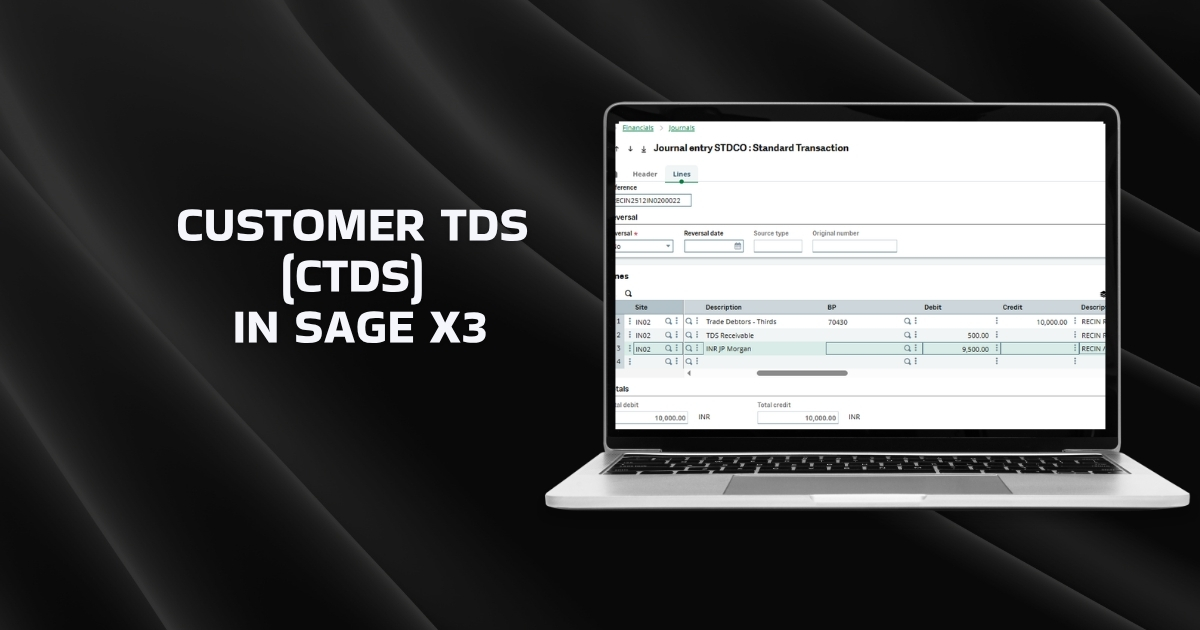
Find the screenshot (C) showing the Financial impact
Wrap Up
Implementing Customer TDS in Sage X3 is a crucial process to ensure precision and reflect the accurate TDS asset in your company’s books of accounts. Sage X3 automates the manual journal entries, removing potential errors and freeing up your staff for more valuable activities.