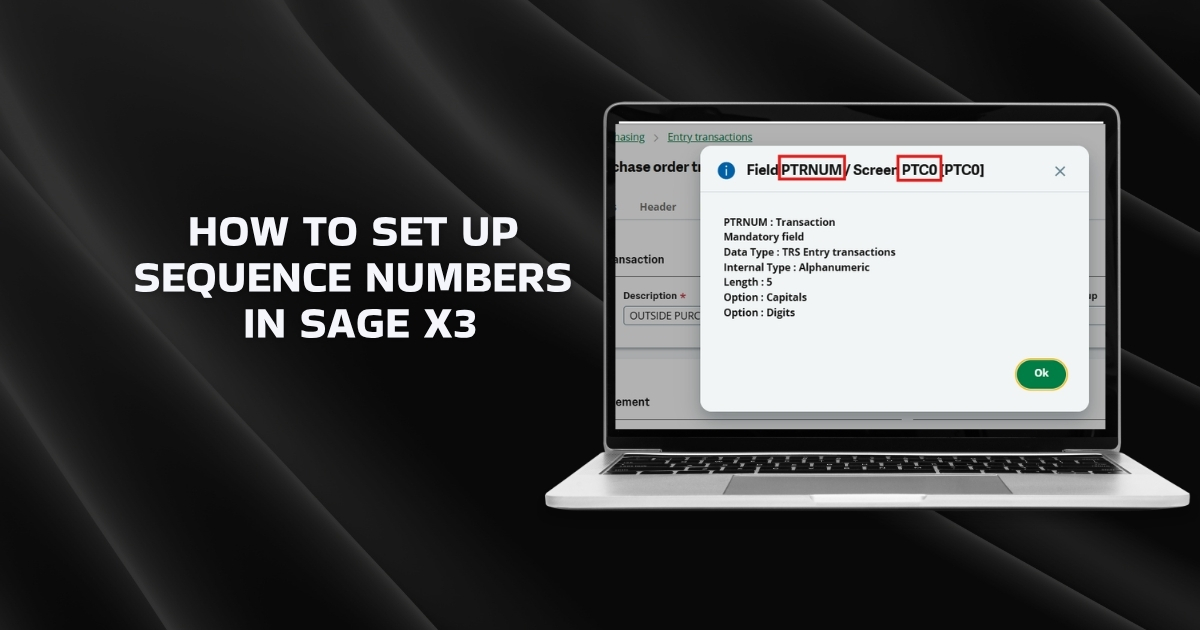
Sequence numbers in Sage X3 are not limited to standard elements such as company, site, date, month, or year. By using formulas, sequence numbers can be dynamically generated based on values from different screens and tables across the system.
This approach is especially useful when sequence numbers need to vary based on business logic – for example, creating document numbers that are specific to an Entry Transaction Type. In fact, almost any field from any table in the ERP software can be referenced and embedded into a sequence number using formulas.
In this blog, I will explain how to achieve this using the Entry Transaction Type as an example.
Entry Transaction Type Example
Now, let’s discuss a simple example of an entry transaction type.
Navigation Path:
All → Setup → General Parameters → Sequence Number Definition
Example Scenario:
In this example, a Purchase Order sequence number is created.
The sequence is configured to include the Entry Transaction Type code using a formula.
The sequence number definition looks like this:
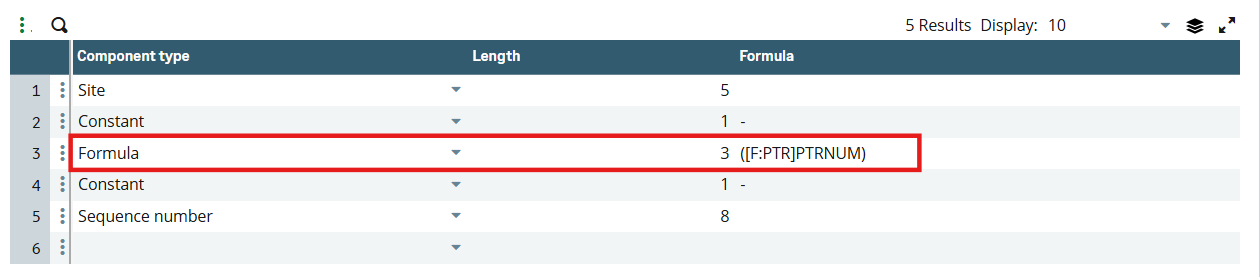
The formula used in the sequence number is structured as follows:
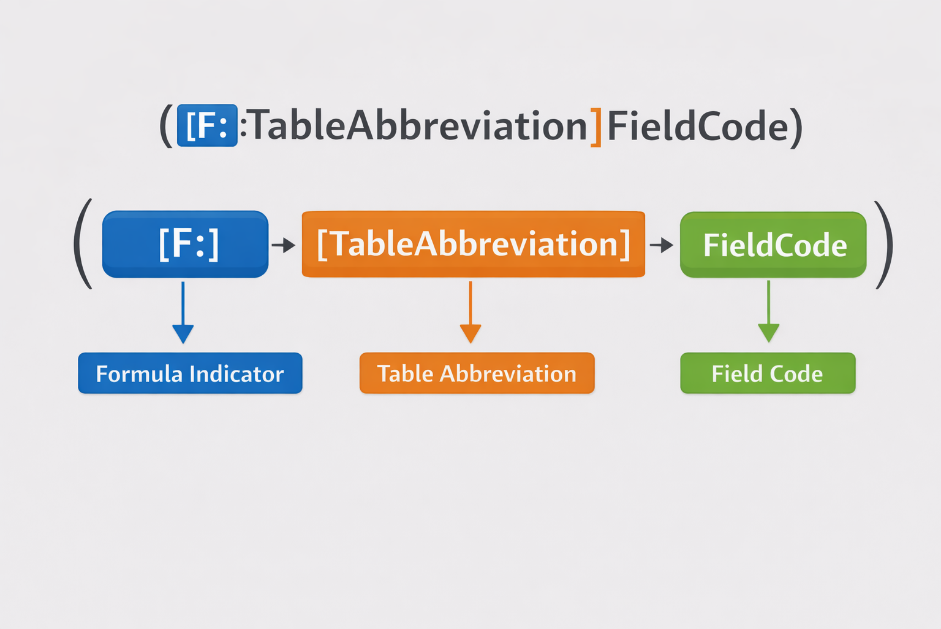
([F:PTR]PTRNUM)
Breakdown:
- F: Indicates that the value is derived using a formula
- PTR: Table abbreviation code
- PTRNUM: Field code to be displayed in the sequence number
This formula instructs Sage X3 to retrieve the value of the specified field from the referenced table and include it in the sequence number.
How to Identify Table Abbreviation and Field Code?
To reference any field in a sequence number, you need two things:
- Field Code
- Table Abbreviation
Follow the steps below to identify them.
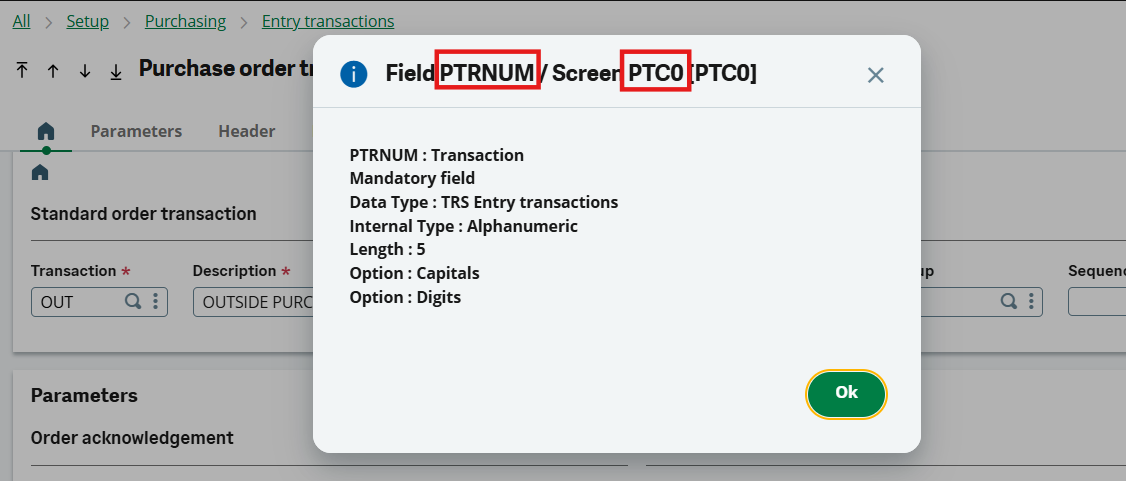
Step 1: Identify Field and Screen Code
- Navigate to the screen where the required field is displayed.
- Click on the field.
- Press ESC + F6 (or ESC + Fn + F6, depending on your keyboard).
- A pop-up will appear showing the Field Code and Screen Code.
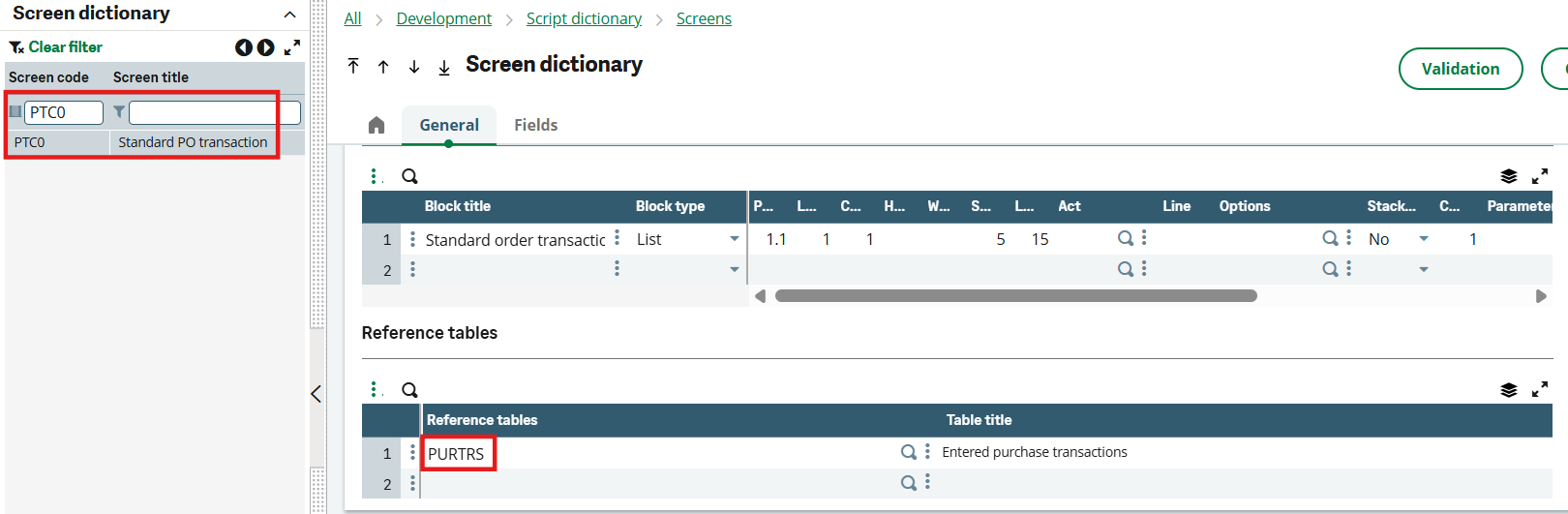
Step 2: Identify the Table Code
- Copy the Screen Code.
- Navigate to: All → Development → Script Dictionary → Screens
- Paste the screen code in the left list and open it.
- Go to the Reference Tables tab.
- Note the Table Code associated with the field.
Step 3: Identify the Table Abbreviation
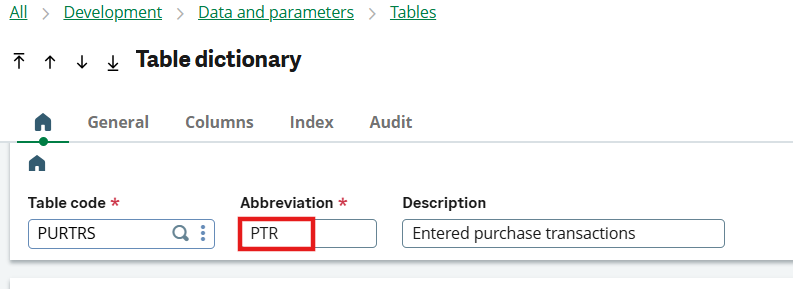
- Navigate to: All → Development → Data and Parameters → Tables
- Paste the Table Code and open the table.
- In the table definition, locate the Table Abbreviation.
Final Formula Format:
Once both values are identified, the formula can be written as:
This method allows you to reference any field from any table and include it in a sequence number, giving you complete flexibility to design sequences that align with business requirements.
Conclusion:
Using formulas in sequence number definitions significantly enhances the flexibility of document numbering in Sage X3. Moreover, sequential ordering helps reduce human errors, stay audit compliance, and simplify the compliance process. Whether it’s based on entry transaction types or any other custom parameter, this approach enables precise control and smarter document identification.