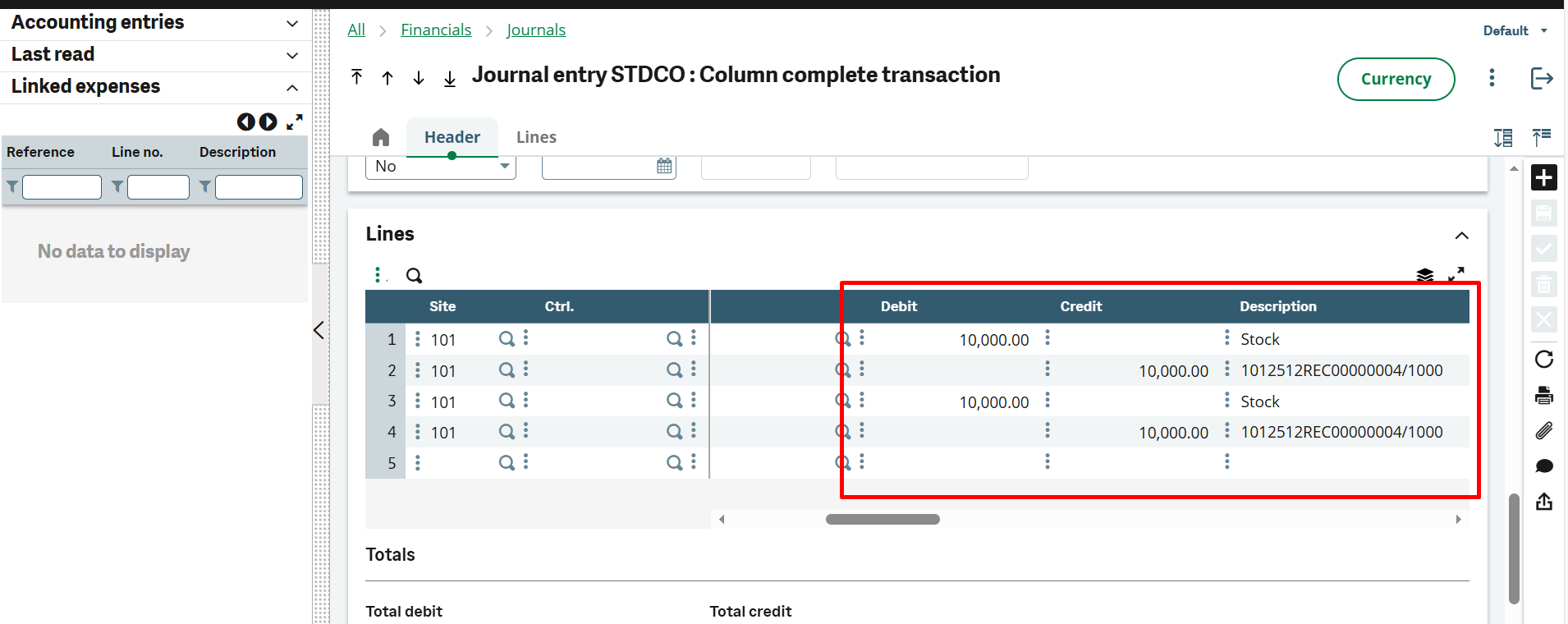
In Sage ERP, a Journal Voucher (JV) is posted to record accounting transactions accurately. However, an issue has been observed where the same entry is appearing twice within a single JV, whereas it should be posted only once. This duplication of entries in the ERP software is not expected behavior and is causing problems in accounting records, including incorrect balances and reporting discrepancies. Identifying and addressing this issue is important to ensure the accuracy and reliability of financial data in the system.
According to the Indian Companies (Accounts) Amendment Rules, 2021 – Gazette G.S.R. 205(E), the accounting software must record an audit trail of each and every transaction. Therefore, it is imperative for businesses to keep journal entries for not only their internal references but also compliance requirements.
Fixing Duplicate Lines in GRN Entries Error in Sage X3
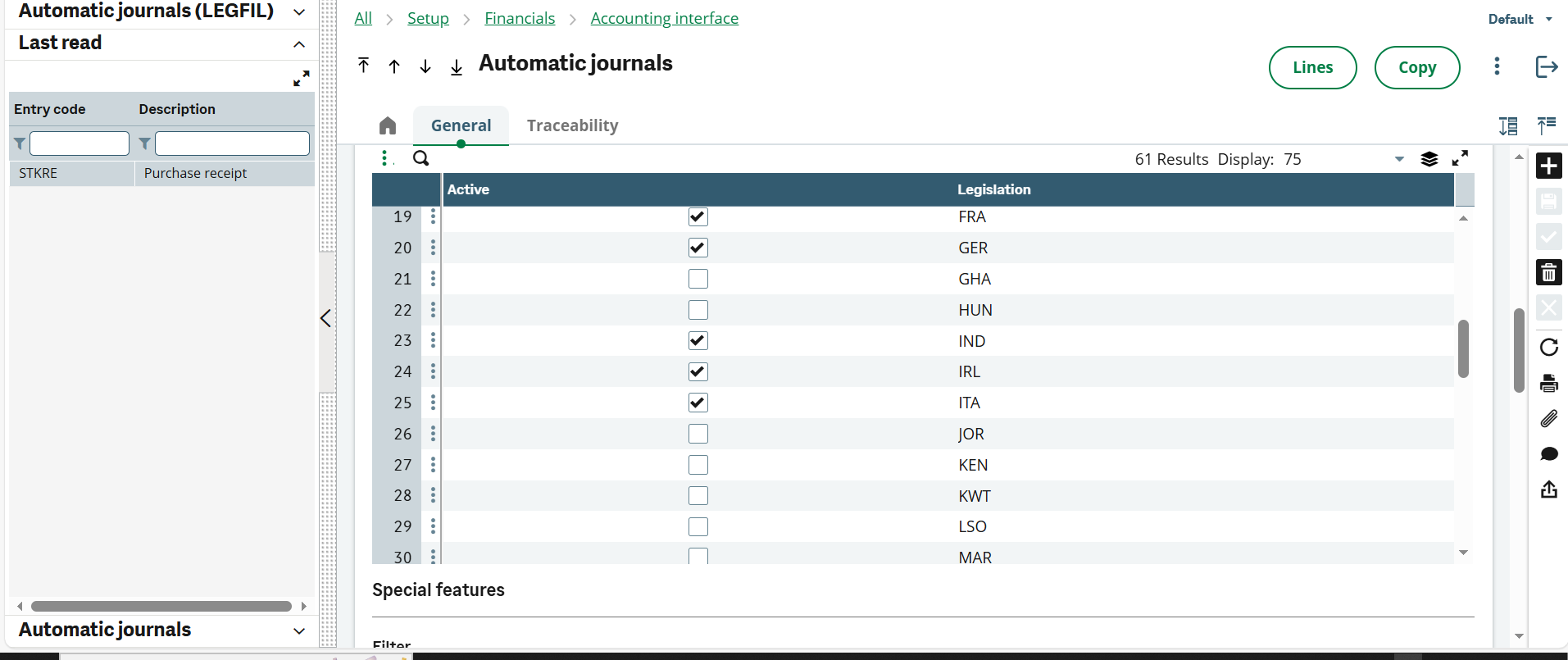
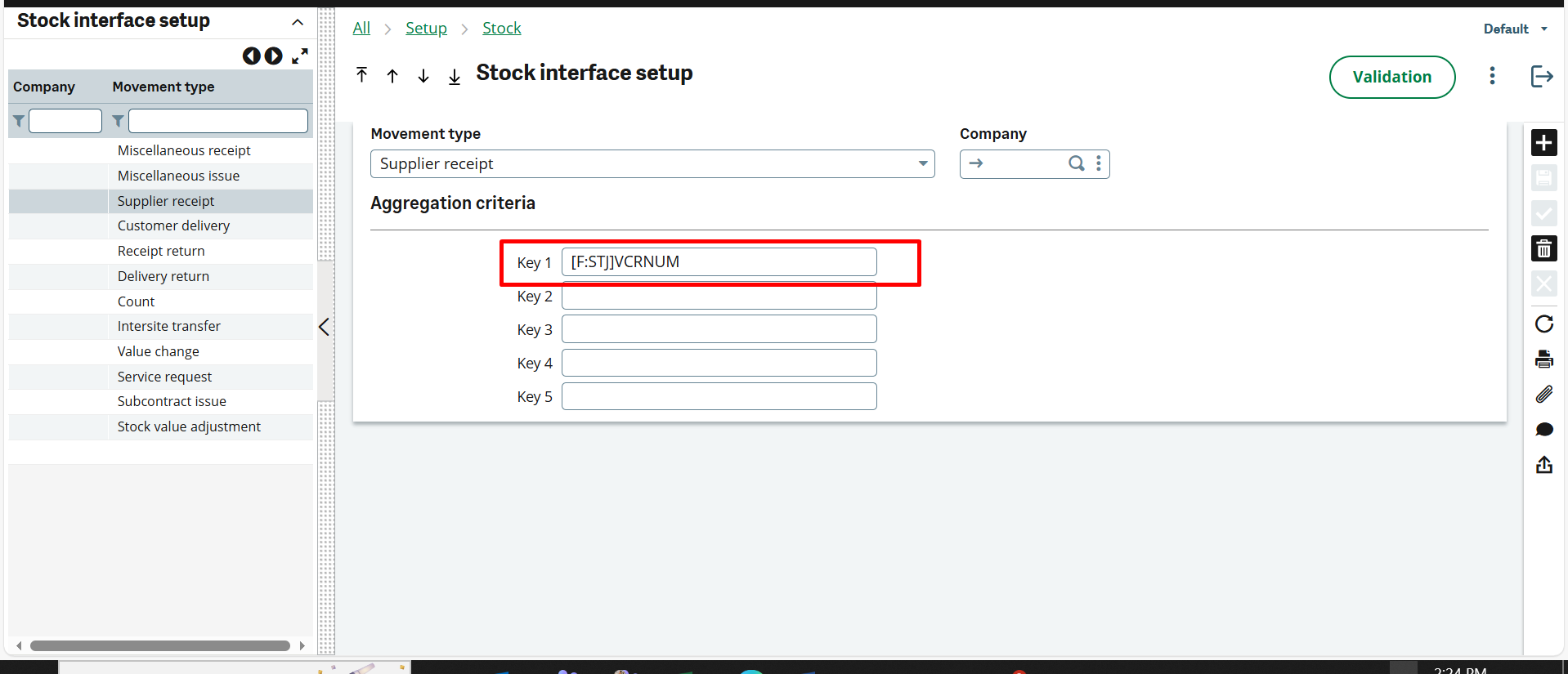
To resolve this issue in Sage X3, we reviewed the automatic journal configurations in Sage ERP and carefully checked all related settings. Any incorrect or missing configurations were identified and corrected. Additionally, we found that a required parameter in the stock interface was missing, which was causing the duplicate entry issue. After adding the missing stock interface parameter and correcting the automatic journal setup, the problem of the entry appearing twice in the JV was resolved.
Final Words
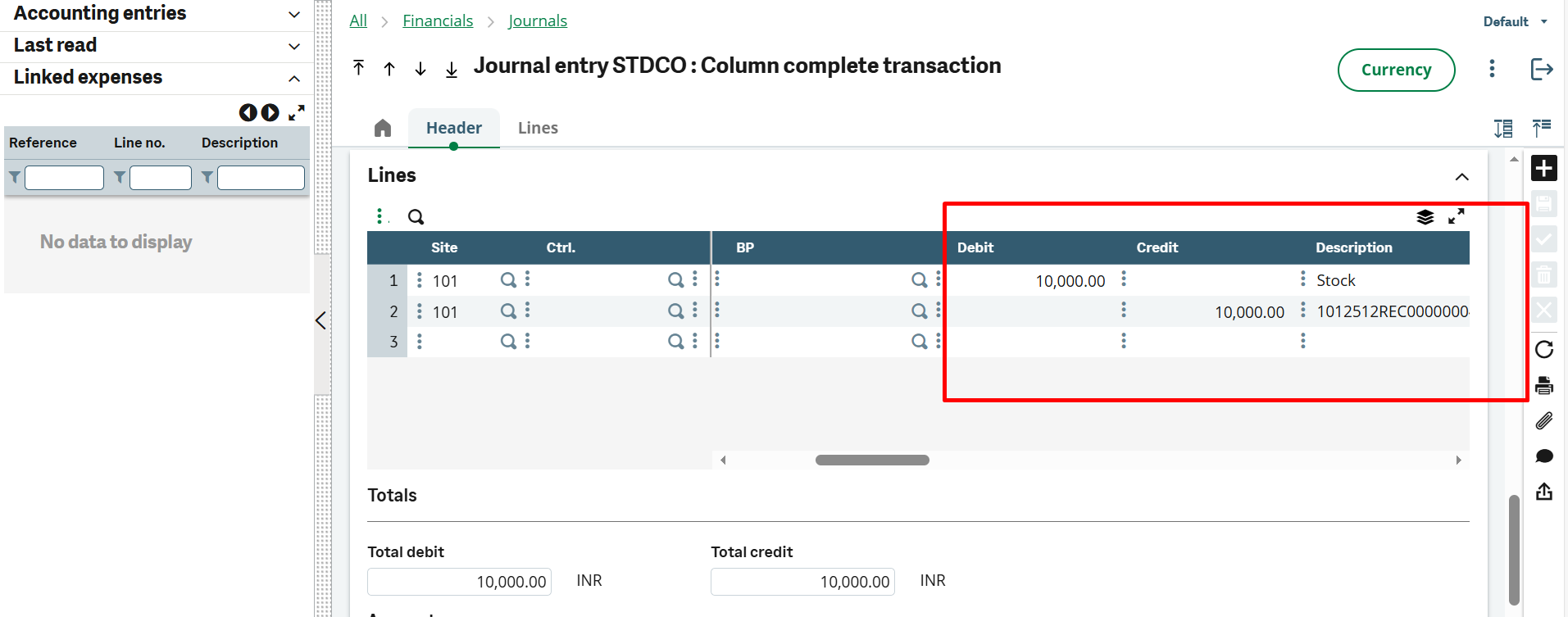
In conclusion, the issue of duplicate entries appearing in a single Journal Voucher in Sage ERP was caused by incorrect automatic journal settings and a missing stock interface parameter. After correcting these configurations, the system started posting entries correctly without duplication. The attached image of the corrected entry clearly shows that the JV is now reflecting accurate and single entries as expected.