Resetting the sequence number at the beginning of a new fiscal year is a common practice in many business processes, especially for tracking invoices, purchase orders, or other sequentially numbered records. The sequence number consists of a combination of the site code, document code, month, year, and sequence number. The main changes necessary involve updating the year in your ERP software and resetting the sequence to start again from 00001.
Preconditions
Before we deep dive into the process to reset the sequence number for the new fiscal year, here are the important prerequisites:
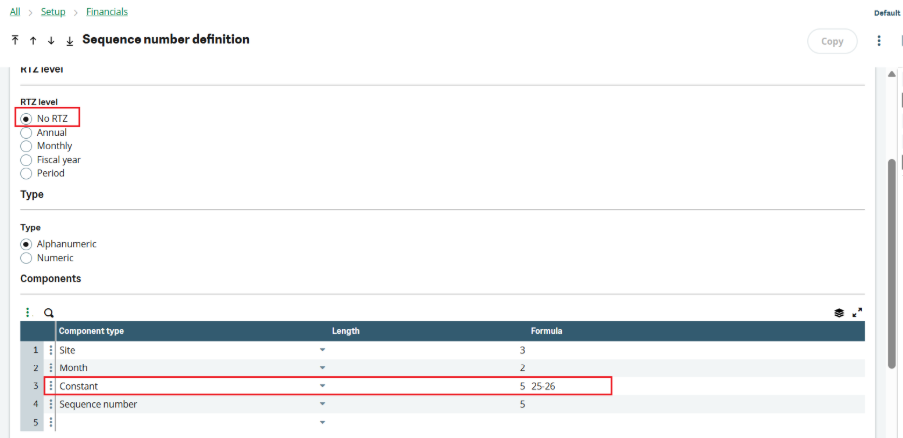
- To change the year, ensure that the RTZ level is set to “NO RTZ” and that the component type is designated as “Constant” for the year. In this case, it is essential to manually enter the new year.
- If the RTZ level is set to “NO RTZ” and the client requests a reset of the sequence due to the fiscal year change, it is also necessary to manually reset the sequence number.
Specifying a New Fiscal Year (With Example)
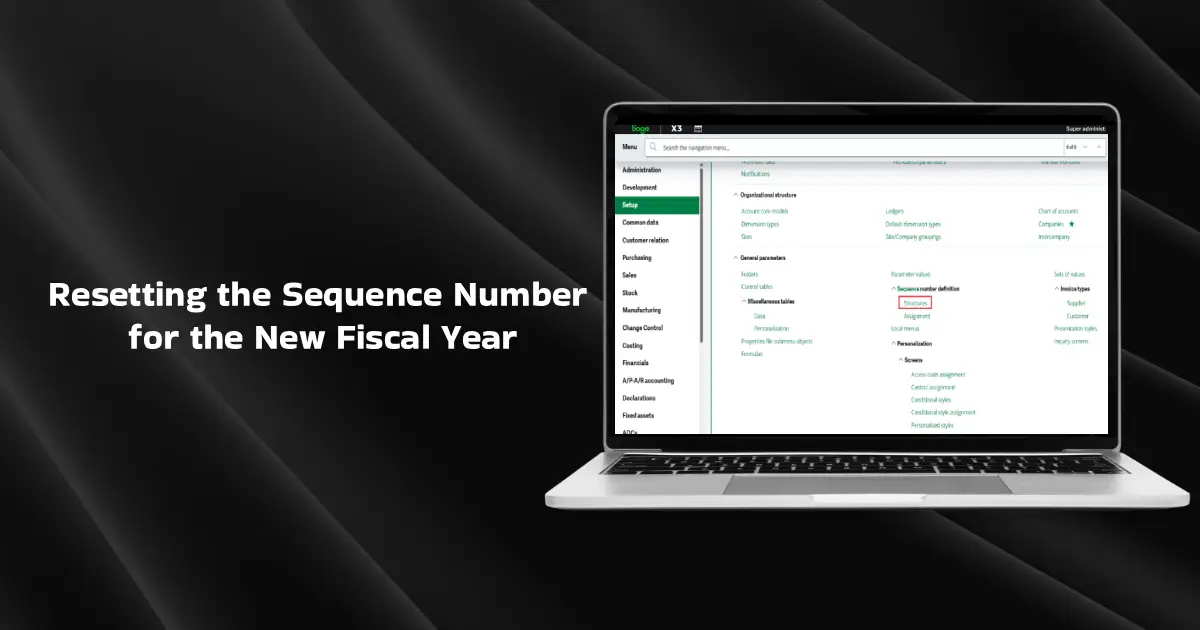
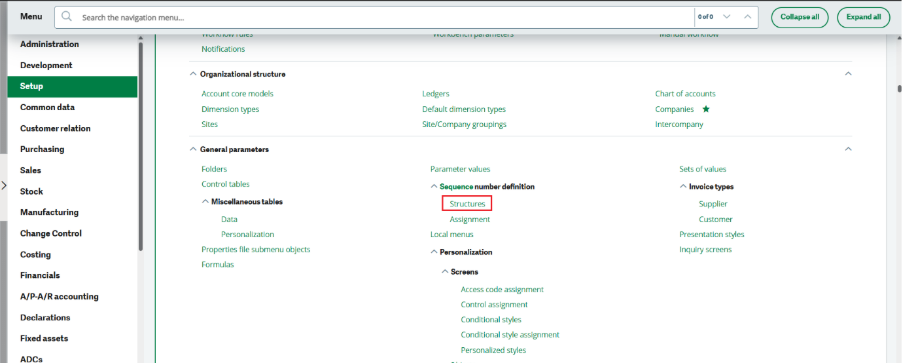
1. Open Sage X3, and navigate to Setup > General Parameters > Sequence number definition > Structures.d
2. Select the sequence number assigned to the Sales invoice from the left list.
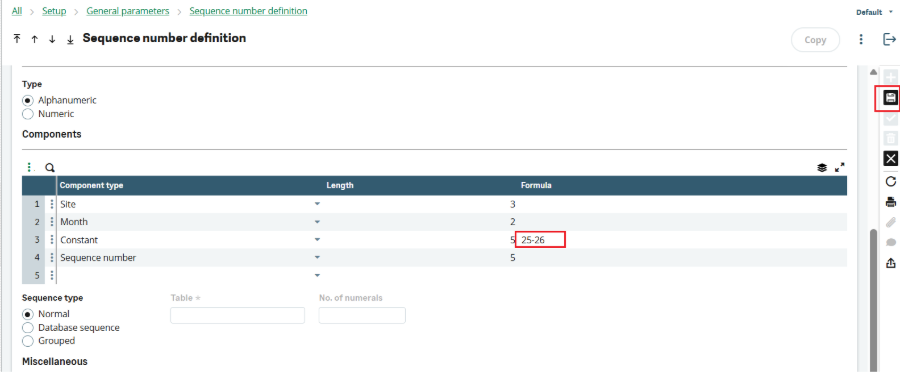
3. Scroll down to the components section and identify the component type ‘Constant’ used for the year. Enter the fiscal year as per the client’s requirements in the Constant section and click on Save.
Resetting the Sequence for the New Fiscal Year
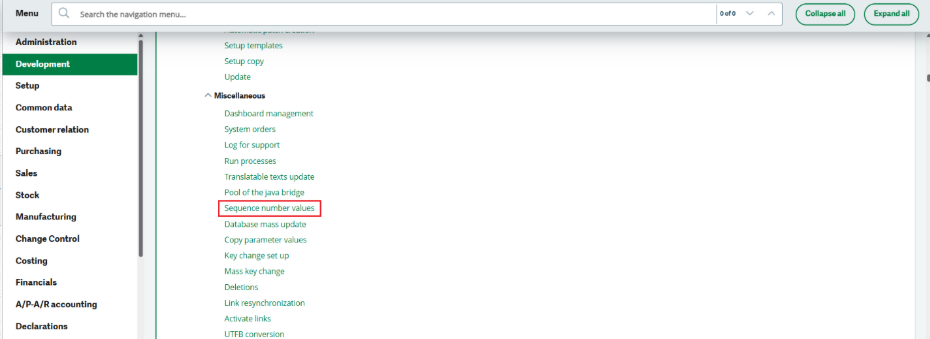
1. Navigate to Development > Utilities > Miscellaneous > Sequence number values
2. Enter the sequence number code, enter the site code, and in the ‘Next value’ field, you will find the next sequence number displayed. You will need to reset this number to 1 and click on save.
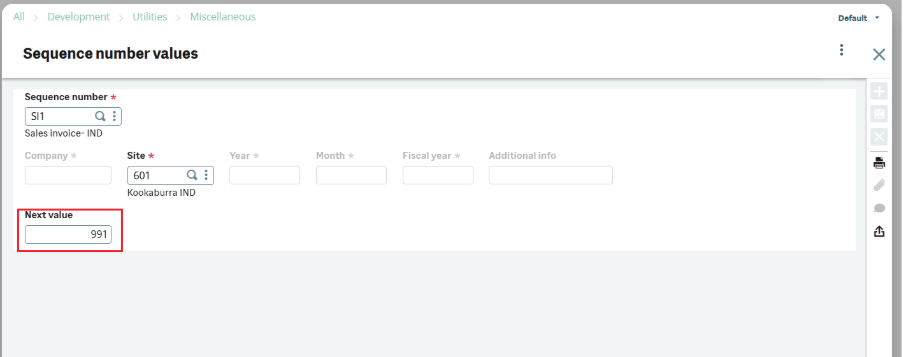
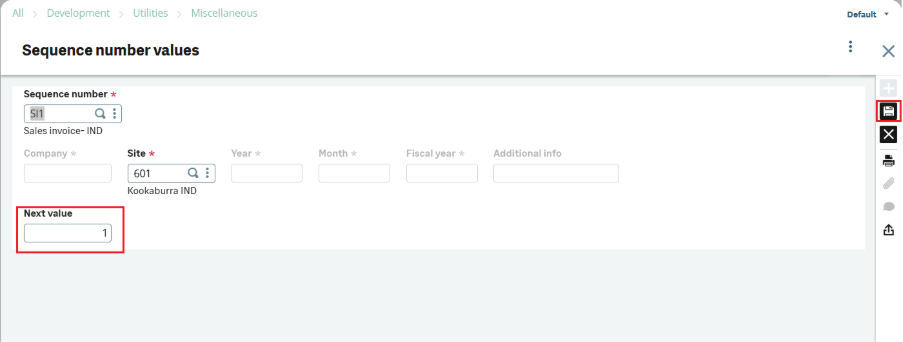
In this way, the sequence will start again from number 1 for the next fiscal year.
Conclusion
Resetting the sequence number at the start of a new fiscal year ensures correct and consistent document numbering. By updating the year and resetting the sequence value to start from 1, the system will generate new document numbers correctly for the new fiscal year. These changes should be done only after completing all transactions of the current fiscal year, preferably on 31st March, to avoid any duplication or errors.