In Sage X3, there are scenarios where certain Sales Orders should not be considered during MRP (Material Requirements Planning) processing. A common business requirement is to prevent Sales Orders placed on hold—especially due to credit limit issues—from appearing in MRP suggestions. This document explains how to achieve this, the functional logic behind it, and the setup changes required.
Why Sales Orders on Hold Should Not Influence MRP
When a customer exceeds their credit limit, the corresponding Sales Order is set to ‘On Hold’ as part of standard Sage X3 credit control. These orders should not drive procurement or production activities, as the demand is not yet confirmed.
Functional Behavior in Sage X3
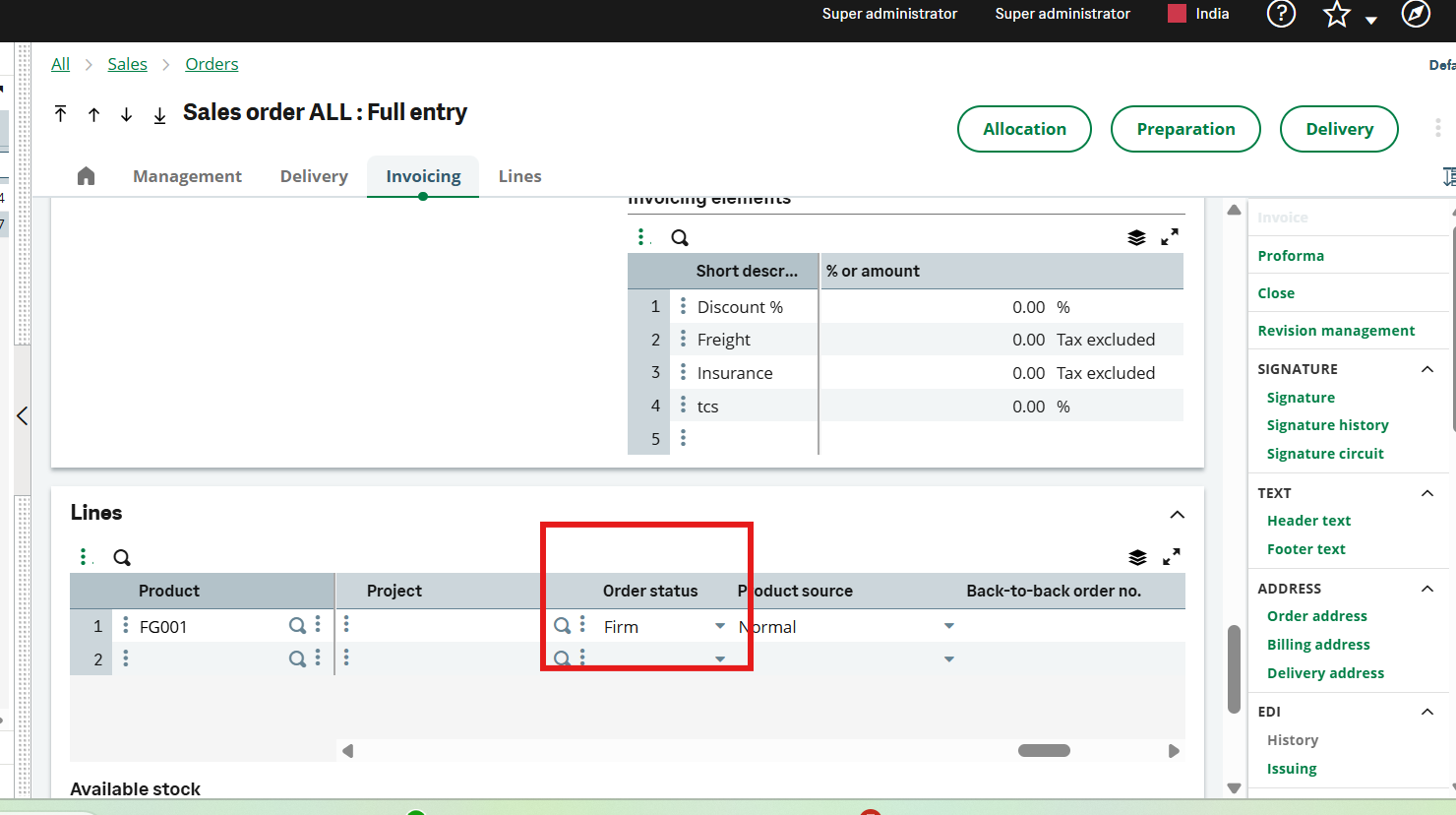
Sage X3 provides a functional mechanism to prevent on-hold Sales Orders from appearing in MRP. This is done by controlling the Sales Order Line status:
- When a Sales Order is placed on hold, its line status should be updated to ‘Planned’.
- (Planned order lines are excluded from MRP suggestions.)
- After workflow approval or credit release, the Sales Order Line status should be updated to ‘Firm’.
- (Firm order lines are included in MRP and considered as valid demand.)
Required Setup Changes
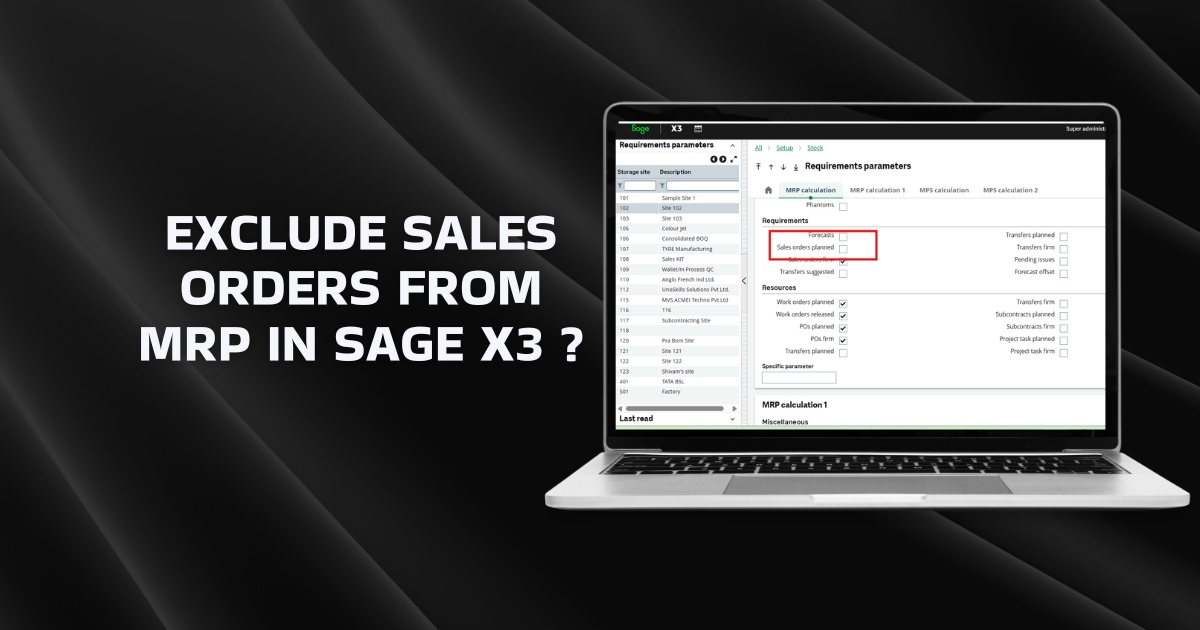
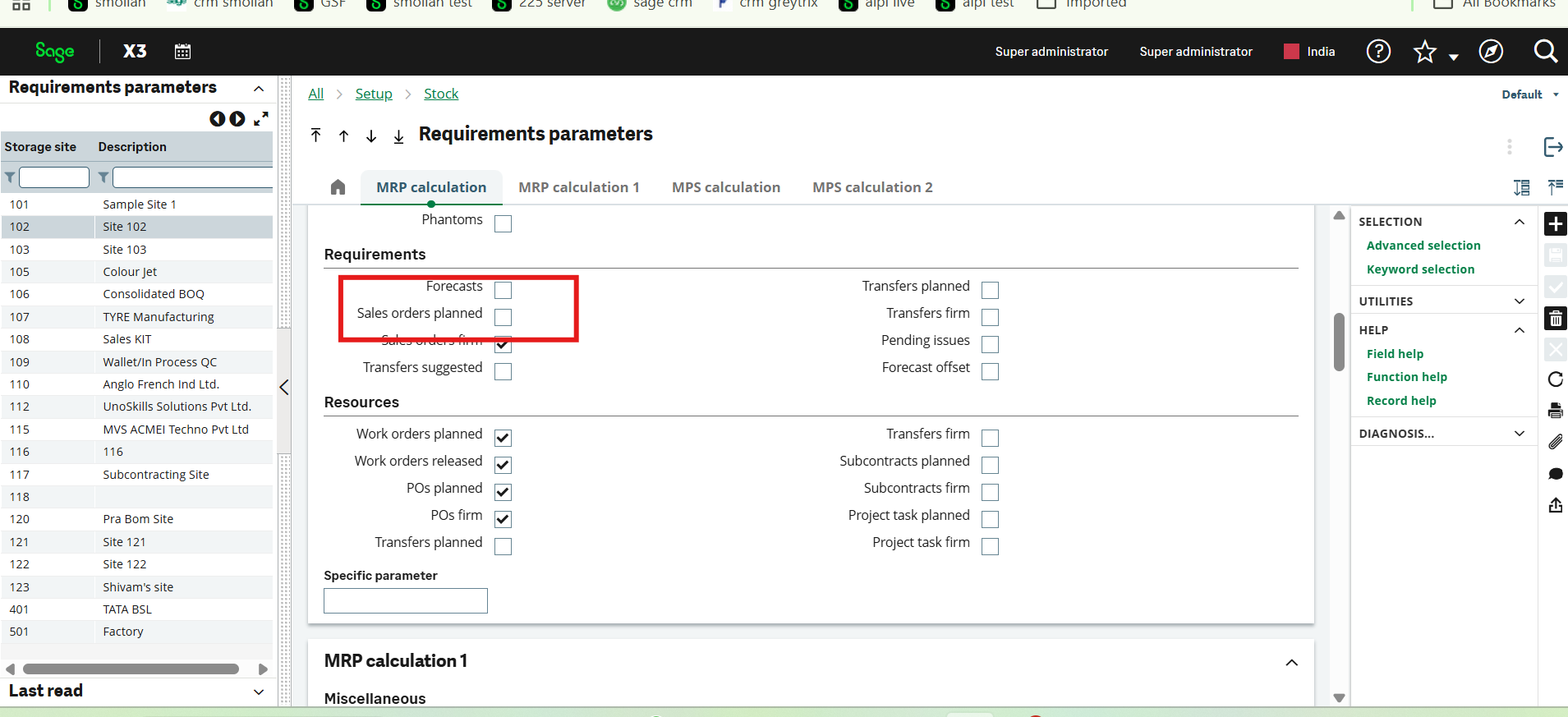
To make this behavior functional, a key configuration must be updated in the Requirement Parameters setup. The ‘Sales Order Planned’ checkbox must be unchecked. This ensures that Planned Sales Orders are not processed by MRP.
Navigation: Setup → Requirements → Parameters
Uncheck: Sales Order Planned
Process Flow Summary
- Customer exceeds credit limit → Sales Order set to On Hold.
- Workflow triggers → Sales Order Line status updated to Planned.
- MRP runs → Planned Sales Orders are excluded.
- After approval → Sales Order Line status updated to Firm.
- MRP includes the order as valid demand.
Conclusion
By leveraging Sales Order Line statuses and adjusting the MRP requirement parameter, you can fully control which Sales Orders are considered during planning. This approach ensures accurate MRP output and prevents unnecessary procurement or production activity based on unconfirmed orders.