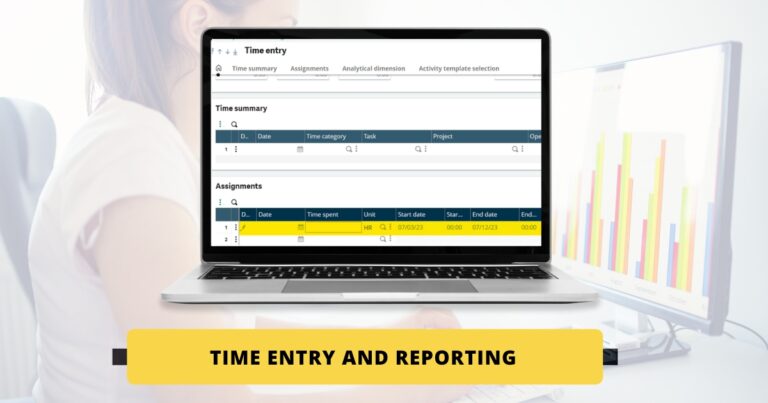

Time entry and reporting is to record the cost of labor utilized for a Project Task such as Project management, drafting, control engineering, etc.
Time Entry and Reporting
→Steps for recording labor cost :-
Navigate to Projects −>Time Management −> Time entry
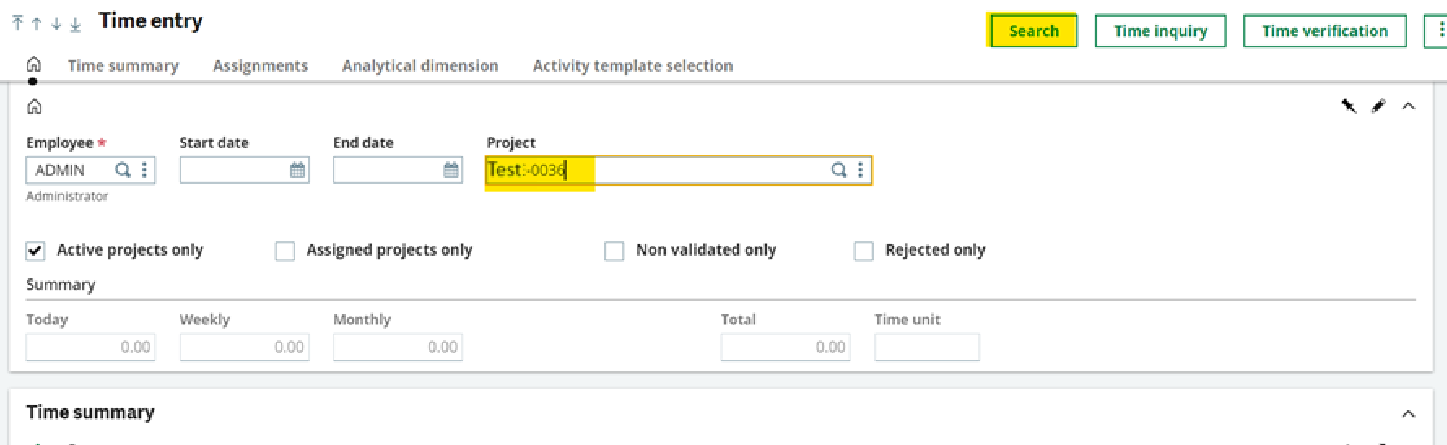
» Employee field will display the logged in Employee by default. Enter the Project number on which the cost is to be loaded and click on Search button.
» Upon clicking on Search button details of the operation activity are displayed in the Assignments tab.
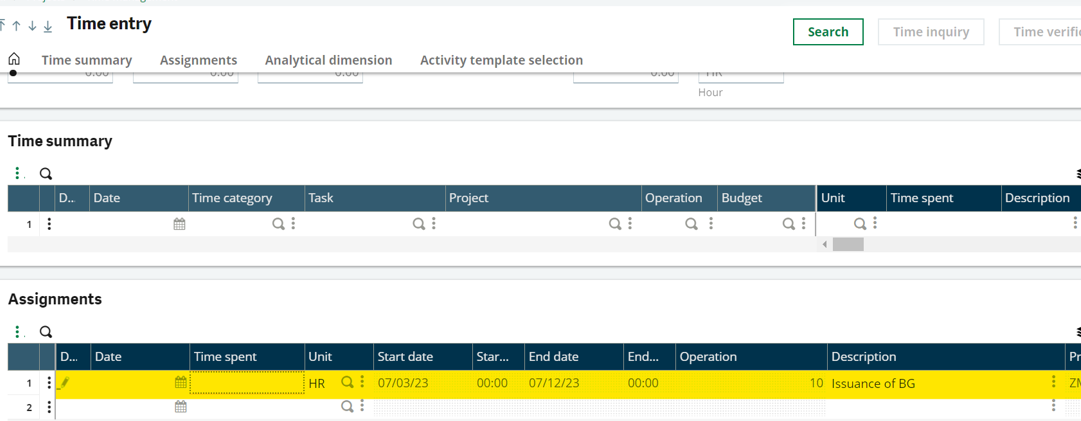
» Enter the date and number of hours spent for the respective operation in Time spent field and click on Save.
» The entered details of the hours will reflect in time summary tab.
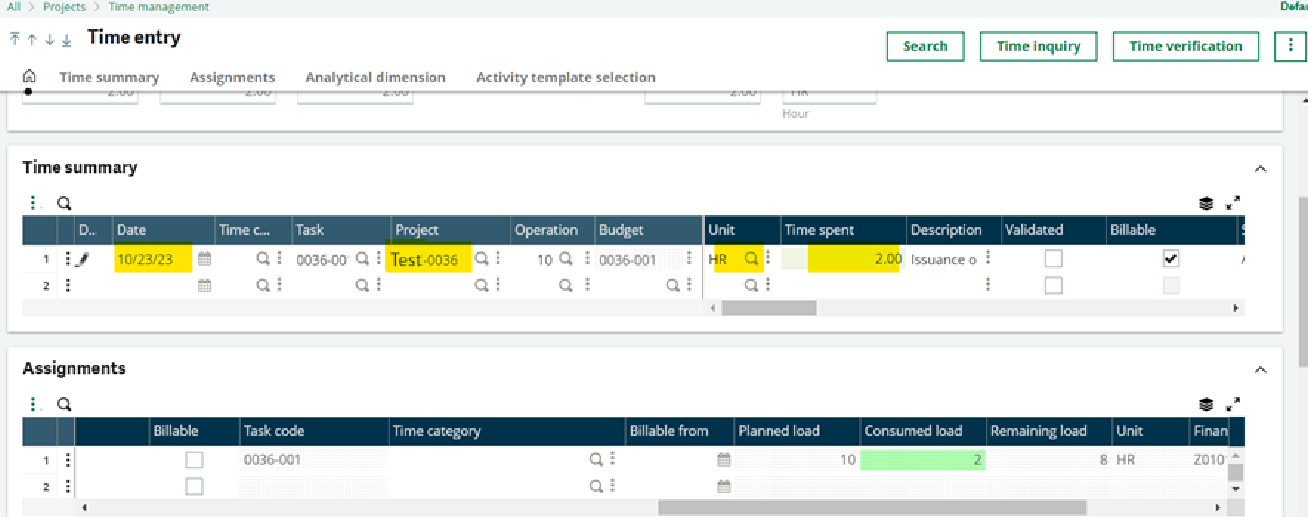
» The next step is to validated the entry. Check the validated check box and click on save.
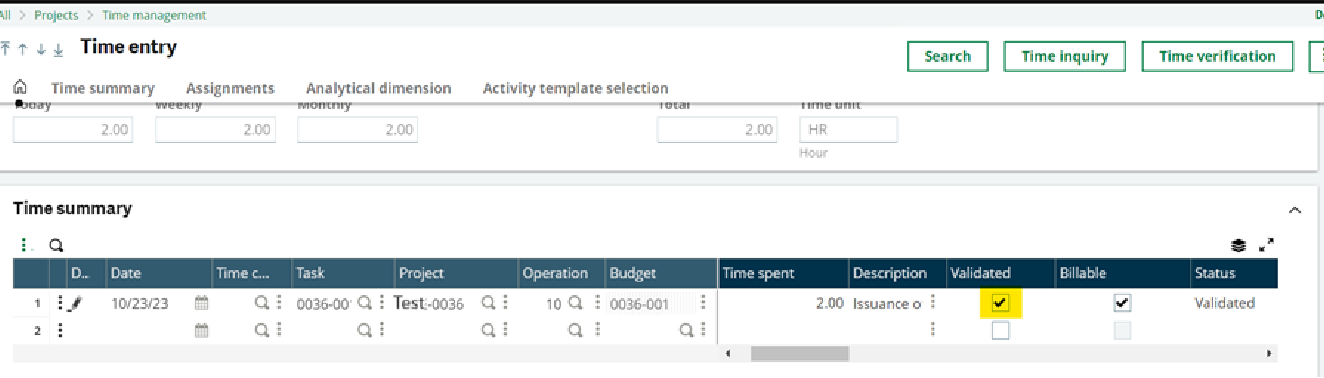
» Once the entry is validated the approver of the specific department will then navigate to :
Projects ⇒Time management ⇒ Time approval for approving the validated entry.
» Enter the company, any specific site, the respective employee and project number of which the time entry is to be approved and click on search.
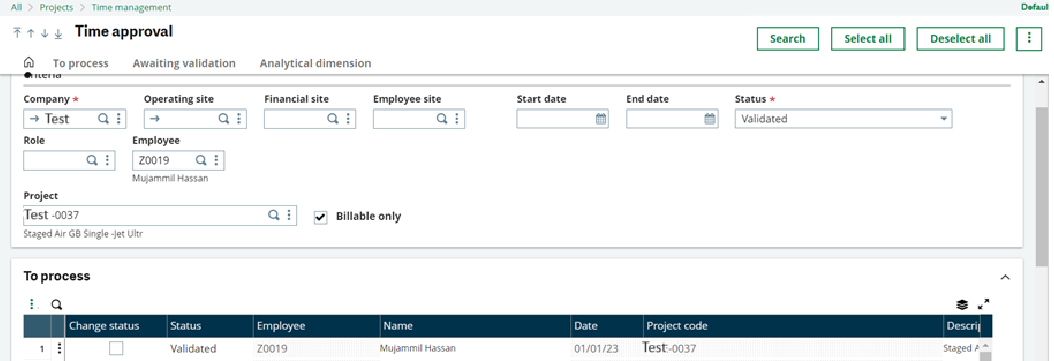
⇒ The validated entries that are to be approved will reflect in the To process tab.
⇒ Check the check box of the entry to be approved and click on the 3 dots from the top right corner and select approve.
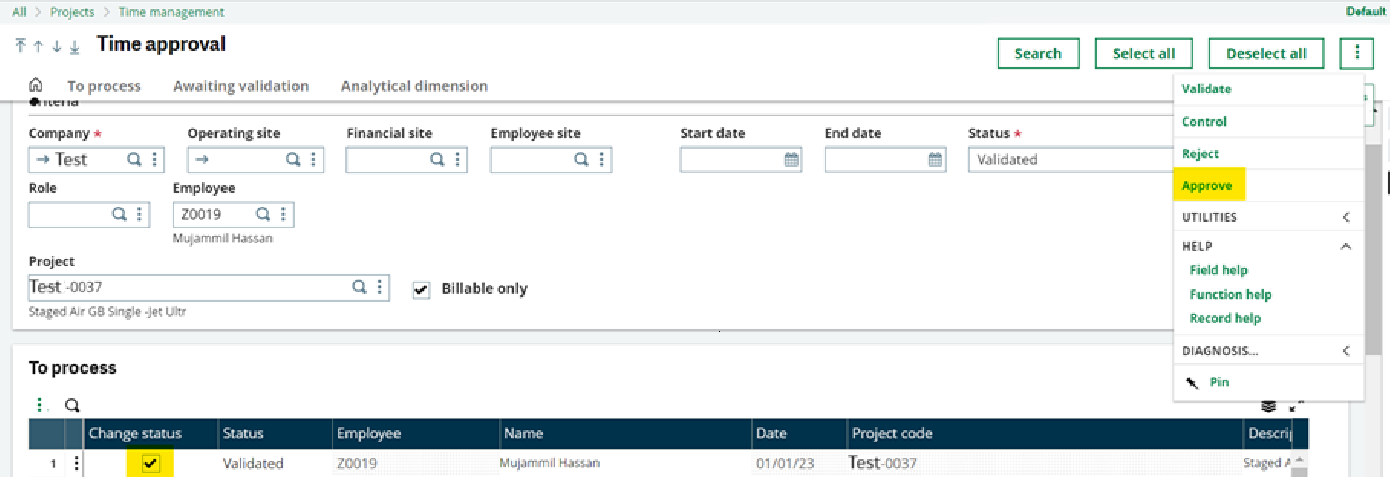
⇒ On clicking the approve button the status of entry will show as approved.
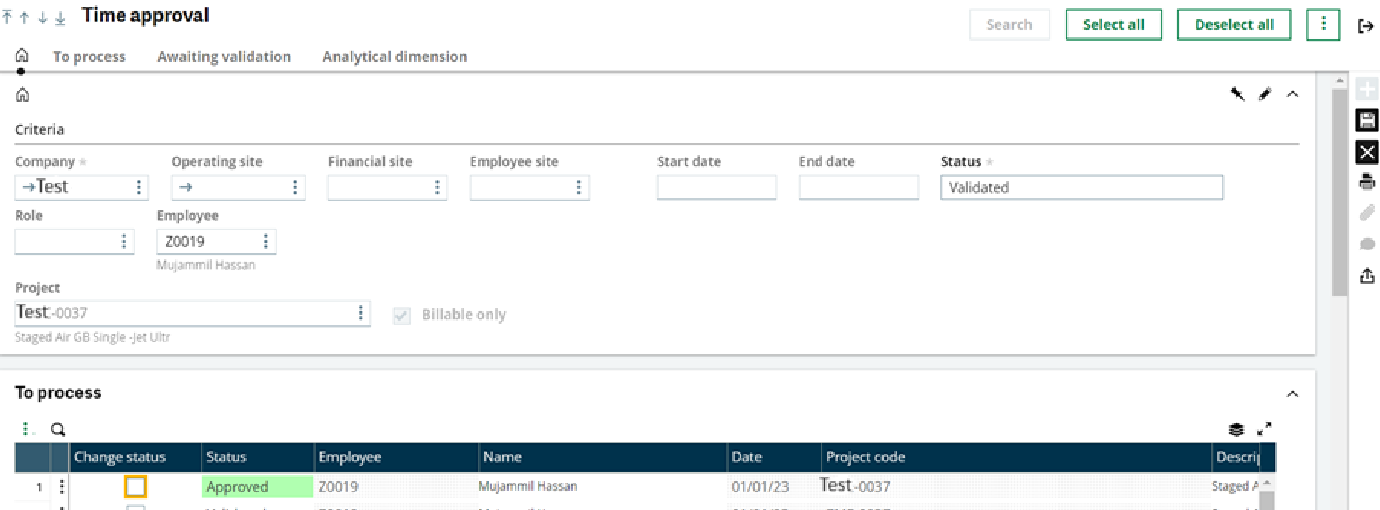
⇒ Then click on save button to save the record. System will generate a log of confirmation.
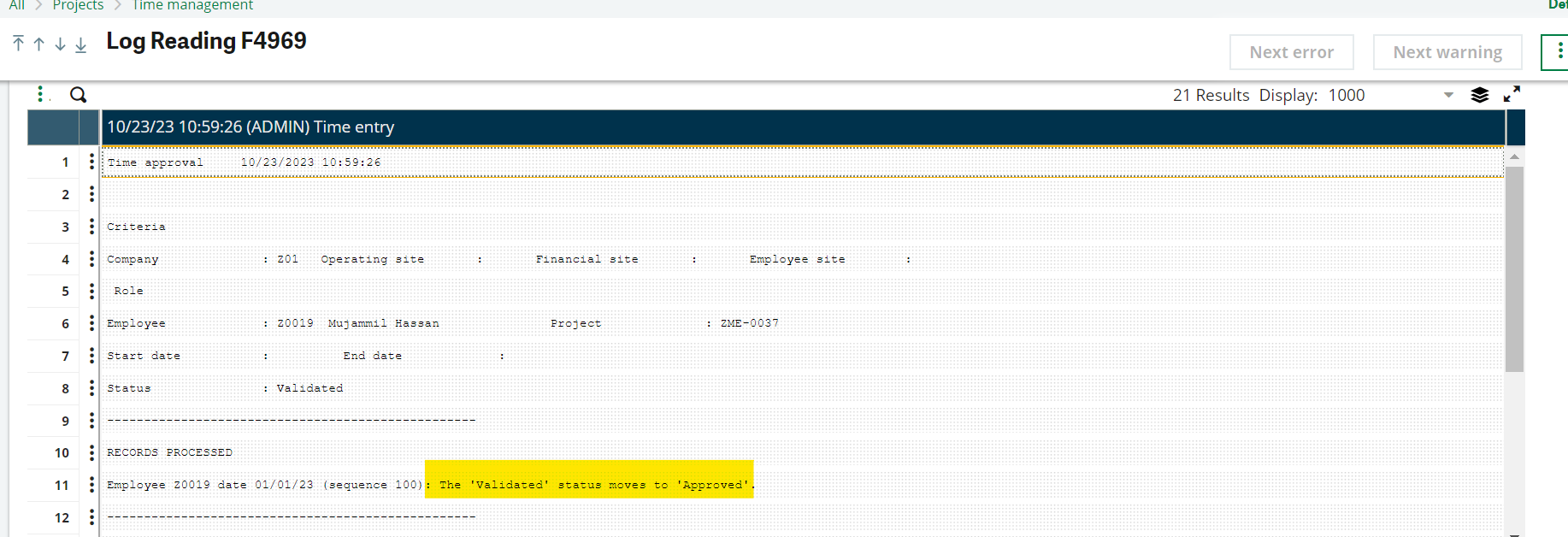
⇒ Once the entry is approved the next step is to post the entry to record its financial statement.
Navigate to Projects ⇒Time management ⇒Time posting
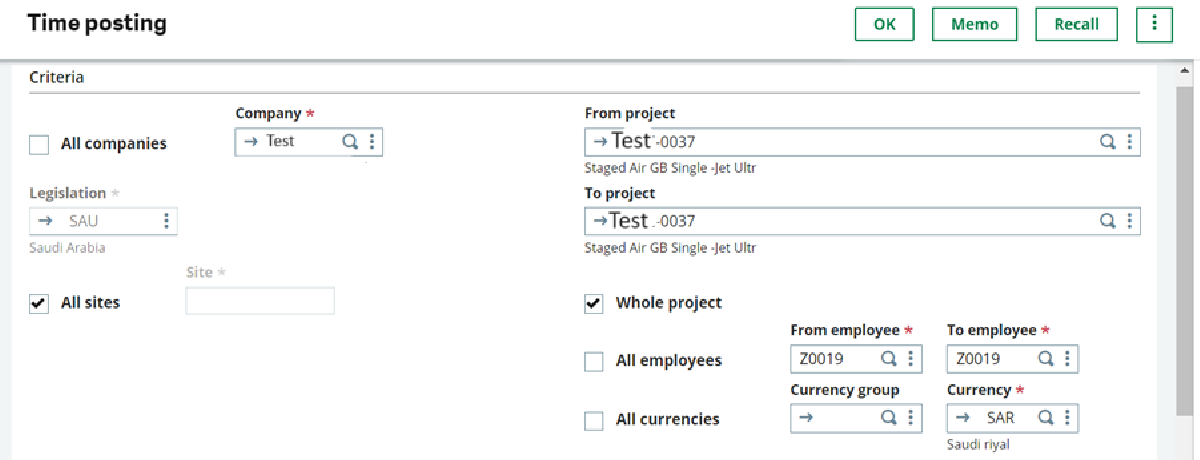
⇒ Select Company, Project, Employee and check the generate entries checkbox and click on OK.
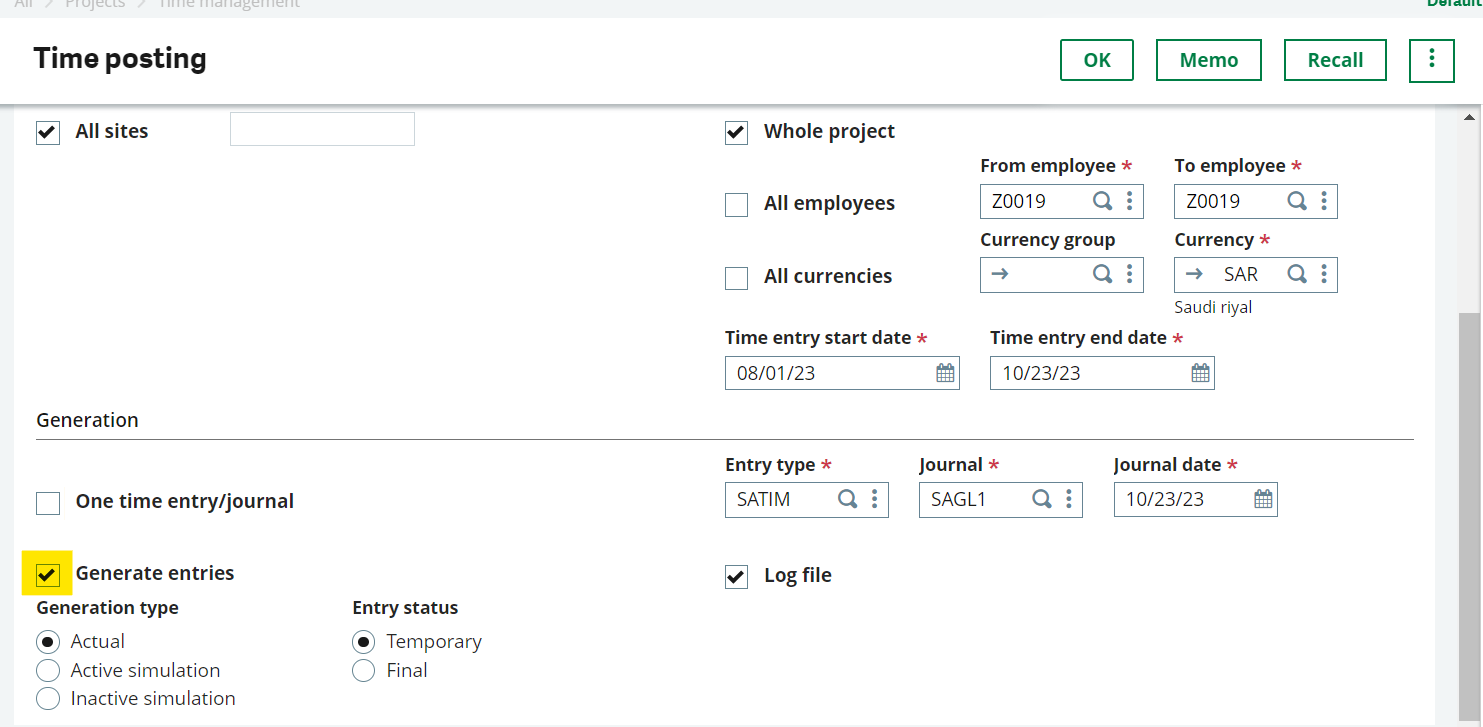
⇒ On clicking the OK button a log will be generated that would display the financial entry number.
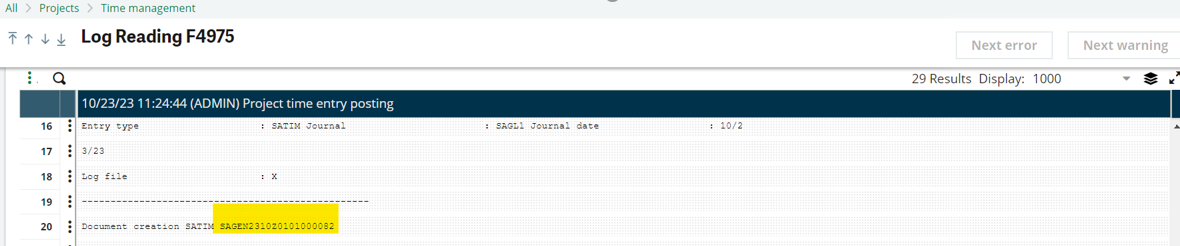
⇒ The financial impact for the above mentioned process is as below :
| Accounts | DR | CR |
| Project cost | XX | |
| Applied Labor | XX |