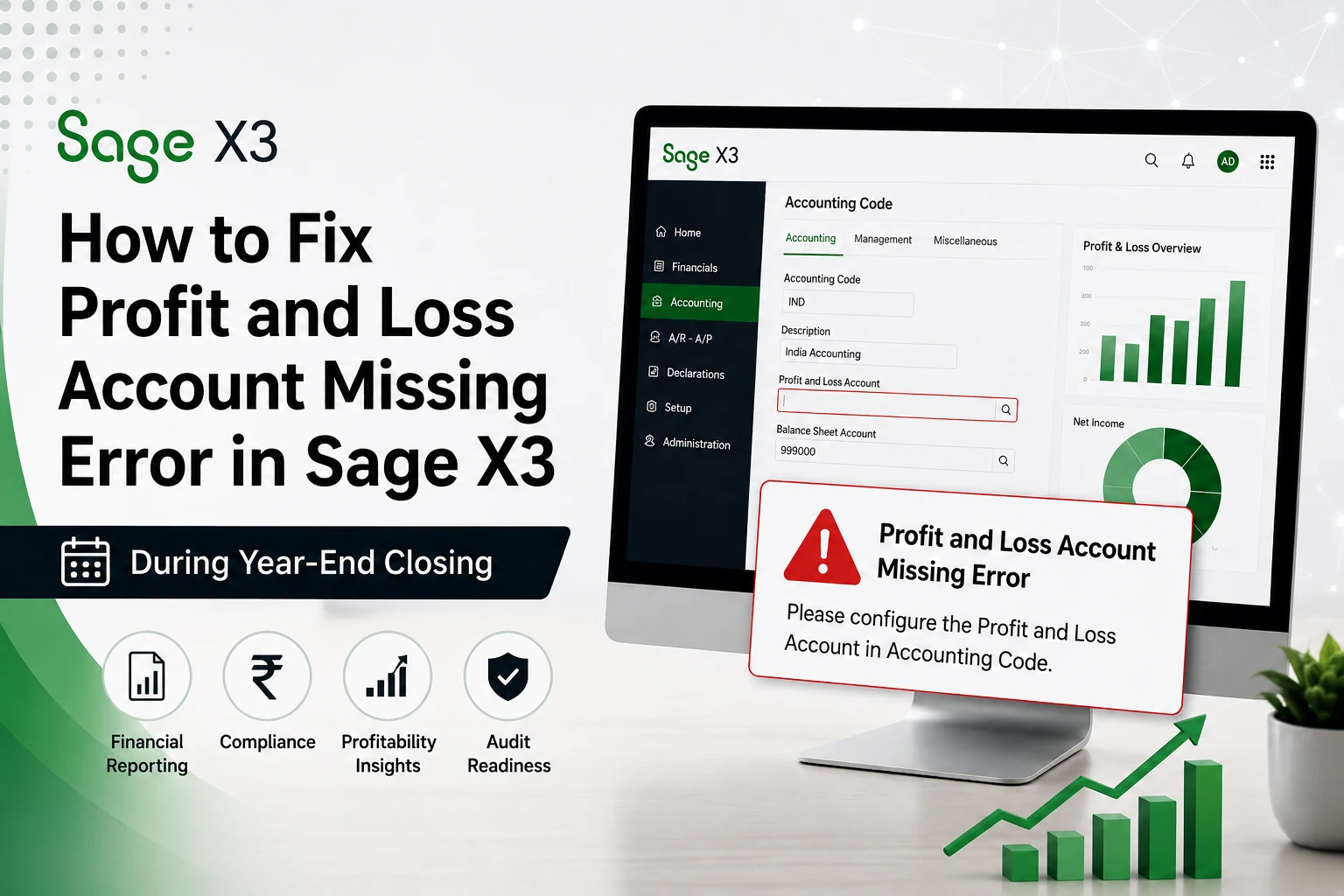
Month-end or year-end period closing in Sage X3 is a critical activity that ensures stock, accounting, and manufacturing data are fully synchronized. Before closing any period, your ERP software requires users to run the CLOPER (Pre-closing verification) report. If this report shows errors, the system will not allow the period to be closed.
This blog explains two of the most common errors that appear in the CLOPER report and provides step-by-step guidelines on how to resolve thoes cloper report errors in Sage X3.
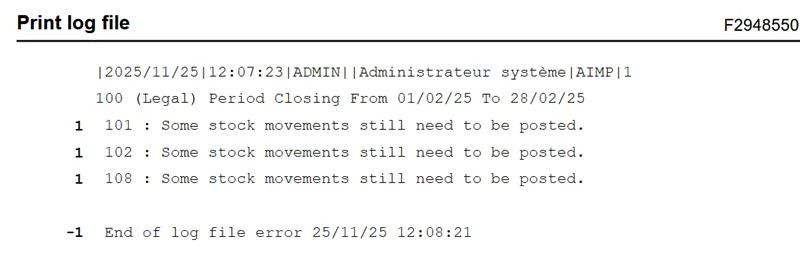
Error 1: “Some Stock movements still need to be posted”
Cause:
This error indicates that certain stock movements in Sage X3 (such as MIS, GRN, or other inventory transactions) have not yet generated corresponding stock or accounting entries.
Resolution Steps:
1. Run the Accounting Interface
- Execute the Accounting Interface for the specific month and site.
- This will display pending entries for which accounting or stock posting has not been completed.
- If all pending entries are successfully posted, rerun the CLOPER report.
- In most cases, the error will be resolved at this stage.
2. Identify Pending Stock Movements Using SQL
If the error still persists, identify pending movements directly from the STOJOU table.
Sample SQL Query:
SELECT *
FROM LIVE.STOJOU WHERE AGGIFAFLG_0 = 1
AND IPTDAT_0 BETWEEN ’01-11-2024′ AND ’30-11-2024′;
Explanation:
- AGGIFAFLG_0 = 1 indicates that the stock movement is pending posting.
- Filter by date and site as per the period being closed.
3. Analyze the Identified Entries
- Check why stock entries were not generated.
4. Update the Flag for Zero-Value Entries
- Update AGGIFAFLG_0 from 1 to 2.
- This indicates that the entry is not required for posting.
5. Re-run Utilities
- Run the Entries and Account Balances Resynchronization utility for the affected month.
- Run the CLOPER report again.
- The error should now be cleared.
The Sage Global technical documentation details the CLOPER report mechanisms, blocking controls, and pre-closing verification rules.
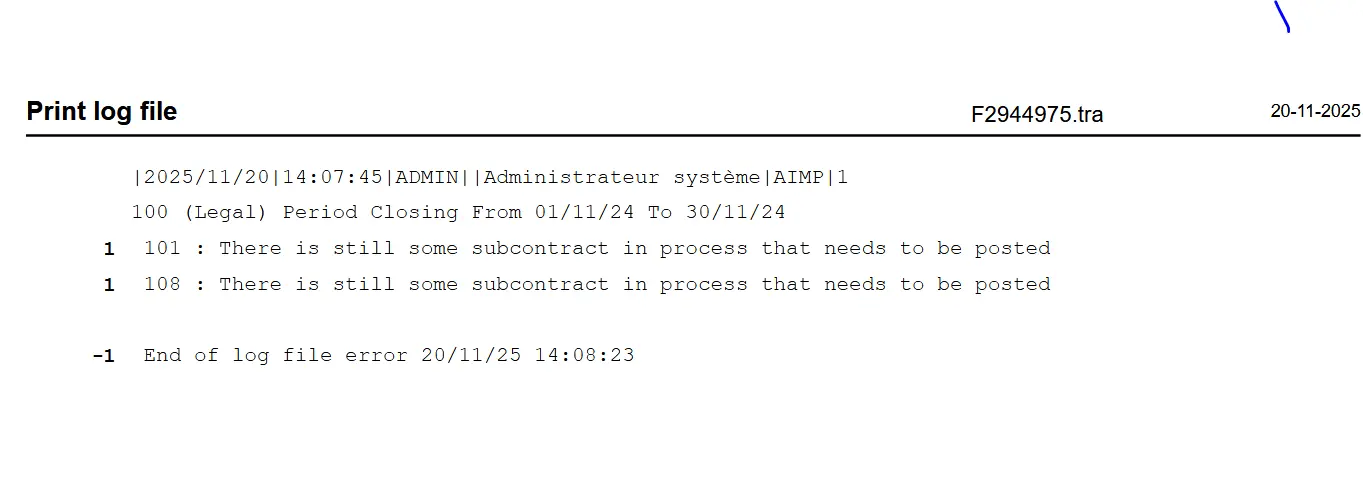
Error 2: “There is still some subcontract in process that needs to be posted”
Cause:
This error means that Work In Progress (WIP) postings for subcontract or work orders have not been completed.
This message appears both during period closing and in the CLOPER report.
Objective:
Identify subcontract or work orders whose WIP postings are still pending and complete the posting before closing the period.
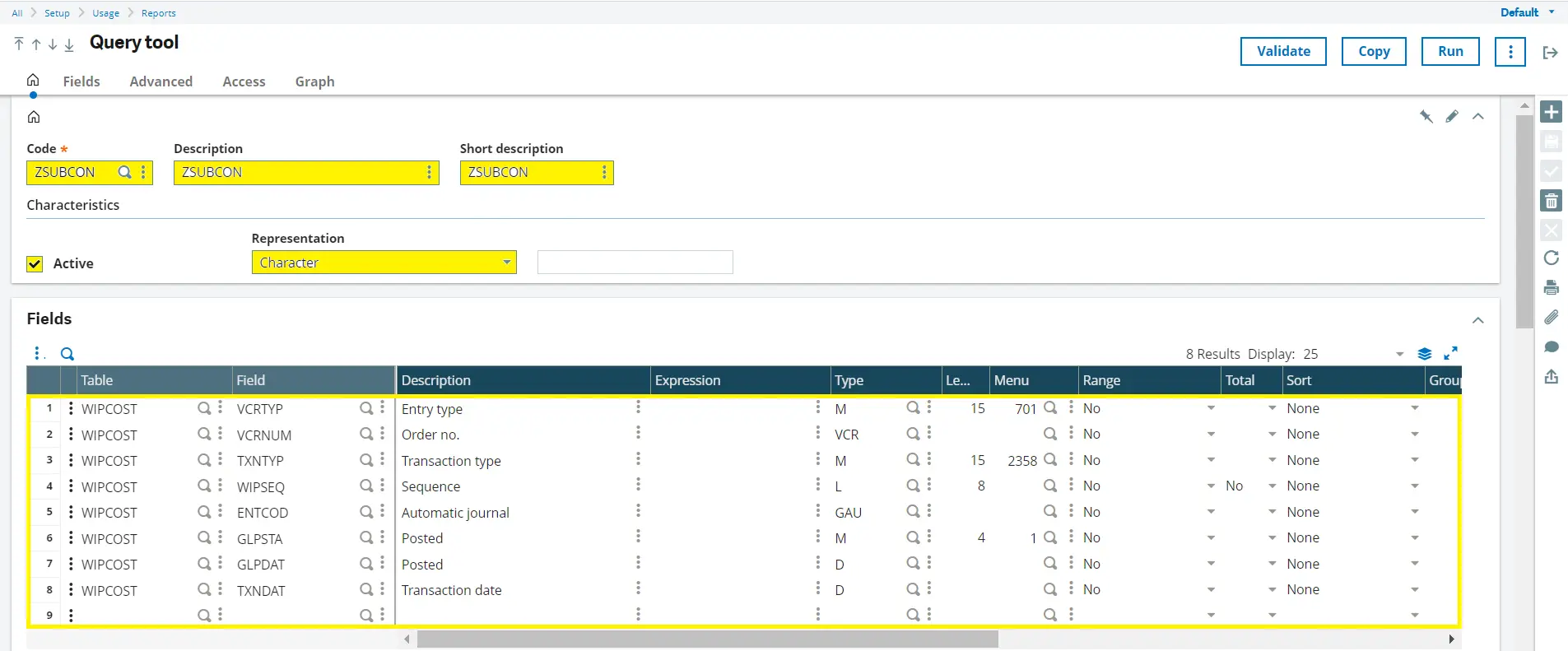
Solution: Identify Pending Subcontract WIP Postings Using Query Tool
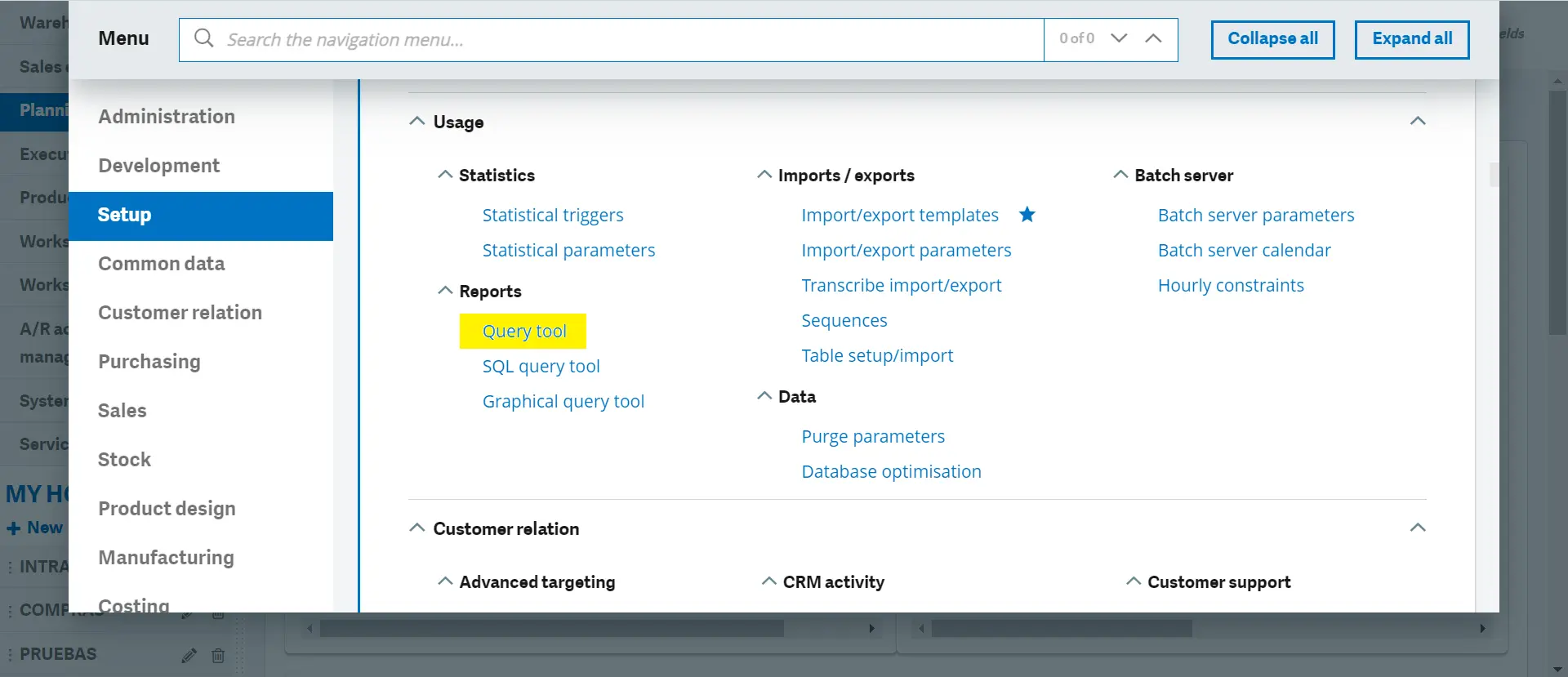
Navigation: Setup → Usage → Reports → Query Tool
Steps to Create the Query:
1. Click on “New”
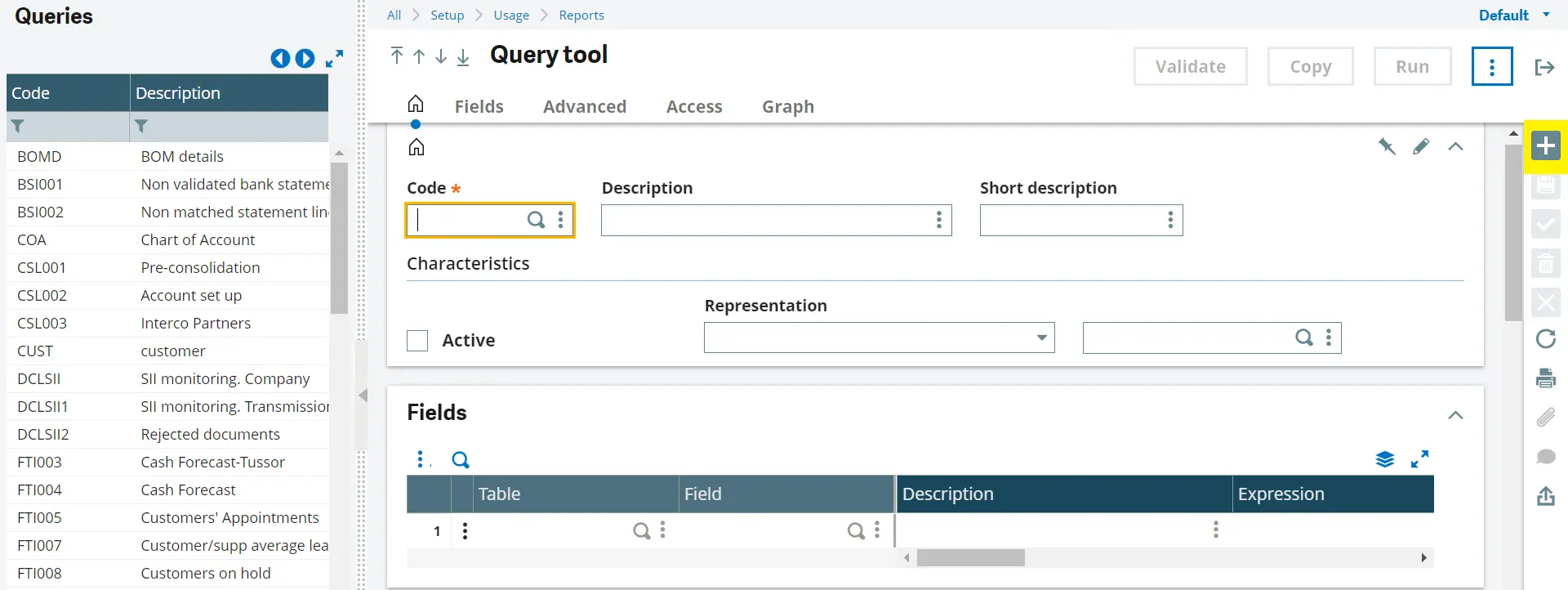
2. Enter:
- Code
- Description
- Short Description
3. Mark the query as Active
4. Set Representation to “Character”
Field Tab – Add the following fields:
- Table: WIPCOST – WIP valuation | Field: VCRTYP (Entry type)
- Table: WIPCOST – WIP valuation | Field: VCRNUM (Order number)
- Table: WIPCOST – WIP valuation | Field: TXNTYP (Transaction type)
- Table: WIPCOST – WIP valuation | Field: WIPSEQ (Sequence)
- Table: WIPCOST – WIP valuation | Field: ENTCOD (Automatic Journal)
- Table: WIPCOST – WIP valuation | Field: GLPSTA (Posted status)
- Table: WIPCOST – WIP valuation | Field: GLPDAT (Posting date)
- Table: WIPCOST – WIP valuation | Field: TXNDAT (Transaction date)
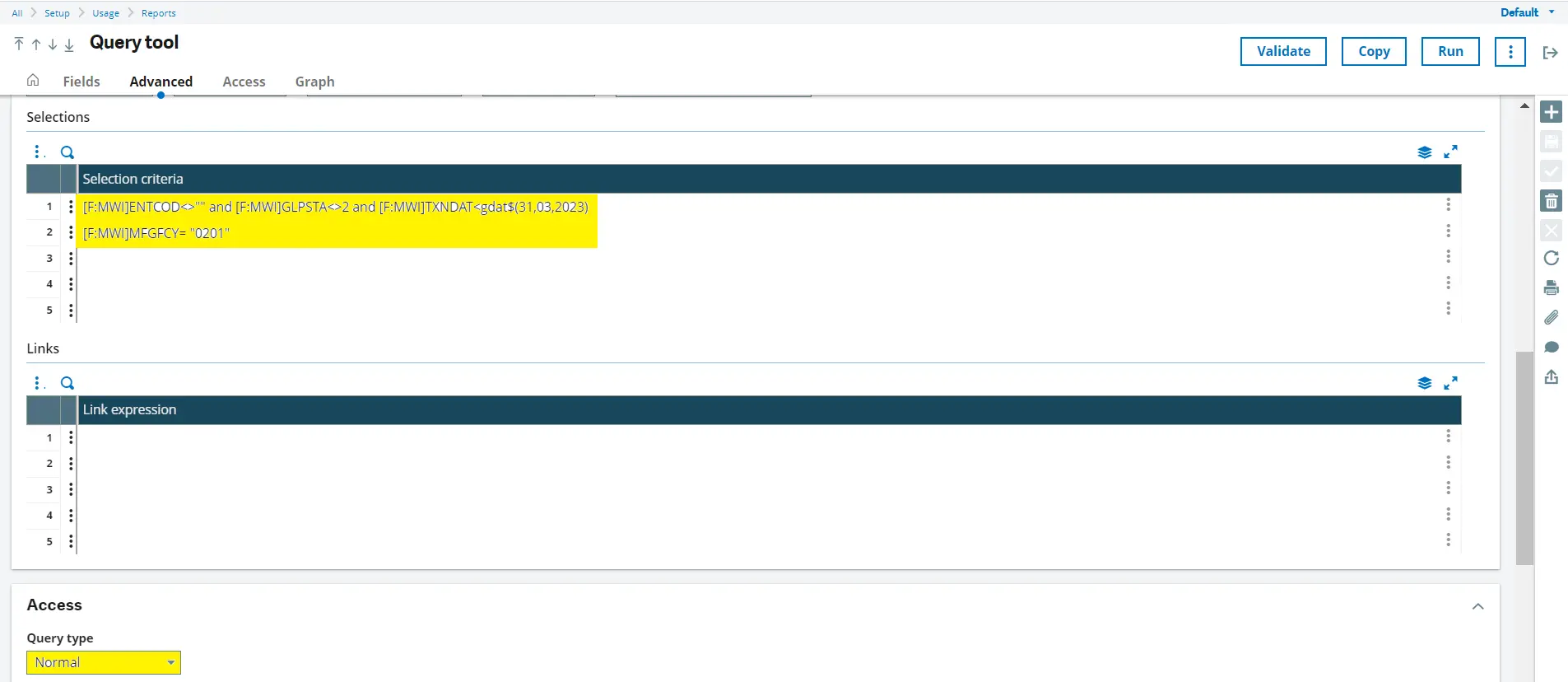
[F:MWI]ENTCOD<>”” and [F:MWI]GLPSTA<>2 and [F:MWI]TXNDAT<gdat$(dd,mm,yyyy)
Note: Replace the dd,mm,yyyy with the end date being closed. Example: For period ending March 31, 2023, enter 31,03,2023 in place of dd,mm,yyyy
[F:MWI]MFGFCY= “Site”
Note: Replace the “Site” as per your requirement
Note:
- Replace dd,mm,yyyy with the period end date being closed.
- Example: 31,03,2023
5. Click Create, then Validate
Running and Using the Query:
- Click Run → Search to execute the query.
- Always verify and update the date in the Advanced tab before running.
- Save and validate after every change.
- Clicking only “Run” without “Search” will show previously saved results.
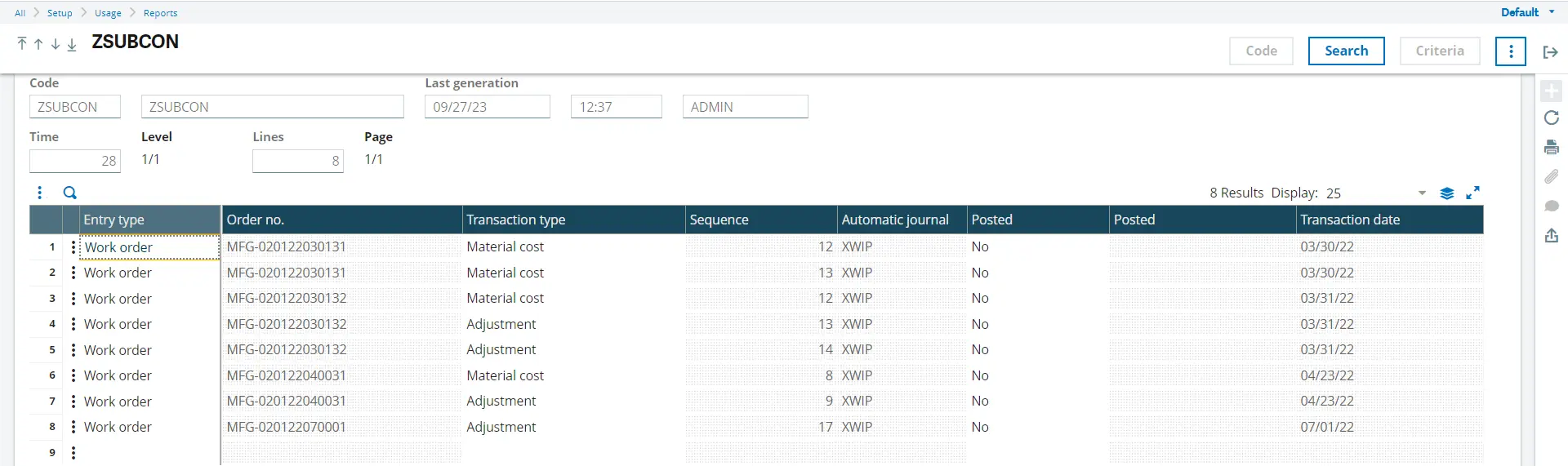
This query retrieves WIP valuation records where:
- Automatic journal is assigned
- Posting is not completed
- Transaction date is earlier than the closing date
- Entry type relates to subcontract or work orders
Once all identified WIP entries are posted, rerun the CLOPER report and proceed with period closing.
Conclusion
CLOPER report errors are safeguards to ensure accurate inventory and accounting data in Sage X3. By systematically identifying pending stock movements and subcontract WIP postings, these errors can be resolved efficiently, ensuring a smooth and compliant period closing process.