
- Sage X3 Add-on
WhatsApp Integration for Sage X3
Send transaction update messages and documents to customers and vendors through WhatsApp with a single click from Sage X3.
Get in touch
Share Transaction Updates Instantly From Sage X3
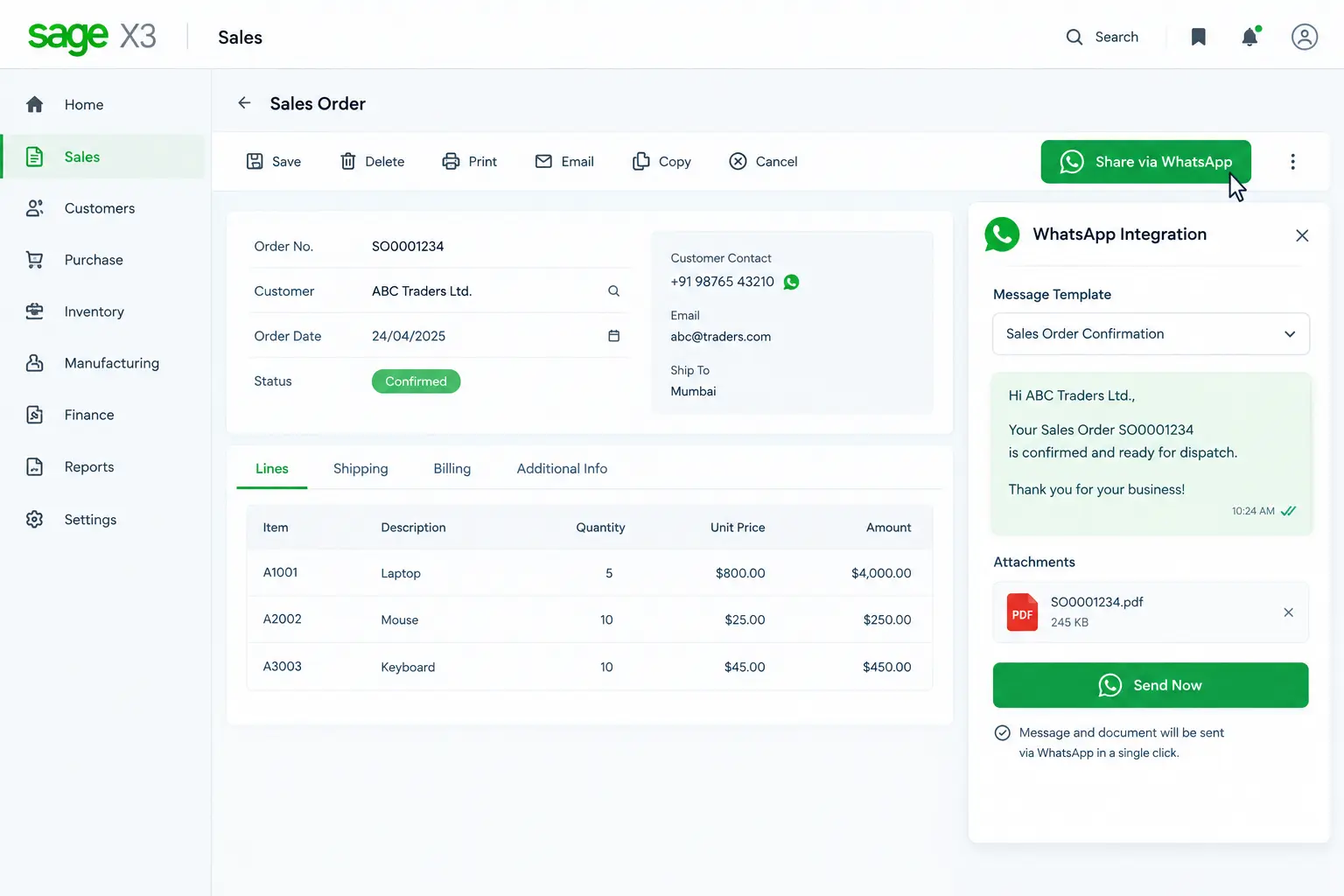
WhatsApp Integration is an add-on for Sage X3 ERP that places a WhatsApp button inside Sage X3 transaction screens. Users simply click the button to send the transaction update message and the corresponding document to the customer’s or vendor’s WhatsApp.
When a transaction is ready to be shared, there is no need to leave Sage X3. Forget about opening WhatsApp, drafting messages, or manually attaching documents. The add-on uses predefined message templates for different transaction types, with the transaction message and document sent together through WhatsApp with a single click.
Key Features of WhatsApp Integration Add-on for Sage X3
WhatsApp Integration for Sage X3 brings WhatsApp communication into your transaction workflow. Configure the transactions you want enabled for WhatsApp, define their message templates, and let users share messages and documents via Sage X3.
1. WhatsApp Button
A dedicated WhatsApp button is placed inside the Sage X3 transaction screens, providing users a direct way to share transaction updates.
2. Transaction Selection
Select which transaction types should be enabled for WhatsApp sending, such as AR invoice entry, OE shipment entry, and PO receipt entry.
3. Predefined Message Templates
Create predefined messages for different transaction types using Meta-approved business templates, ensuring the right message is used for each transaction.
4. User-Initiated Sending
Users decide when to share an update by clicking the WhatsApp button on the transaction screen. Messages are sent when the user initiates the action.
5. Customer & Vendor Updates
Configure the add-on to send sales transaction updates to customers and purchase transaction updates to vendors, keeping both sides informed
6. Simple Setup
Connect your verified WhatsApp Business Account (WABA) and configure the API credentials required for WhatsApp integration with Sage X3.
What are the Advantages of WhatsApp Integration for Sage X3?
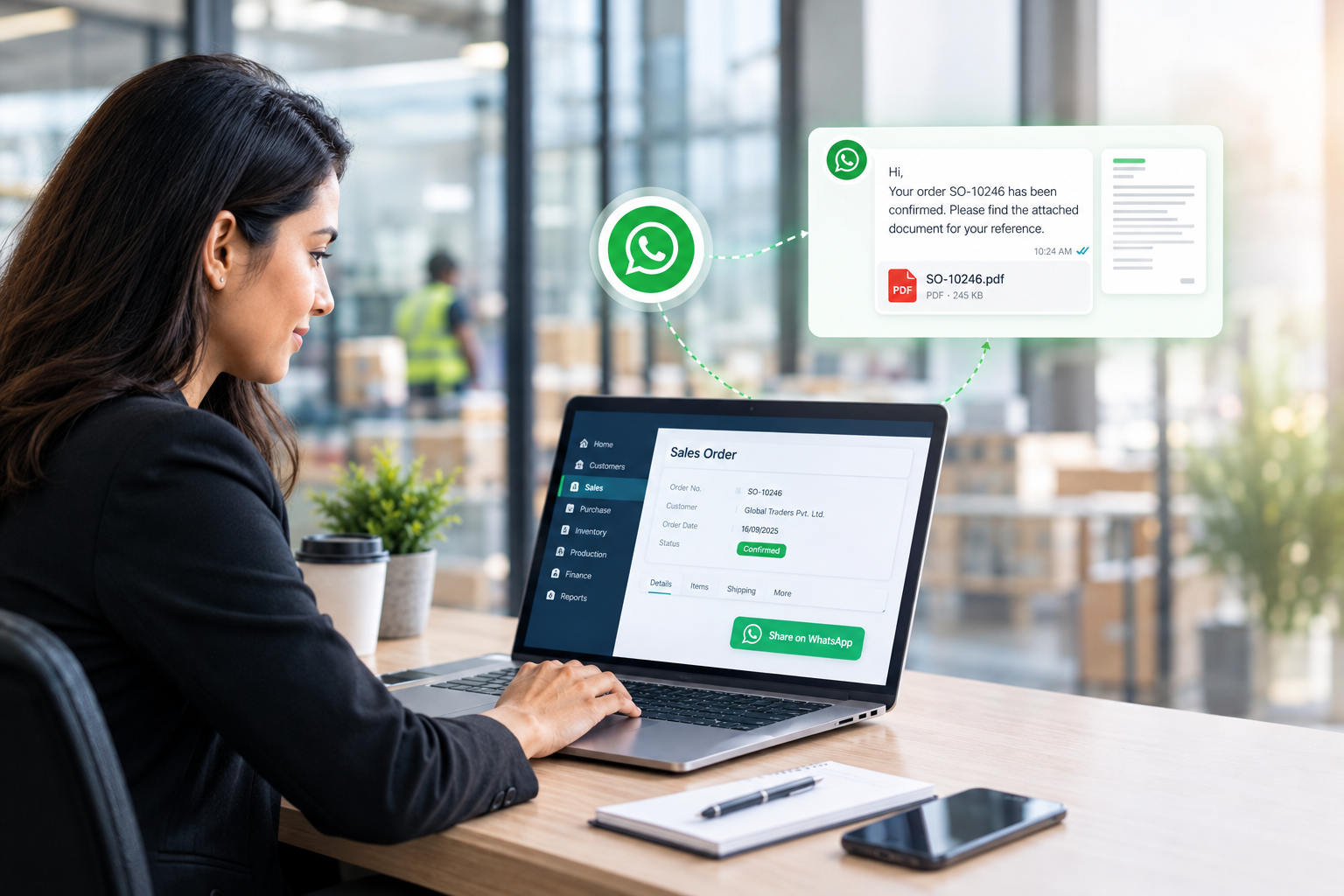
With a WhatsApp button available inside Sage X3, users get a simplified way to share transaction updates with customers and vendors. The message and document are ready to go together, keeping the communication process aligned with transaction progress.
➡️ Better message visibility: Reach customers and vendors more effectively than email.
➡️ Single-click sharing: Send the ready-to-use transaction message and document with a single click.
➡️ No manual effort: Save time spent switching applications, typing messages, or attaching files.
➡️ Faster updates: Promptly share updates when sales and purchase transactions are ready.
➡️ Fewer follow-ups: Reduce frequent requests from customers/vendors for order updates.
➡️ No need to leave ERP: Send WhatsApp via the X3 transaction screen, keeping users within ERP.
Why Trust Sage Software for Sage X3 Add-ons?
Years of expertise in Sage X3 implementation
Add-ons developed by Sage X3 experts
Customized solutions for your business needs
Certified Sage consultants and implementation specialists
Your End-to-End Sage X3 ERP Service Provider
As India’s leading Sage partner, we provide comprehensive Sage X3 services, including licensing, implementation, integration, customization, and app development, along with ready-to-use add-ons. Extend Sage X3 with WhatsApp Integration and other business-specific solutions tailored to your operational requirements.
✔️ Implementation & Configuration
✔️ Integration & Customization
✔️ App Development & Workflow Optimization
✔️ Training & Ongoing Support

FAQs
What is WhatsApp Integration for Sage X3?
WhatsApp Integration is an add-on for Sage X3 ERP that places a WhatsApp button inside Sage X3 transaction screens, allowing users to send transaction update messages and documents to customers and vendors with a single click.
How does WhatsApp Integration work?
Once a transaction is ready to be shared, the user clicks the WhatsApp button on the Sage X3 transaction screen. The predefined message for that transaction type and the corresponding transaction document are then sent to the WhatsApp of customers and vendors.
Do users need to open WhatsApp separately?
The WhatsApp sending is initiated directly from the Sage X3 transaction screen. Users simply click the WhatsApp button and the message and document are automatically sent.
Are the WhatsApp messages created manually?
The messages are pre-prepared based on Meta-approved templates configured for different transaction types. Users do not need to draft a new message when sharing a transaction update.
Is the transaction document sent with the WhatsApp message?
Yes. The transaction update message and its document are sent together through WhatsApp.
Are messages sent automatically when a transaction is created?
No. The user has to click the WhatsApp button on the Sage X3 transaction screen to send the update.
Can messages be customized for different transaction types?
Yes. A predefined message template can be configured for each transaction type using Meta-approved business templates, allowing you to use appropriate messages for each transaction.