Automatic Journals in Sage X3
To map the dimensions in Sage X3 for various transactions, there is a default dimension setup. However, some transactions, such as asset entries, do not have default dimensions established. Automatic Journals provide the flexibility to define specific dimension rules, making Sage X3 a powerful ERP software for handling complex business scenarios.
We will discuss two scenarios here: one in which no default dimensions are set up, and another in which a default dimension setup is available.
**Scenario 1: Without Default Dimensions for Asset Depreciation and Account Transfer Entries**
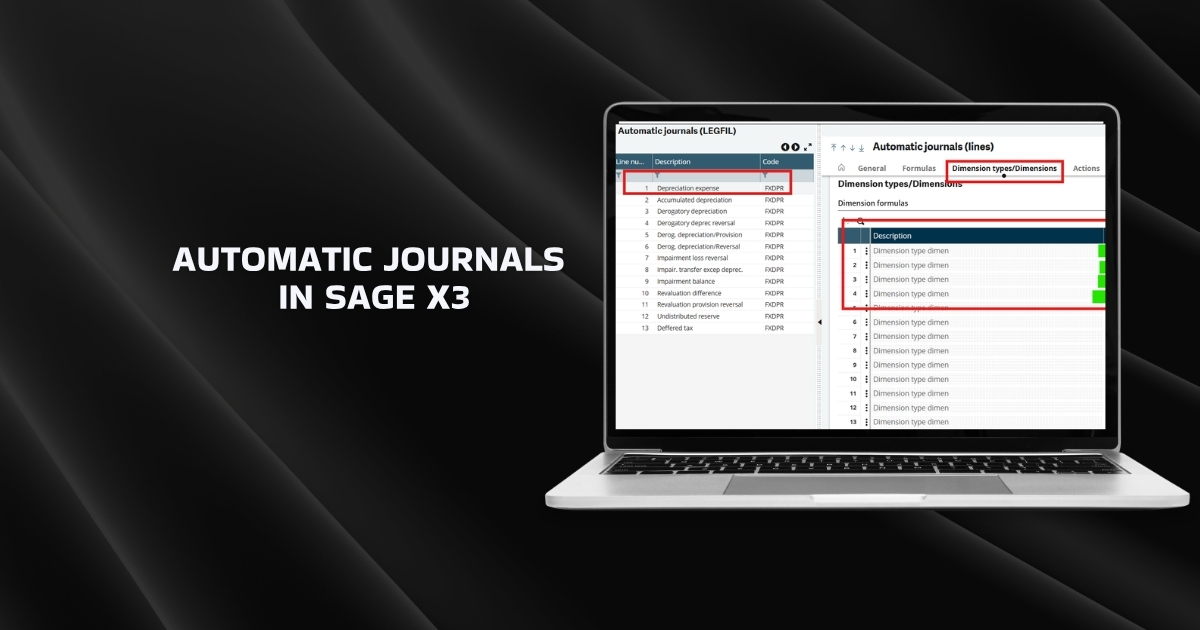
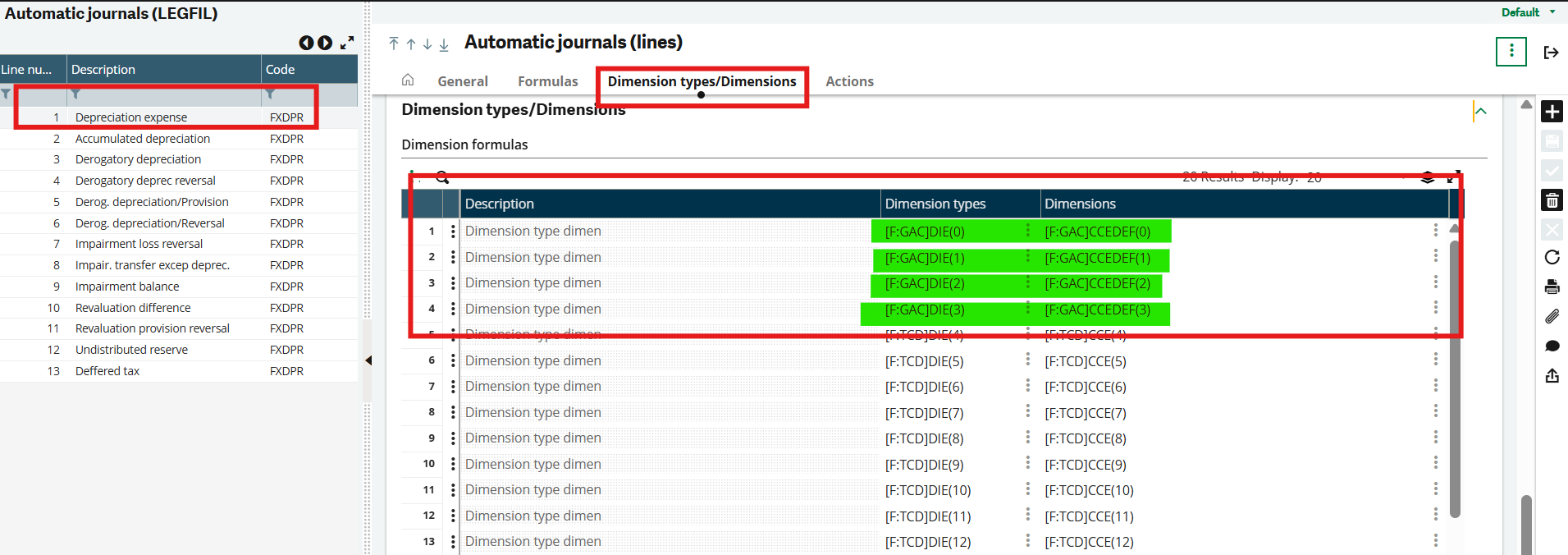
For asset depreciation entries, you can utilize the automatic journal associated with that entry type (FXDPR – FA: Depreciation). Check the journal lines affected when the entry is posted. For one of our clients, the depreciation entry was required to capture the dimensions from the account.
Using the formula wizard, we mapped the dimensions as follows: [F:GAC]DIE(0) represents the dimension type, and [F:GAC]CCEDEF(0) represents the dimension value.
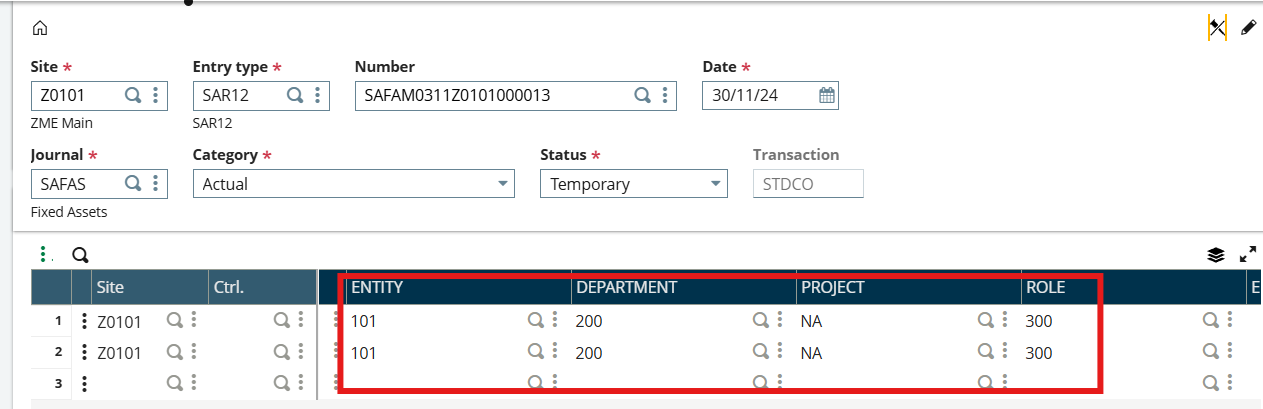
Similarly, you can map the dimensions on the automatic journal of account transfer entry, specifically the Sales & Disposal entry.
**Scenario 2: Transactions with Default Dimension Setup**
In the case of transactions such as a purchase receipt, even after configuring the default dimensions from the account, the system still pulls dimensions from the purchase order.
For our client’s purchase receipt stock journal, the dimensions had to be sourced from the account. However, despite setting the default dimension for the Stock Receipt (STKREC), the journal entries were still retrieving dimensions from the purchase receipt screen, which derives its data from the purchase order.
- **PTD** – Document line default dimension code
- **STKREC** – Stock line default dimension code
To address this issue, you must update the formula in the automatic journal lines of the transaction as indicated below.

- Similarly, we can map transactions using the default dimension setup.
- For purchase invoices, dimensions can be configured for tax lines.
- You can have two different sets of dimensions mapped for your journal entries, one for debits and another for credits. For example, in the case of our client, when a sales delivery occurs, the stock account that is credited is linked to account dimensions, while the project cost accounts that are debited are connected to project dimensions.
Conclusion
In Sage X3, dimensions are generally controlled by default dimension rules and transaction data. However, when these do not meet business requirements, automatic journal formulas can be used to override the system. When properly configured, this ensures that the correct dimensions are applied to both debit and credit entries.