
- Sage 300 Add-on
WhatsApp Integration for Sage 300
Share transaction messages and relevant documents with customers and vendors on WhatsApp, all with a single click from Sage 300.
Get in touch
Make Transaction Updates Easier to Share
WhatsApp Integration is an add-on for Sage 300 that enables you to send transaction updates to customers and vendors on WhatsApp without leaving your Sage 300 ERP. Whether it’s a sales order going out to a customer or a purchase order update being sent to a vendor, the right message and the right document reach the right party in one click.
Do away with the entire process of drafting a message, attaching the transaction document, and then sending it separately through WhatsApp. A dedicated WhatsApp button built directly into the Sage 300 screens makes it simpler and faster to share transaction updates. Click it, and the message with the transaction document goes out immediately.
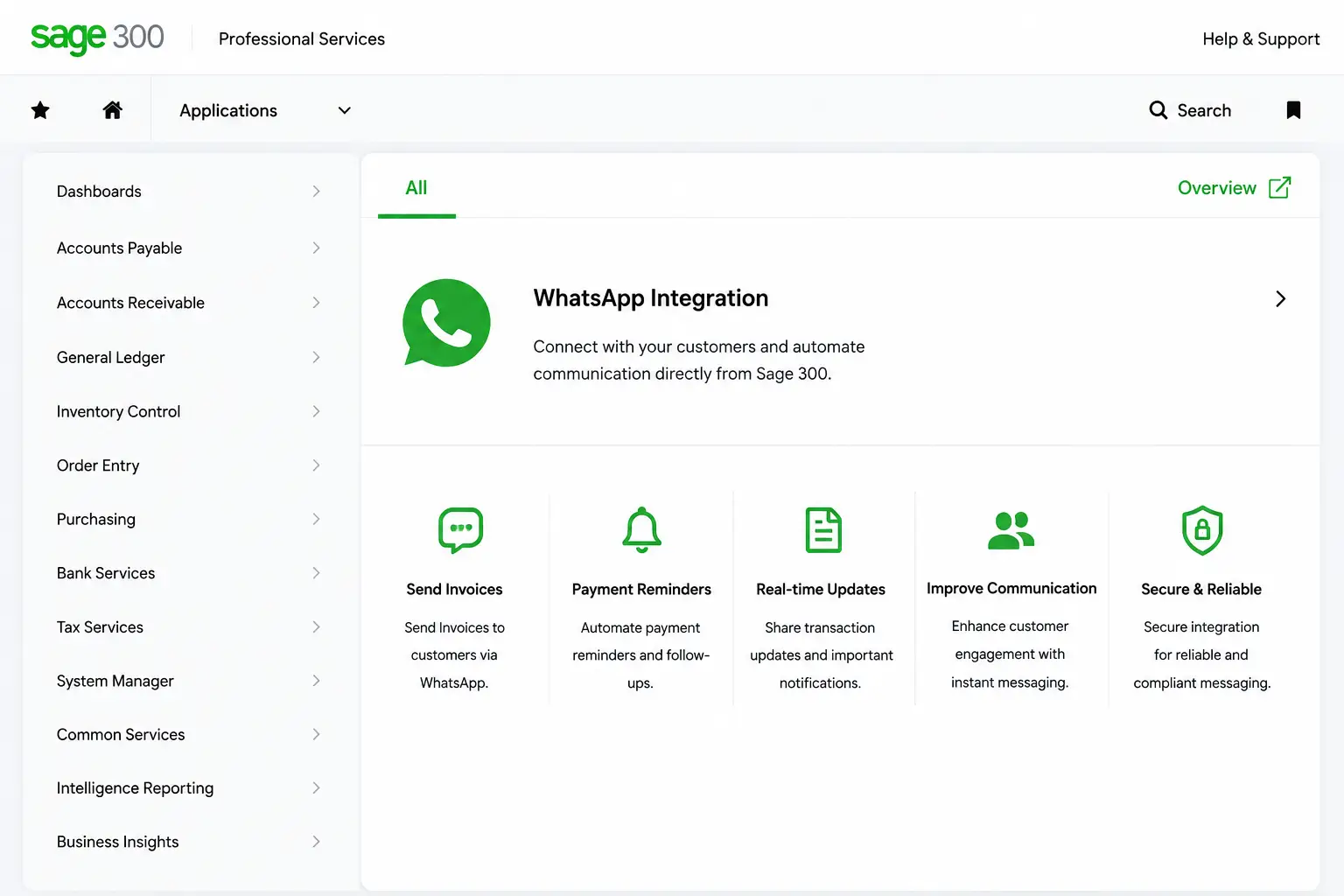
Main Features of WhatsApp Integration for Sage 300
WhatsApp Integration for Sage 300 is built to give you complete control. You can configure which customer and vendor transactions should be enabled for WhatsApp sending, and what the message content should be, all from within Sage 300.
1. Transaction Selection
Select which transaction updates you want to send via WhatsApp, like AR invoice entry, OE order entry, and PO entry. So nothing unauthorized goes out.
2. Preference Setting
Get the flexibility to choose whether to send just the WhatsApp message or to include the transaction document with it.
3. Custom Templates
Create custom messages for each transaction type using Meta-approved business templates, keeping every message compliant and standardized.
4. Click & Send
All transaction updates are only sent after clicking the WhatsApp button on the transaction screen. Nothing goes out on its own.
5. Notify Customers & Vendors
Send Sales Transaction updates to customers and Purchase Transaction updates to vendors, keeping both sides informed.
6. Easy Setup
Simply connect your verified WhatsApp Business Account (WABA) and configure the API credentials required for WhatsApp integration in Sage 300.
How Does WhatsApp Integration Help Sage 300 Users?
WhatsApp messages are seen by everyone and opened far more frequently than email, which makes it a stronger channel for communication. Here’s what you gain by connecting it to Sage 300:

➡️Reduced Effort:
Save your team time on typing, attaching documents, and sending messages.
➡️ Lesser Calls:
Proactive updates mean fewer follow-up calls from both parties.
➡️ Trust & Reliability:
Standardized messaging keeps communication consistent, building trust.
➡️ Better Experience:
Give customers and vendors timely updates through their preferred channel.
➡️ No Switching:
Send transaction updates without using a separate WhatsApp Business app.
Why Partner with Sage Software for Sage 300 WhatsApp Integration?
In-house integration and solution development
Extensive expertise in Sage 300 implementation
Customized solutions for your business needs
Certified Sage consultants and implementation specialists
Your Complete Sage ERP Solution Provider
With Sage Software, you have access to Sage ERP licensing, implementation, integration, customization, and development services, along with various ready-to-use Sage ERP add-ons. Extend Sage 300 with WhatsApp Integration and other business-specific solutions, with us as your trusted Sage partner.
✔️ Implementation & Configuration
✔️ Integration & Customization
✔️ App Development & System Optimization
✔️ Consulting & Ongoing Support
FAQs
What is WhatsApp Integration for Sage 300?
WhatsApp Integration is an add-on that enables you to send transaction messages and documents to customers or vendors via WhatsApp, directly from Sage 300.
Which transaction screens support WhatsApp notifications?
Any screen authorized through the Notification Assignment screens, covering customer notifications for Sales Transactions and vendor notifications for Purchase Transactions.
Does the message go out automatically once a transaction is created?
No. A user has to click the WhatsApp button on the Sage 300 screen, and only then the message is sent.
Can messages be customized for transactions?
Yes. Custom messages are built for each transaction type using Meta-approved business templates, ensuring consistent and compliant communication every time.