
- e-Invoicing
Mauritius e-Invoicing Add-on for Sage ERP
Streamline MRA compliant e-invoicing, reduce manual work, and improve billing accuracy with the most trusted add-on for e-Invoicing in Mauritius. Perform batch e-invoice submission in JSON format, capture the IRN & QR codes, and track real-time e-invoice status with ease.
Get in touch
What is e-Invoicing in Mauritius?
Mauritius Revenue Authority (MRA) introduced an electronic invoicing system at the national level that mandates the generation of electronic invoices and the transmission of transaction data to the MRA portal before fiscal invoice issuance to the customer. Once your data is transmitted electronically, it generates an Invoice Registration Number (IRN) and a QR Code, while invoices are transmitted in JSON format, ensuring easy verification.
The e-invoicing mandate is mandatory for businesses & suppliers in Mauritius that fall within MRA’s phased implementation threshold. Businesses are required to use an ERP software, Point of Sale (POS) device, or an invoicing solution to transmit invoice data to the MRA. E-invoicing is not limited to VAT-registered persons only.
How Mauritius e-Invoicing Works in Sage ERP?
The add-on for e-Invoicing in Mauritius works through 6thcorner, a specialised extension that facilitates country-specific tax compliance directly within Sage ERP. It supports MRA-compliant e-invoicing, batch e-invoice submission, QR code capture, and e-invoice checks in JSON format.
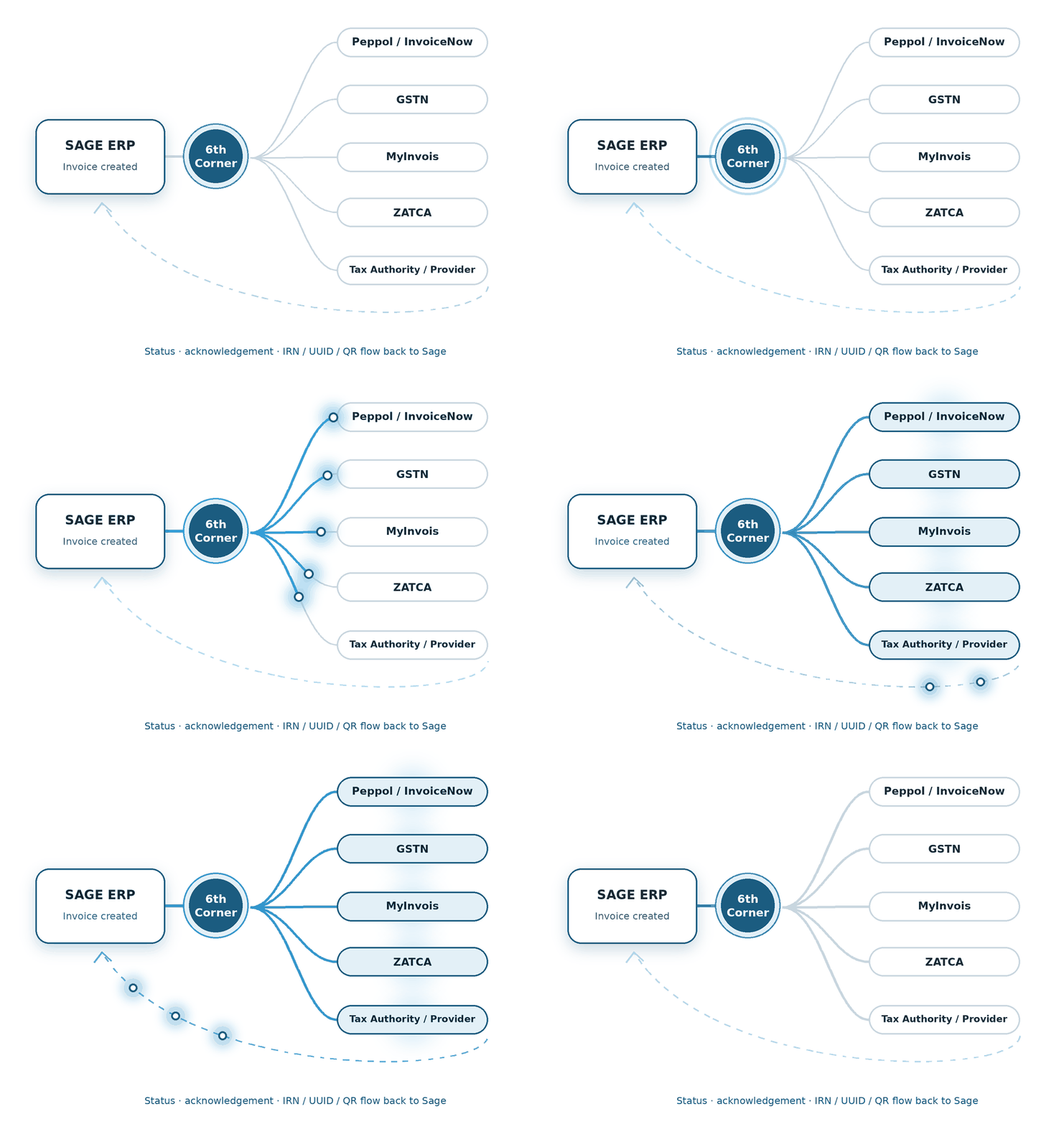
1 - Generate Invoice in Sage ERP
2 - Submit Invoice Data to MRA
3 - Receive IRN & QR Code
6 - Share the Compliant Invoice
5 - Check e-Invoice Status
4 - Update Invoice in Sage ERP
Supported Sage Products
Bring Mauritius e-Invoicing capabilities into the Sage ERP for a smoother, faster, and more efficient experience. We support the integration with the following Sage products:
We build the connection between financial transactions and the country-specific compliance journey.
We shape the e-Invoicing flow around the processes already running through Sage X3.
We connect the required e-Invoicing steps with the Sage 300 transaction flow.
Features of Mauritius e-Invoicing Add-on for Sage ERP
Eliminate Manual Invoice Handling
Establishes a secure connection to the MRA portal, eliminating manual work.
Real-Time QR Codes & IRN
Automatically requests approved QR codes and Invoice Reference Numbers (IRN).
Built-in Auto-Validation
Ensures smooth compliance with multiple pre-submission checks.
JSON Format Conversion
Conversion of standard transaction data into structured JSON format.
Fast Deployment
Easily install and configure the system in just a few days.
Diverse Document Formats
Sage X3 e-Invoicing Mauritius add-on supports debit & credit notes.
Multi-Entity
Manage separate Business Registration Numbers (BRNs) for multiple entities.
Pre-filled VAT Reconciliation
Get corporate VAT refunds faster through pre-filled VAT reconciliations.
Data Security
Establishes strong data security standards through role-based permissions.
Benefits of Automating e-Invoicing in Sage ERP
Error Reduction
E-invoice automation minimises potential human errors.
Faster Processing Times
Increases invoice processing & approval times.
Enhanced Compliance
Ensures stricter compliance and improves audit-readiness.
Data Security
How We Implement e-Invoicing for Sage ERP
The process for MRA compliant e-Invoicing Mauritius can be broadly divided into five steps:
Assess Requirements
First things first, we check whether the e-invoice mandate applies to you.
Register and Obtain Credentials
The next step is signing on to the MRA e-invoice portal.
Configure Sage and Master Datan
Integrate the core e-invoicing module into Sage ERP.
Test in Sandbox
We perform a series of tests to generate IRNs & QR codes.
Go-Live Phase
The add-on for e-Invoicing for Sage X3 in Mauritius goes live. We also set up quick monitoring for reconciliation & rejections.
FAQs
How does the e-Invoicing in Mauritius add-on help meet MRA e-Invoicing requirements?
Here’s how the add-on for MRA compliant e-Invoicing Mauritius helps meet the MRA requirements:
- MRA Integration: Integrates the MRA e-invoicing system with Sage ERP
- JSON Format: Invoice generation in JSON format
- QR Code & IRN Capture: Captures QR code and Invoice Registration Number (IRN)
- Status Check: E-invoice submission status check
- Reduced Errors: e-Invoicing for Sage X3 in Mauritius reduces manual errors