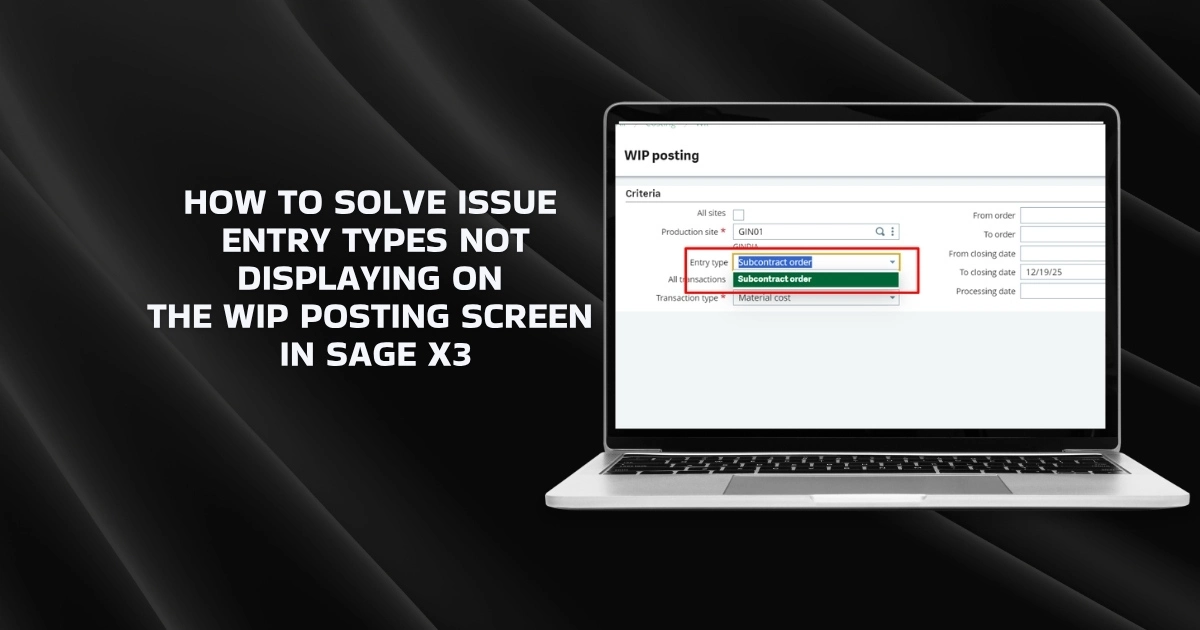
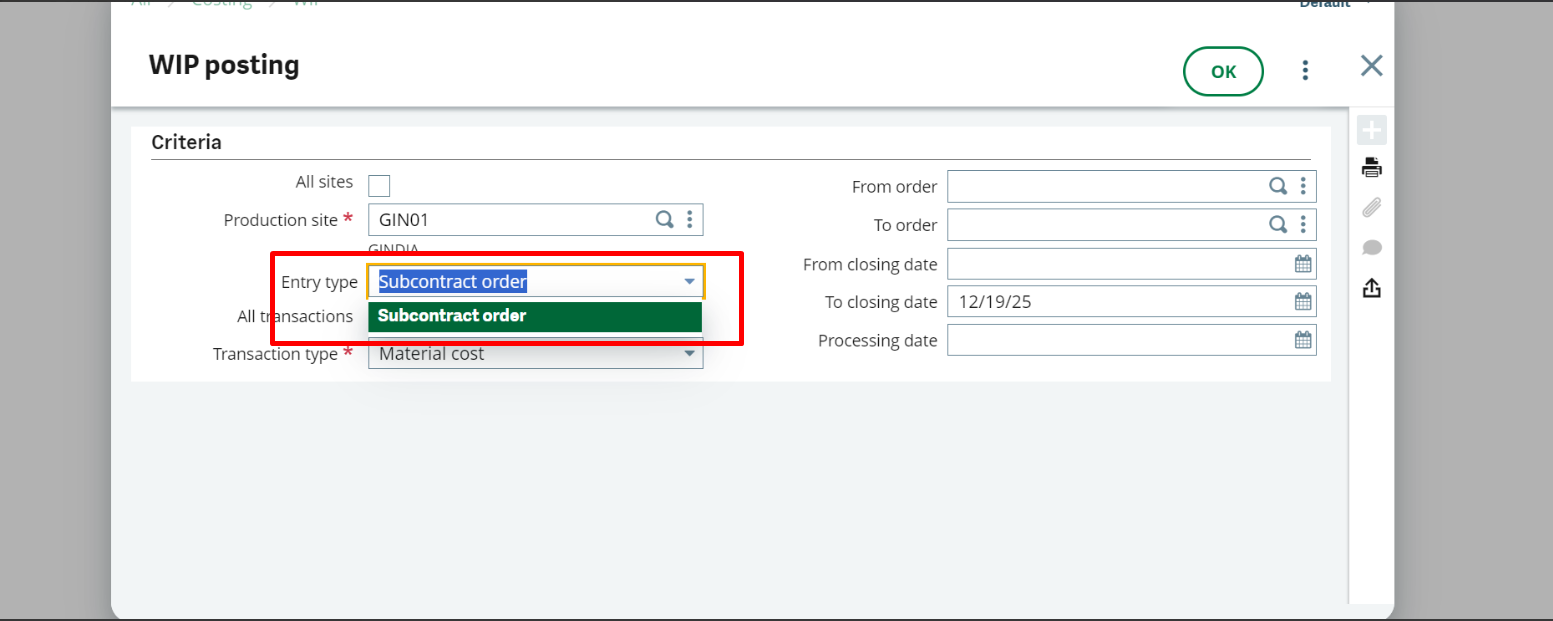
In Sage X3, the message “Entry Types Not Displaying on the WIP Posting Screen” indicates that the ERP software cannot find eligible entry types configured for Work-in-Progress (WIP) posting. This is a configuration issue, not a system error, and can be easily fixed.
This blog provides the steps to resolve this issue, supported by screenshots for clarity.
Steps to Resolve the Issue
Follow the steps below to perform the required configuration with the help of the screenshots provided.
1. Parameter values:
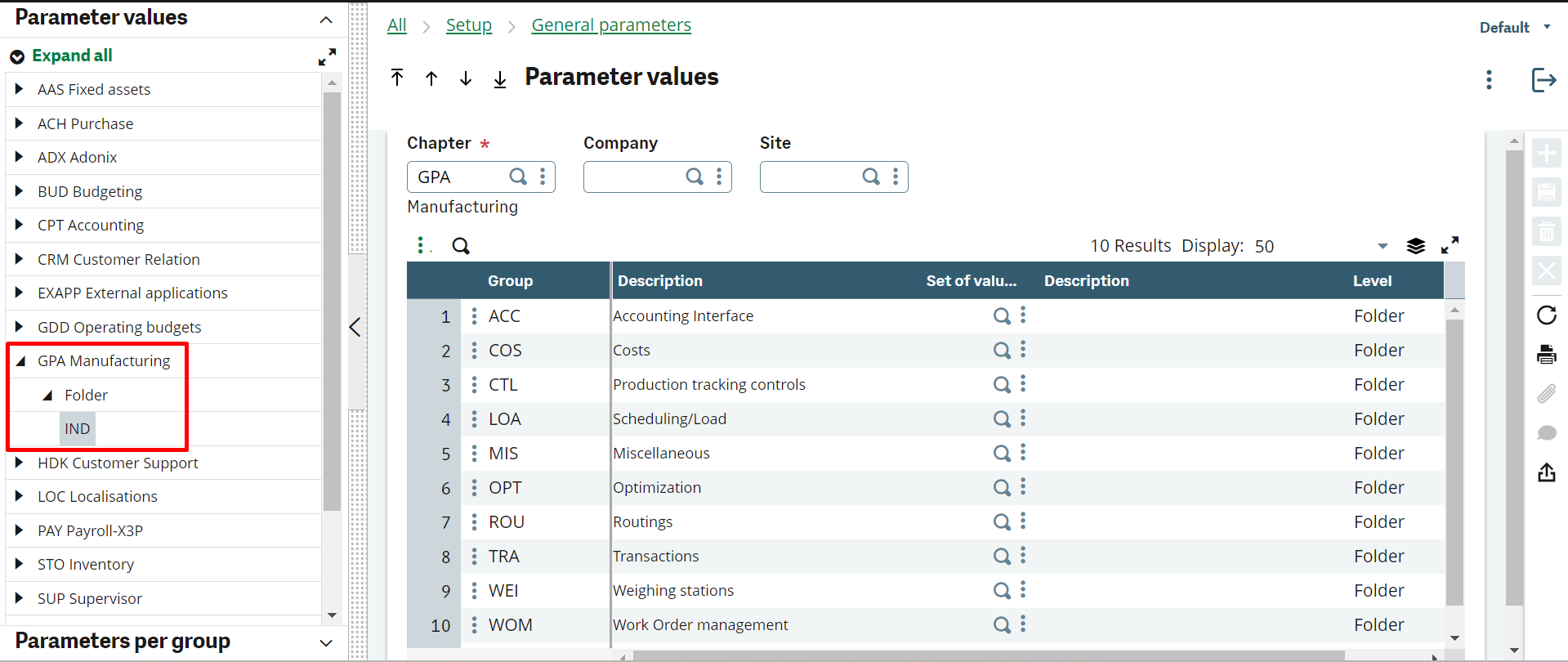
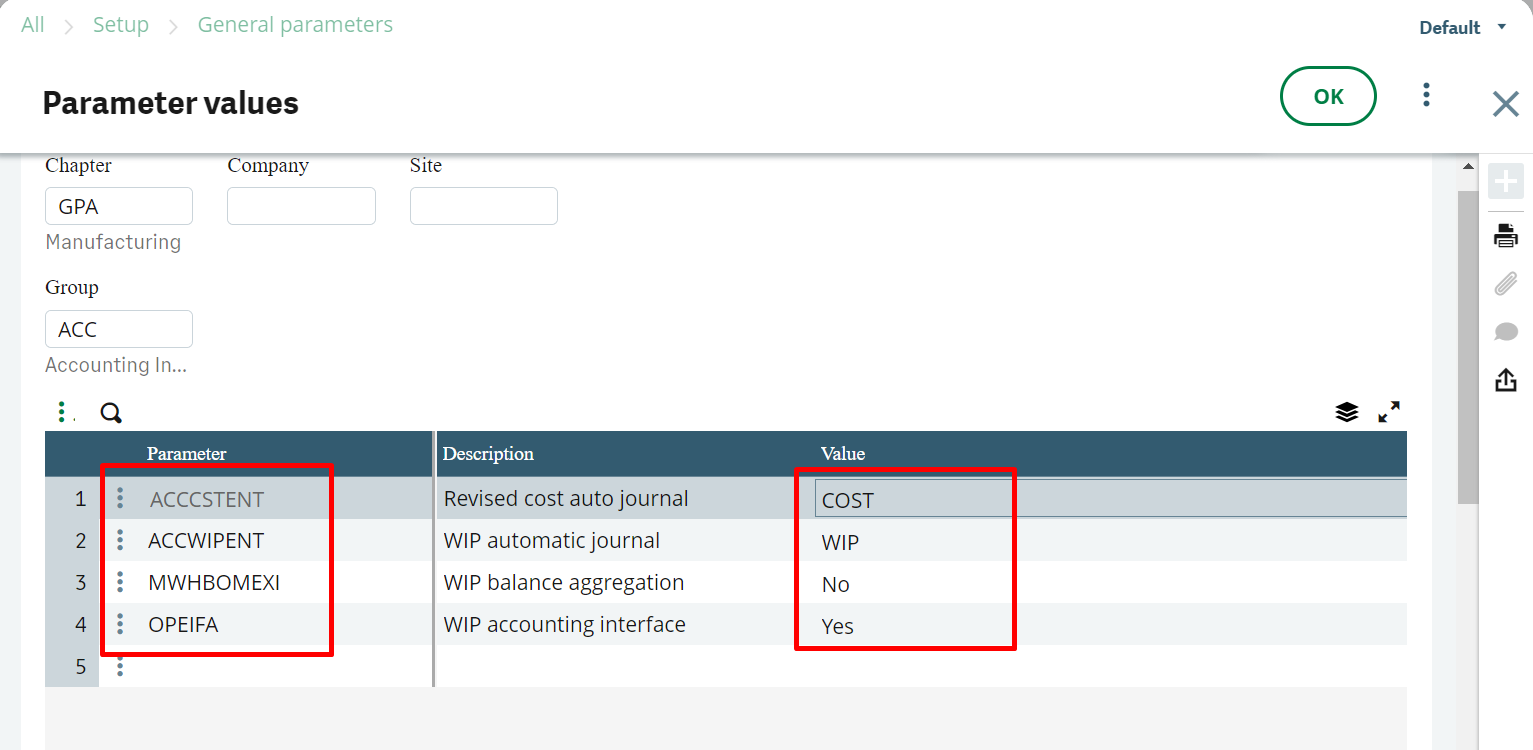
Check parameter values for the GPA Chapter manufacturing:
Path: All → Setup → General Parameters → Parameter Values
1.1 Go to GPA Chapter (Manufacturing):
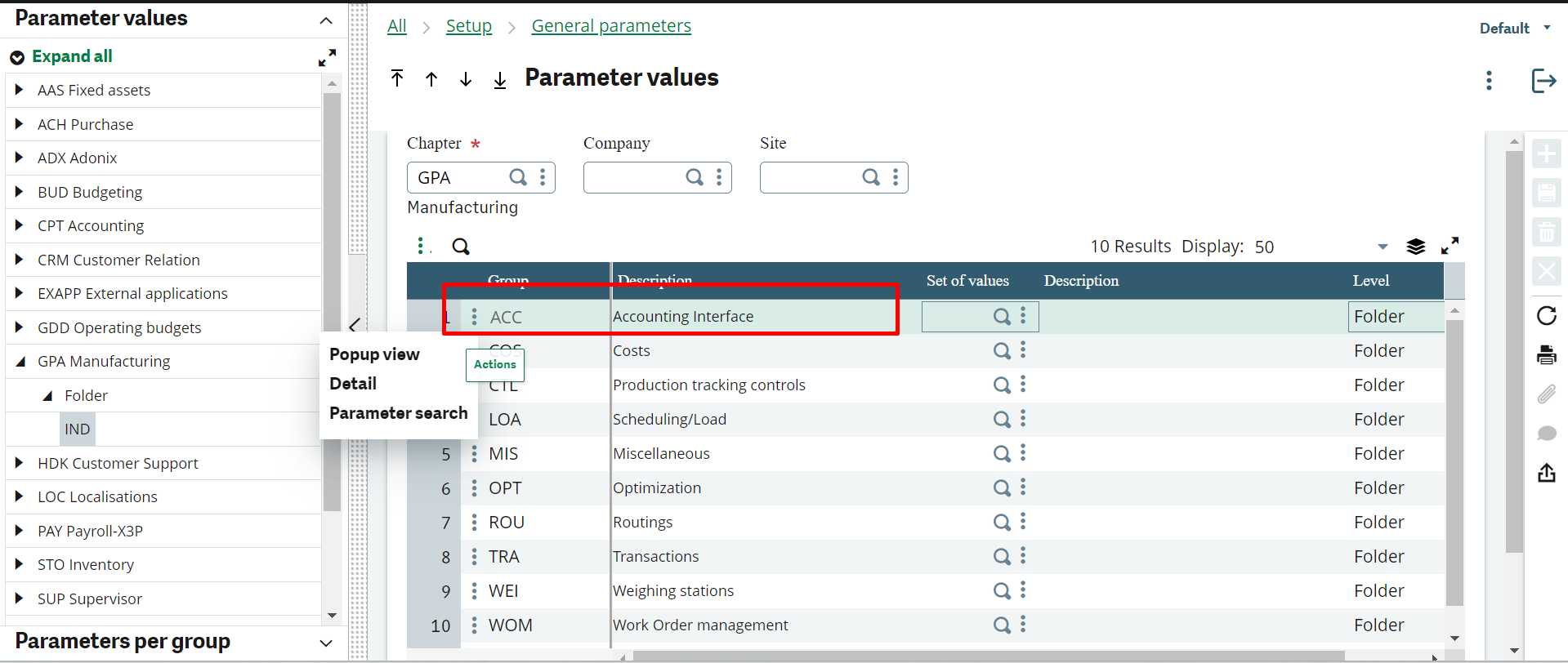
1.2 Go to ACC (Accounting Interface) Group:
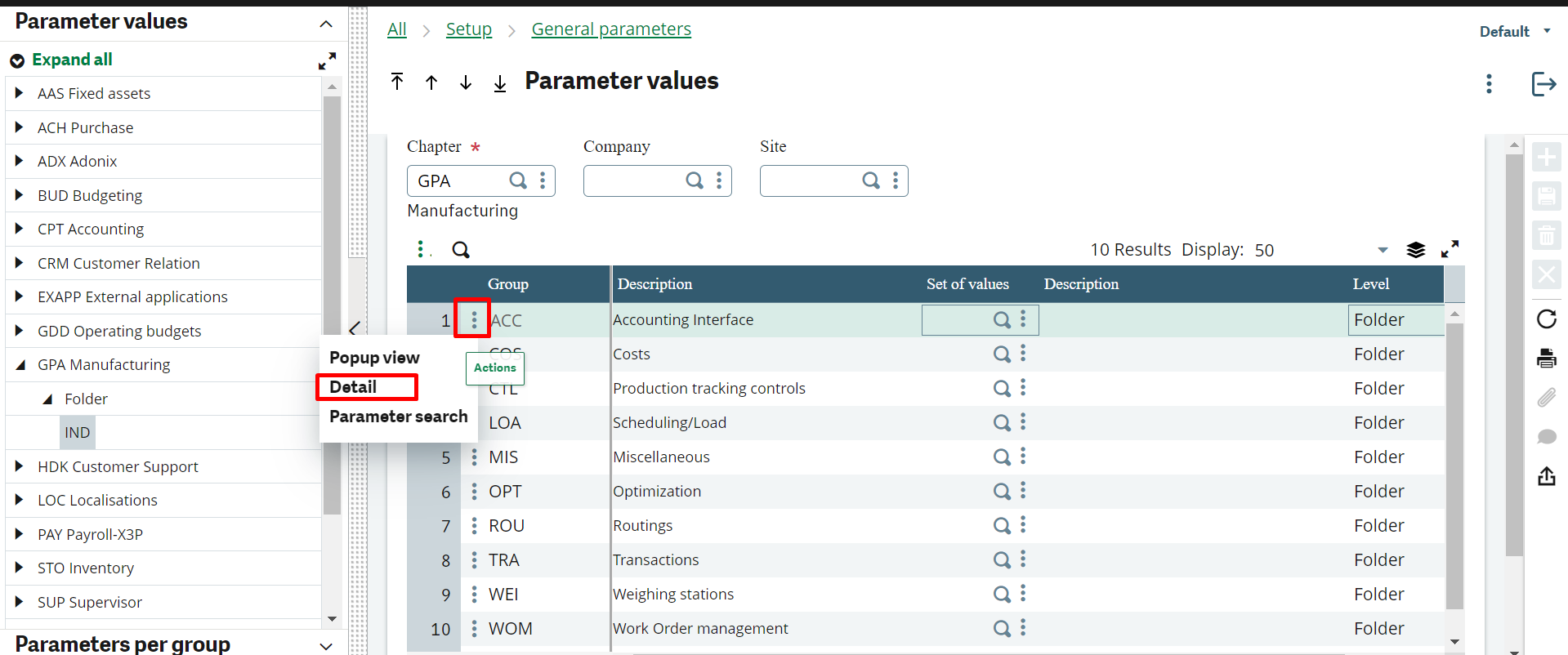
1.3 Click on the action button, then click on the “Detail” option:
1.4 Configure these parameters as configured in the screenshot below:
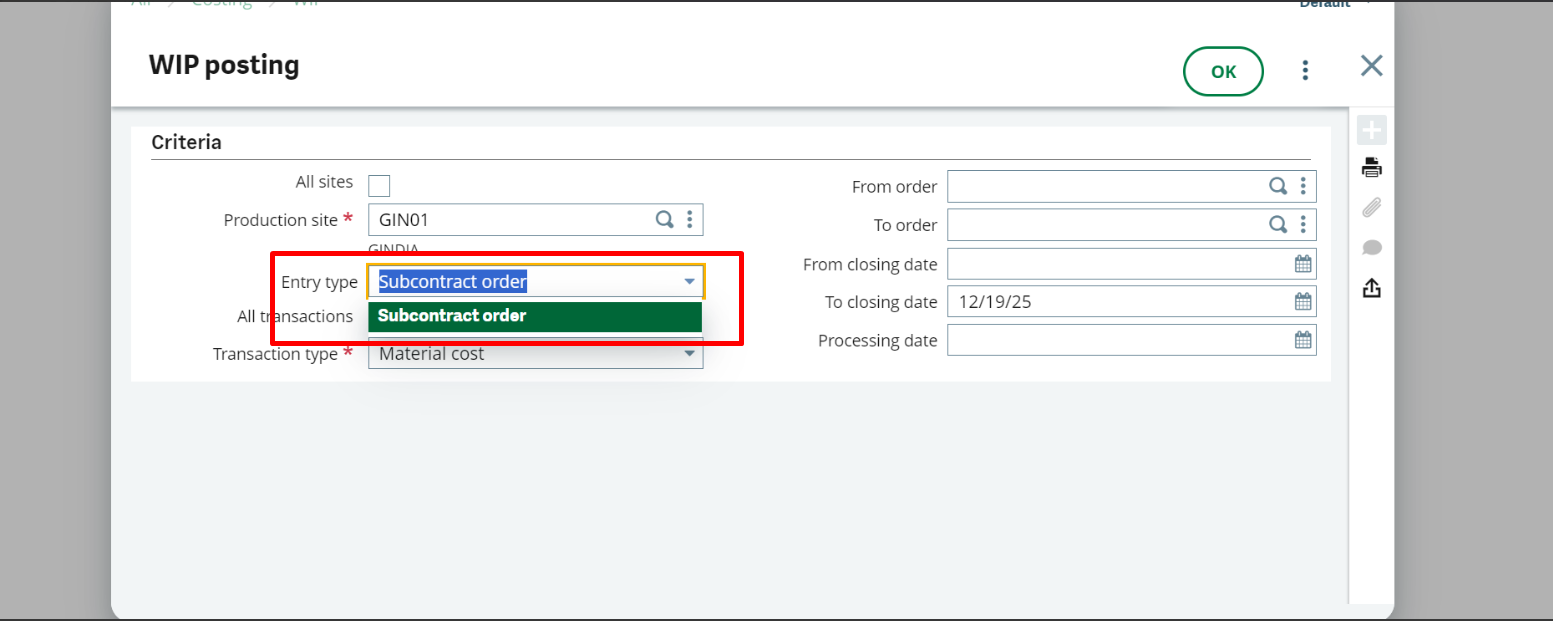
2. Now all three entry types are displayed on the WIP Posting screen, as shown in the screenshot below.
Conclusion
By completing the steps outlined above, all the entry types will display correctly on the WIP Posting screen, ensuring a smooth posting experience. Maintaining accurate configuration in Sage X3 helps prevent similar issues and ensures consistent system performance.